Auto-scaling
When all Compute Units (CUs) included in your plan are exhausted, API calls are suspended. Auto-scaling prevents service interruption caused by unexpected traffic spikes or increased workloads — additional charges apply only to usage that exceeds the plan's CU limit.
Auto-scaling Pricing
Auto-scaling is available on paid plans starting from Basic. Overage usage is calculated at the rates below and billed through the payment method registered in the Nodit console.
| Spec | Free Trial | Basic | Developer | Business | Dedicated |
|---|---|---|---|---|---|
| Auto-Scaling | Not Supported | $1.0/1M CUs | $1.0/1M CUs | $1.0/1M CUs | Custom |
Enabling Auto-scaling
Auto-scaling is disabled by default. Because enabling it may result in additional charges for overage usage, activate it only when service continuity is required. Follow the steps below in the console to change the setting.
-
Log in to the Nodit console and navigate to the Overview page.
-
Click the toggle to the right of Auto-scaling Usage to enable or disable the feature.
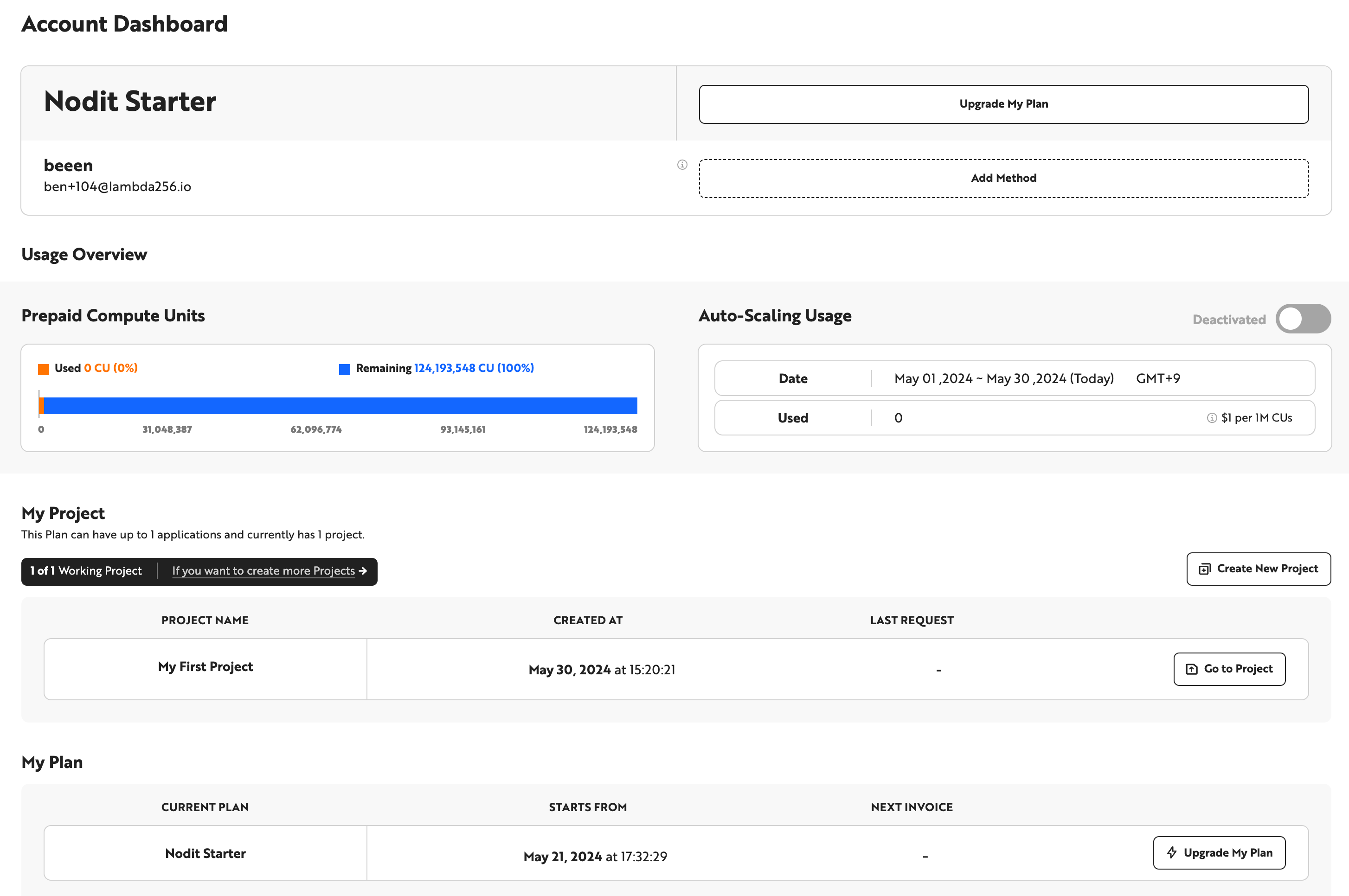
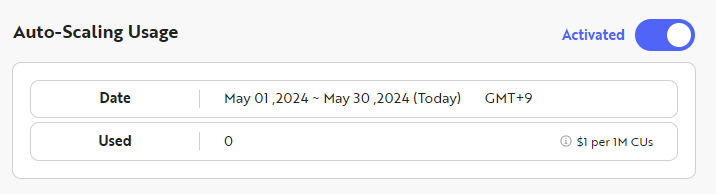
Plan-specific CU limits and pricing details are available on the Plans comparison page.
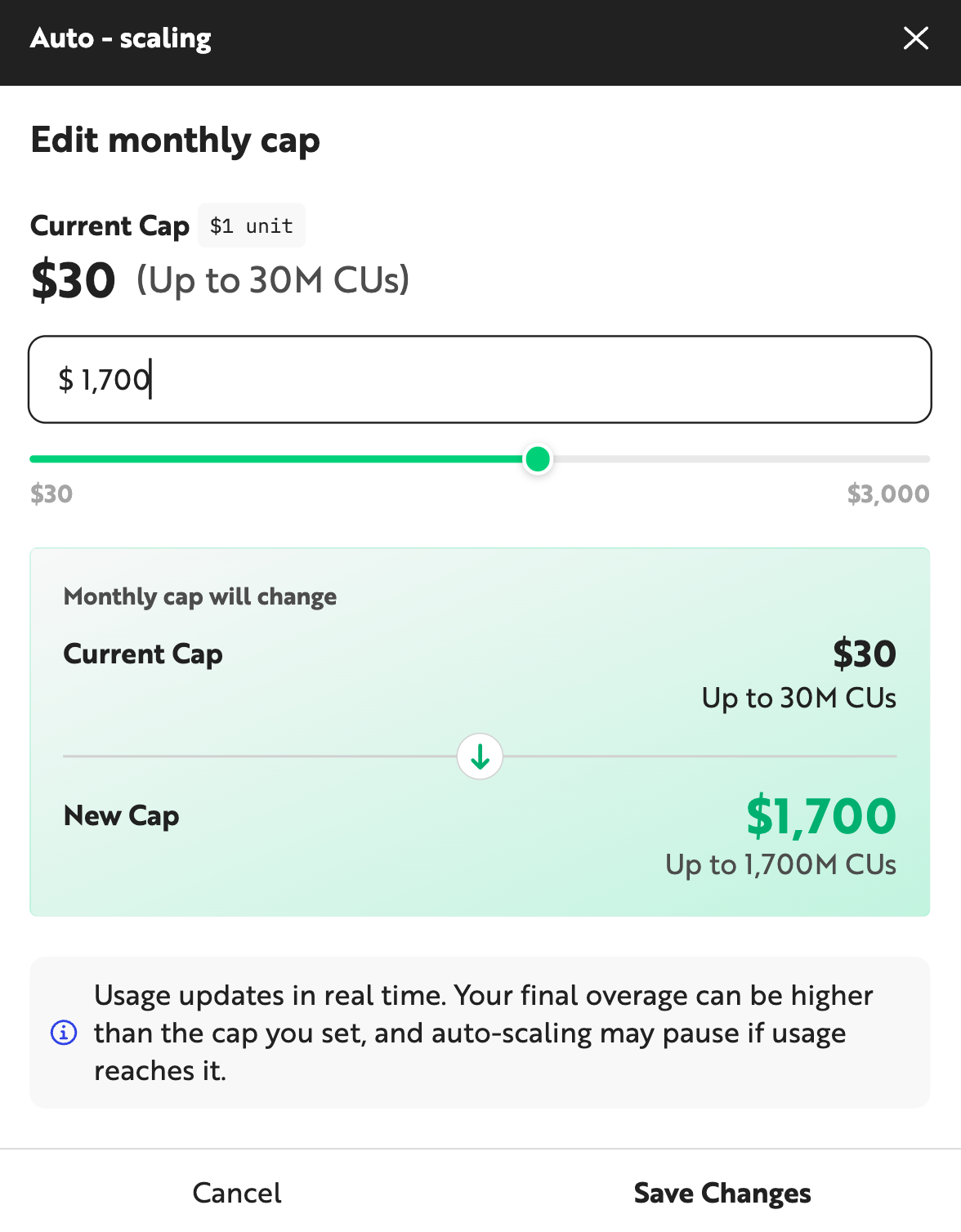
- To enable Auto-scaling, you must set a monthly cap. You can set a cap of up to $3,000. Click the [Save Changes] button to enable Auto-scaling.
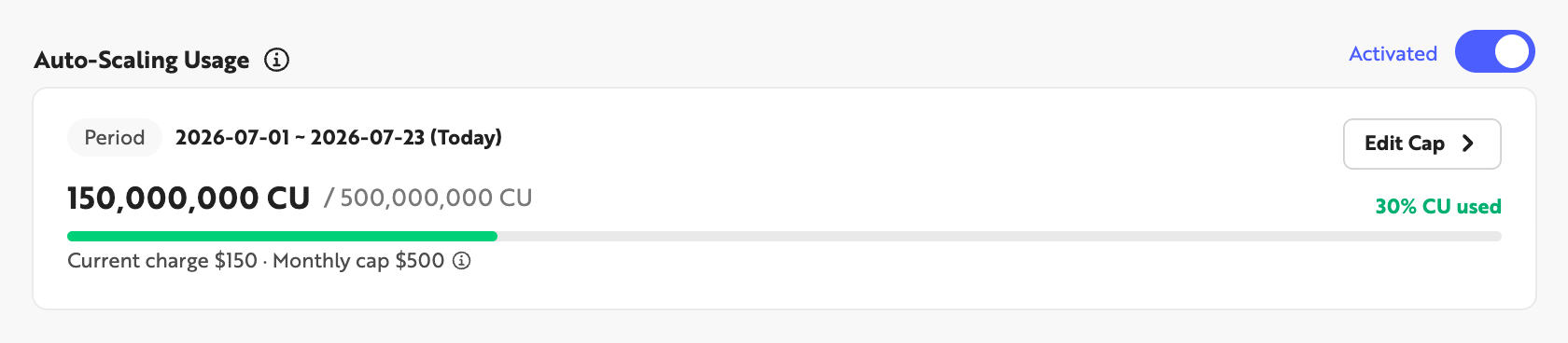
- Once enabled, the Auto-Scaling Usage section shows that the feature is active for the amount you configured. You can also click the [Edit Cap] button to change the monthly cap.
Keep the following in mind when configuring Auto-scaling.
-
The Monthly Cap is only a limit — it is not the amount you will actually be billed.
- You can use CUs up to the amount equivalent to the Monthly Cap you set, but you are only billed for the CUs you actually use.
-
You cannot lower the cap below the amount you have already used in overage.
- Example: Suppose Auto-scaling is enabled with the cap set to $100, and you have used an additional $31 worth of CUs. You cannot lower the Auto-scaling cap below $31.
-
If CUs are used while the cap is being lowered, you may be charged for the additional CUs used during that time.
- Example: Suppose Auto-scaling is enabled with the cap set to $30, and you lower the cap to $25. If your service uses an additional $1 worth of CUs while the updated cap is being applied to the system, you may be charged up to $1 above your new $25 cap.
-
If you need a cap higher than $3,000, please contact us via Contact Us.