Request Logs
When an unexpected error occurs during an API call or you need to verify a response, having immediate visibility into call history and details is essential. Request Logs is a debugging tool that lets you query the history and results of Nodit API calls.
What is Request Logs
Request Logs is a developer tool that records and surfaces the history and results of Nodit API calls. You can view the type of API called, request content, the network on which the request was processed, execution time, and more — all in a single view — making debugging significantly more efficient.
Key Features
Request Logs provides the following capabilities to help you systematically track API call history and analyze issues quickly.
Request History
Query requests from the past 7 days in chronological order. Each entry displays the method, API type, result and error code, response time, and request timestamp.
Request and Response Detail
Inspect the parameter details, result values, and raw data for the request and response of each method. Reviewing the exact data sent and received helps you pinpoint the root cause of any issue.
Filtering and Search
Filter and search request results using individual conditions or combinations of parameters — including Node environment, time range, response type, method, HTTP status, and error code. Narrow your analysis scope quickly by extracting only the logs that match your criteria.
How to Use Request Logs
Request Logs is available on the Starter Plus plan and above. The queryable history range varies by plan; Enterprise plan customers can configure a custom range through a separate agreement.
| Starter | Starter Plus | Developer | Business | Enterprise | |
|---|---|---|---|---|---|
| Queryable Range | — | Last 2 hours | Last 24 hours | Last 7 days | Custom |
To get started, call a Nodit API at least once. Once call history has been generated, select Request Logs from the left navigation menu in the Nodit Console.
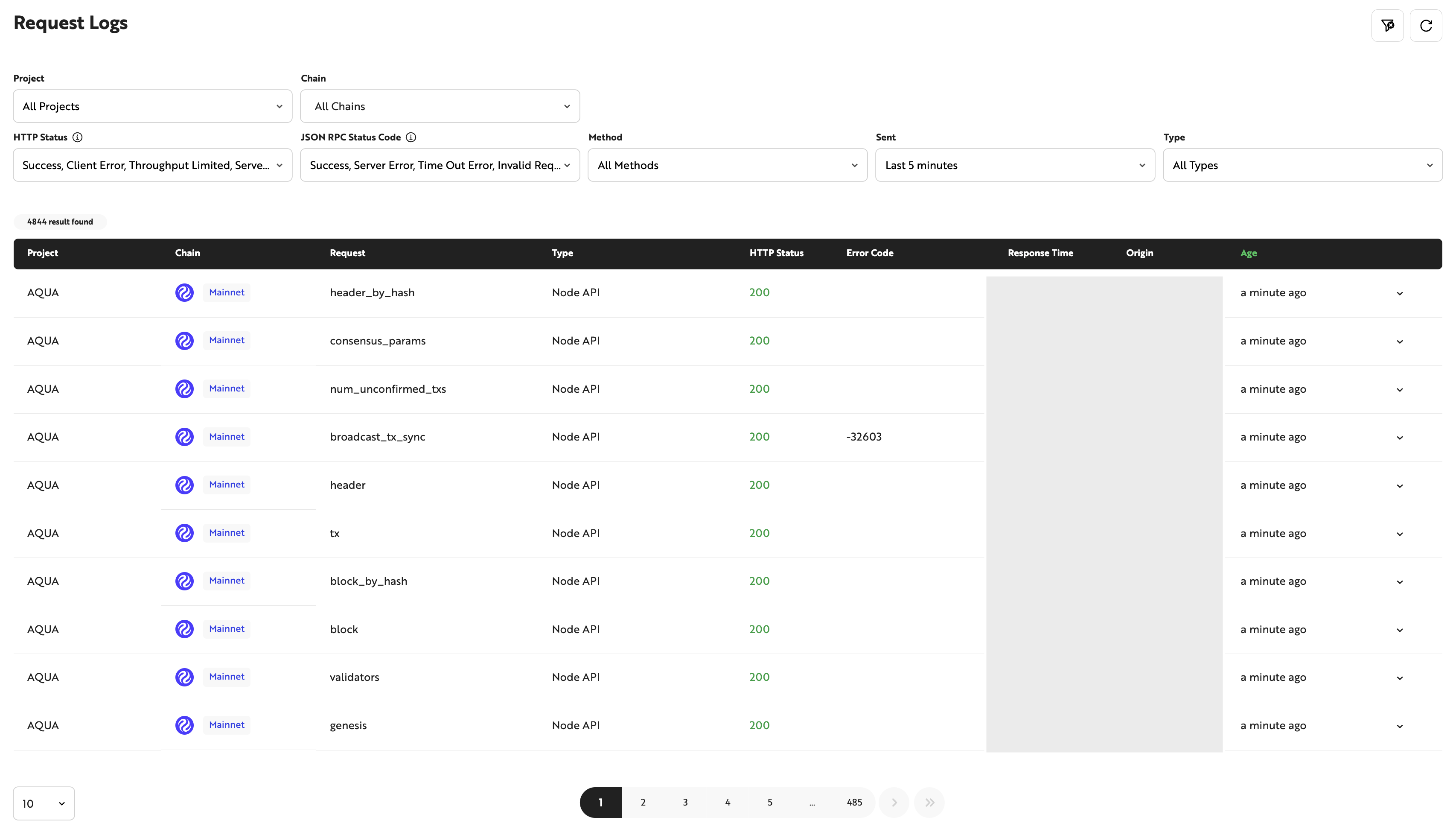
Request Logs tracks request history across all blockchain networks supported by Nodit. Use filter conditions such as network, request time, method, and status to retrieve the specific logs you need.
When a response exceeds 512bytes, the [Result] field in Request Logs shows only the first 512bytes of the response. Any content beyond that limit is replaced with //truncated.
Call a Nodit API in the Nodit Console, then use Request Logs to review the call history and results directly.