Flexible Webhook Overview
What is Flexible Webhook?
Flexible Webhook is a Webhook that lets you define your own filter conditions and output fields. It supports multiple stream types including blocks, token transfers, and event logs. You can set precise conditions using CEL expressions and receive only the fields you need.
Differences from Classic Webhook
Classic Webhook provides fixed conditions and payloads for each Event Type. Flexible Webhook lets you configure conditions and received data freely.
Classic Webhook | Flexible Webhook | |
|---|---|---|
Creation | API or Console | Console only |
Event definition | Select Event Type | Stream Type + CEL condition |
Filtering | Fixed conditions per Event Type | Freely configured via CEL expressions |
Received data | Full payload, fixed | Selectable fields |
Pre-validation | Not supported | Preview, Test Webhook |
Delivery history | API query | Console view and resend |
Flexible Webhook is a Console-only feature. Creation and management via API are not supported.
Key Features
1. Condition-Based Filtering
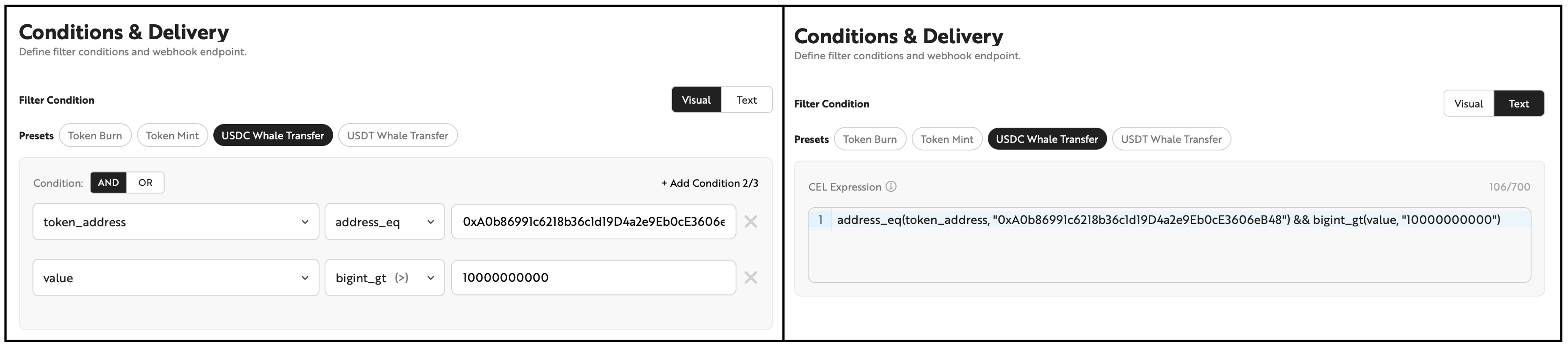
Define Webhook trigger conditions using the filterable fields of each stream type. AND/OR logic groups are supported, with two editing modes available.
- Visual mode: Compose conditions by selecting fields, operators, and values in a no-code UI.
- Text mode: Edit CEL expressions directly.
The two modes can be switched at any time, with changes synchronized bidirectionally. However, if you enter an expression in text mode that does not conform to the expected format, you cannot switch back to visual mode.
2. CEL Expression Syntax
The following CEL (Common Expression Language) syntax is available in text mode. Conditions can be combined using the operators below.
Comparison Operators
Operator | Description | Example | Example Description |
|---|---|---|---|
`==` | Equal | `receipt_status == "0x1"` | Successful transactions only |
`!=` | Not equal | `receipt_status != "0x0"` | Exclude failed transactions |
`>` `<` `>=` `<=` | Numeric comparison | `transaction_count > 100` | Blocks with more than 100 transactions |
String Operators
Operator | Description | Example | Example Description |
|---|---|---|---|
`in` | Matches one of multiple values | `topics[0] in ["0xddf...", "0x8c5..."]` | Transfer or Approval events |
`contains` | Contains a substring | `data.contains("a9059cbb")` | data contains a specific pattern |
`startsWith` | Starts with a specific string | `data.startsWith("0xa9059cbb")` | Specific function selector |
Address Operators
Operator | Description | Example | Example Description |
|---|---|---|---|
`address_eq` | Case-insensitive address comparison | `address_eq(from_address, "0xA0b8...")` | Transfers sent from a specific wallet |
Large Number (bigint) Operators
Quantity fields (such as value and gas_used) are large integers represented as strings. Use bigint_* functions instead of standard comparison operators.
Operator | Description | Example | Example Description |
|---|---|---|---|
`bigint_eq` | Equal | `bigint_eq(value, "1000000")` | Exactly 1 USDC |
`bigint_gt` / `bigint_gte` | Greater than / Greater than or equal | `bigint_gt(value, "1000000000000000000")` | More than 1 ETH |
`bigint_lt` / `bigint_lte` | Less than / Less than or equal | `bigint_lt(value, "100")` | Less than 100 |
Array Operators
Operator | Description | Example | Example Description |
|---|---|---|---|
`exists` | An element in the array satisfies the condition | `topics.exists(e, e == "0xddf...")` | A specific value exists in topics |
Combination Examples
# ERC-20 Transfer
address_eq(token_address, "0xA0b86991c6218b36c1d19D4a2e9Eb0cE3606eB48") && bigint_gt(value, "1000000000")

# Transaction Receipt
address_eq(to_address, "0x1234...") && receipt_status == "0x1"

# Log: Transfer or Approval events
topics[0] in ["0xddf252ad...", "0x8c5be1e5..."]

# Block
transaction_count > 200 && log_count > 500
Constraints
- Maximum 2 groups, maximum 3 conditions per group
- Conditions within and between groups are connected by AND or OR
- Maximum 700 characters for the entire expression
For filterable fields, refer to the Condition column in Flexible Webhook Stream Types.
Preset Templates
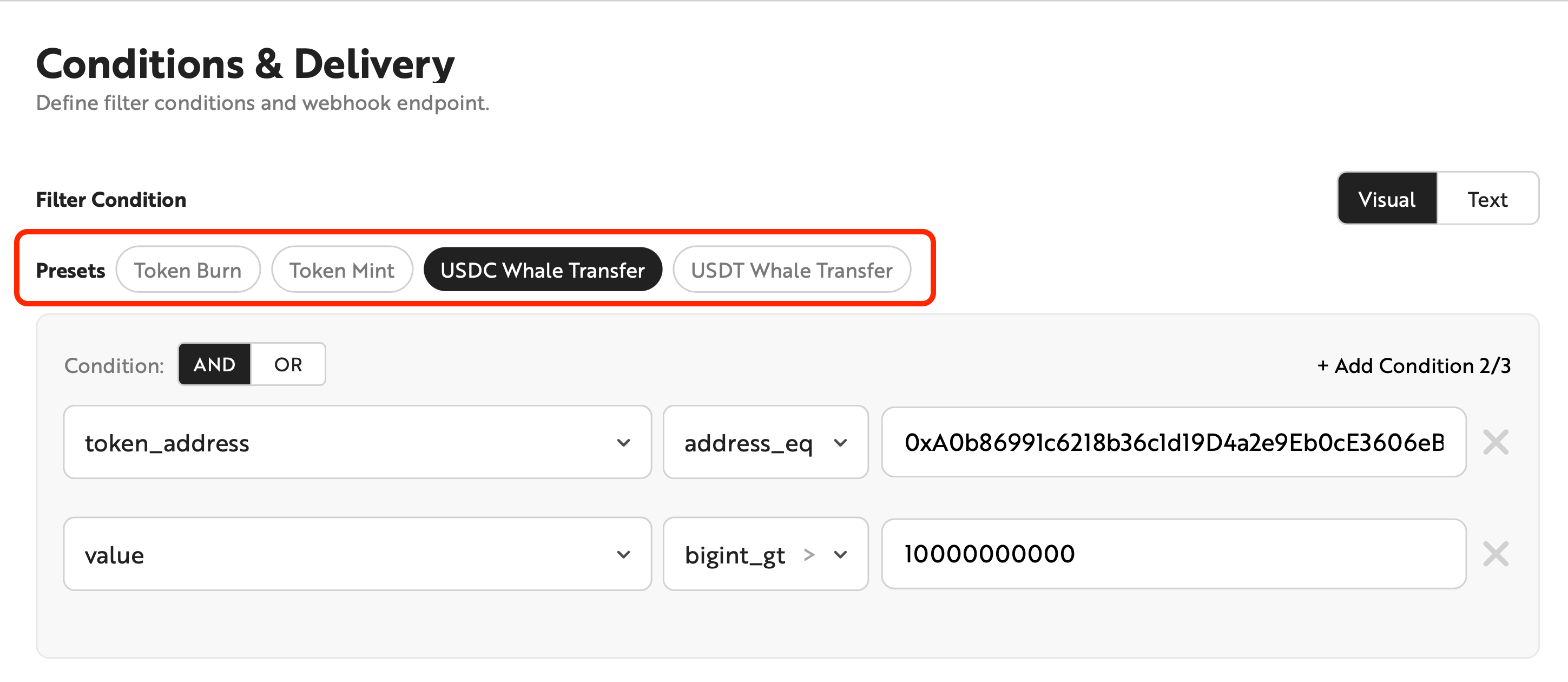
Frequently used condition patterns are provided as Presets. Selecting a Preset automatically configures the conditions and output fields.
Stream Type | Preset |
|---|---|
Block | High Gas Block |
ERC-20 Transfer | Token Burn, Token burning (to zero address), Token Mint, USDC Whale Transfer, USDT Whale Transfer |
ERC-721 Transfer | NFT Burn, NFT burning (to zero address), NFT Mint |
ERC-1155 Transfer | Token Burn |
Log | ERC20 Approval, Ownership Transferred |
Transaction Receipt | Failed Transaction, High Gas Transaction, High Value Transaction |
Transaction Stream (Aptos Only) | Failed Transaction, NFT Mint, Token Transfer, APT Whale Transfer |
The Preset list is subject to change.
Selective Output Fields
Select the fields to include in the Webhook payload. Receiving only the fields you need reduces payload size and allows direct use without additional parsing.
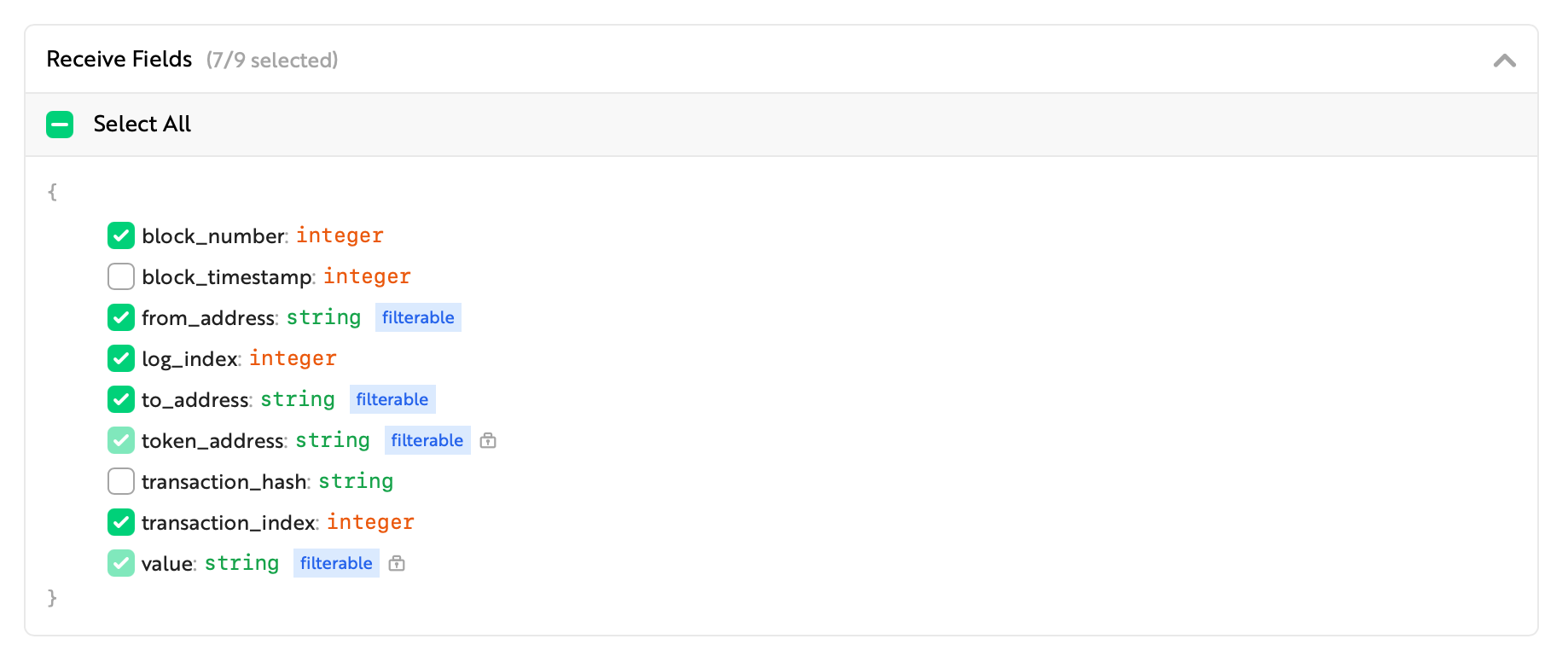
Fields used in filter conditions cannot be deselected.
Live Testing
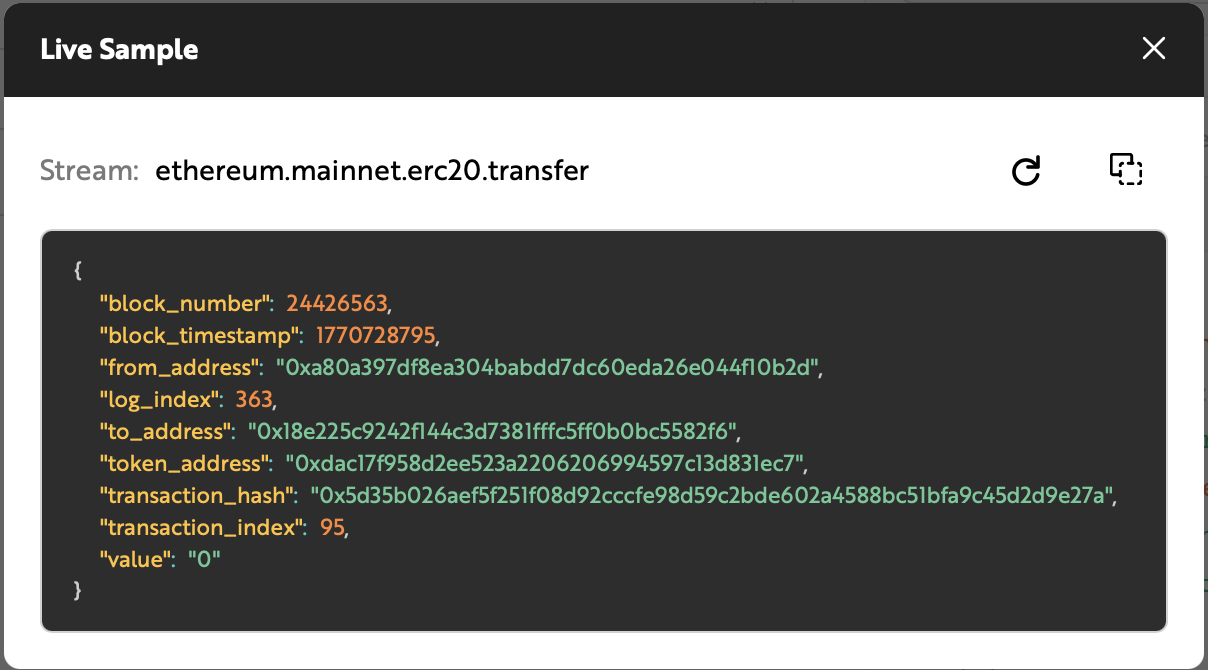
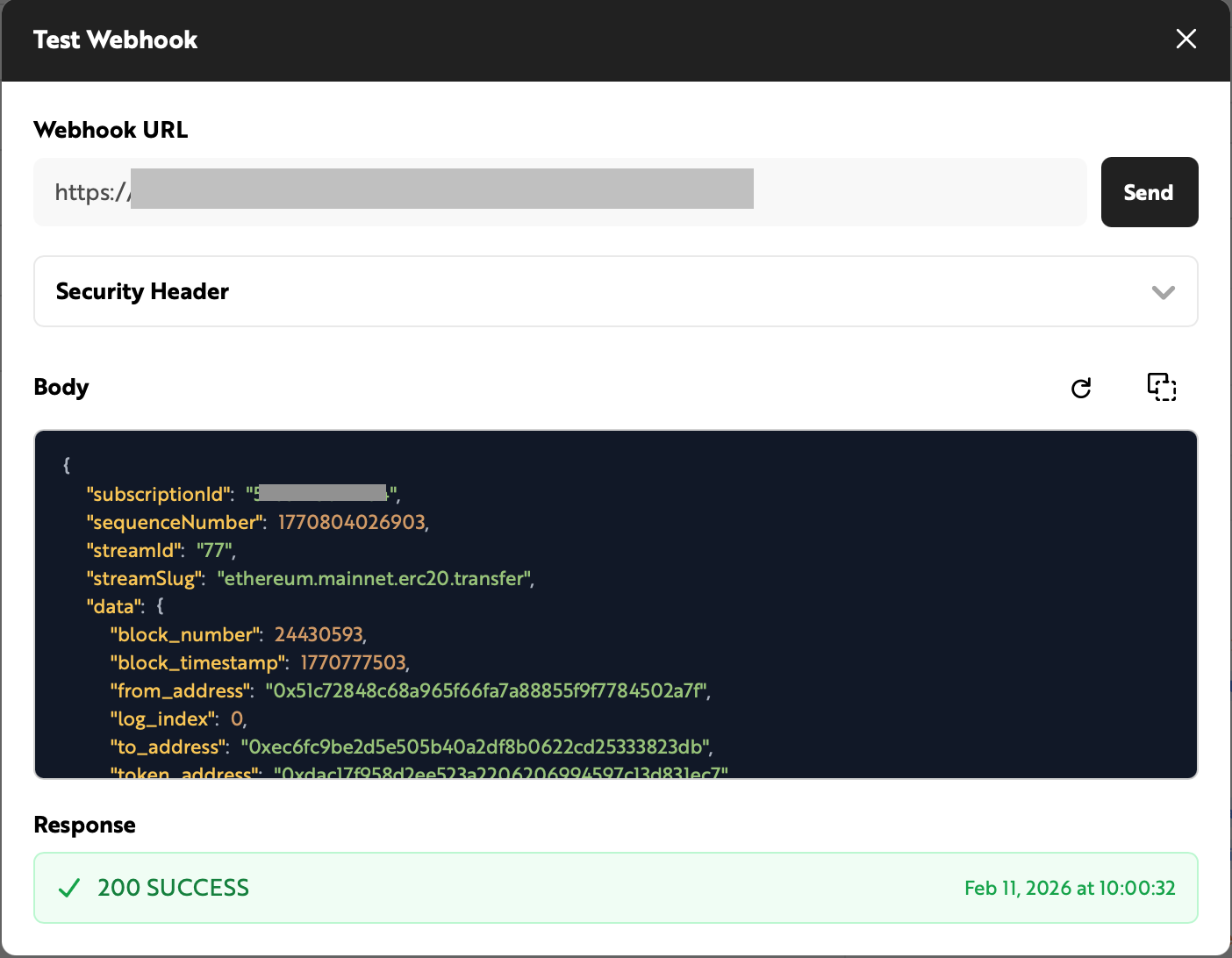
Use the two features below to validate your configuration with actual on-chain data before creating the Webhook.
Live Sample and Test Webhook use the latest data from the selected stream regardless of filter conditions. The data may differ from what the actual Webhook receives.
Live Sample
Preview recent events that match the current conditions. This helps validate whether the condition scope is appropriate.
Test Webhook
Send a test payload to the configured Webhook URL to verify delivery and inspect the received data.
Delivery History and Resend
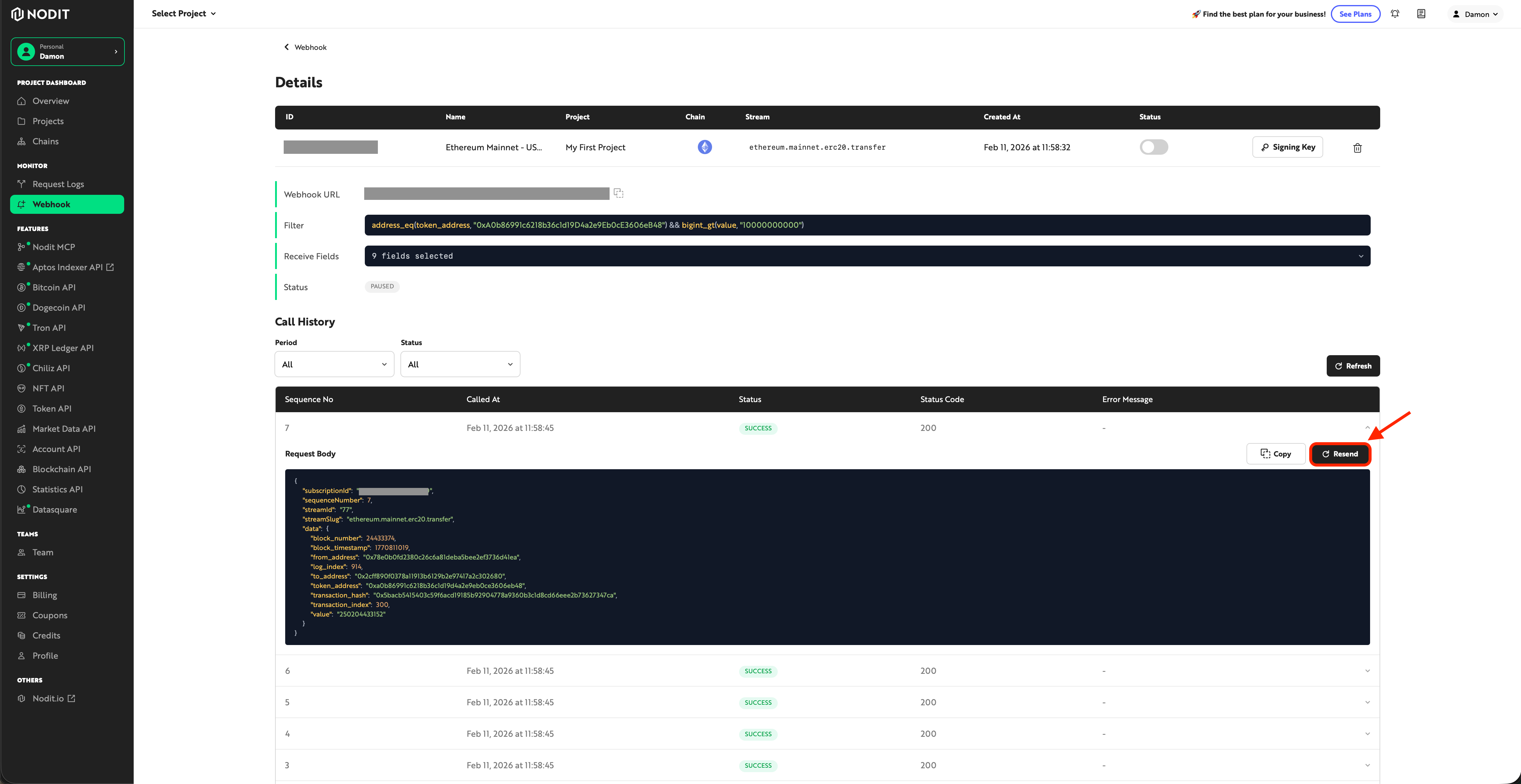
Select an individual item from the delivery history list to resend it. Note that retry records are not logged separately in the history.