API Key
An API Key is used to authenticate API requests and verify access permissions for project resources. This guide explains how to locate your API Key and include it in API requests.
Locating Your API Key
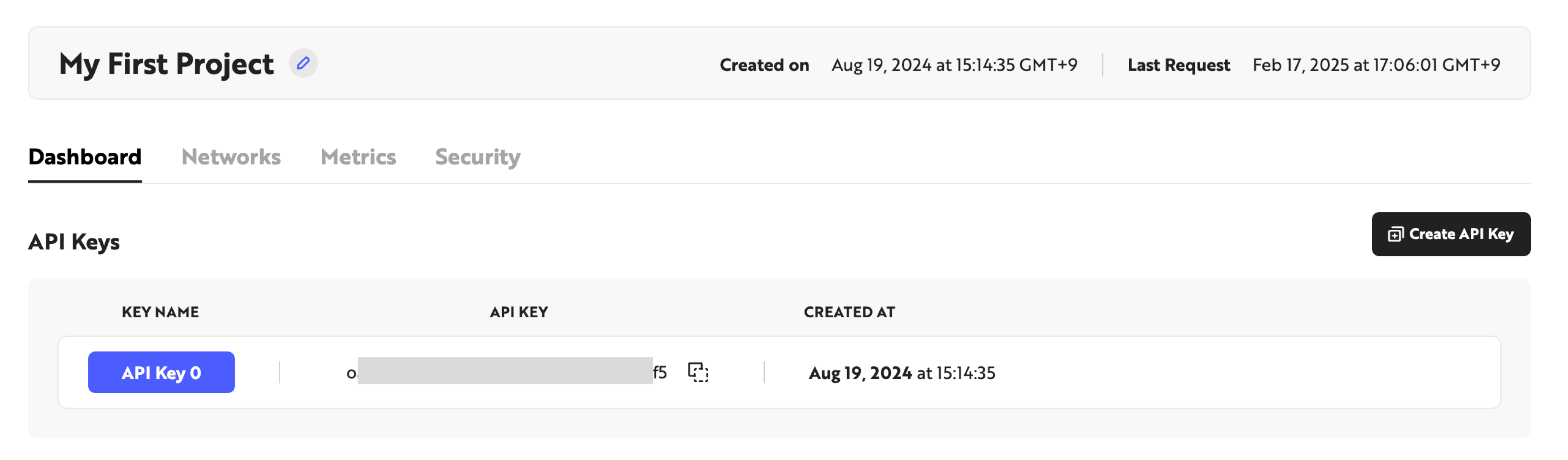
When you complete onboarding, an API Key is automatically generated along with your project. You can find the issued API Key on the Overview page in the Nodit Console.
Including an API Key in API Requests
Once you have your API Key, include it in API requests using one of two supported methods: via a request header or as part of the endpoint URL path.
Pass the API Key in the X-API-KEY field of the request header. This is the default authentication method and works with all APIs.
The following example retrieves the latest block number on the Ethereum Mainnet. Replace {YOUR_API_KEY} with your issued API Key.
curl --request POST \
     --url https://ethereum-mainnet.nodit.io/ \
     --header 'X-API-KEY: {YOUR_API_KEY}' \
     --header 'accept: application/json' \
     --header 'content-type: application/json' \
     --data '
{
  "id": 1,
  "jsonrpc": "2.0",
  "method": "eth_blockNumber"
}
'
Specifying the API Key in both the header and the URL path at the same time returns a 401 Unauthorized error. Use only one of the two methods per request.
Issuing Additional API Keys
As your service grows, you may need separate API Keys for each environment (development, staging, production). The Starter (Free) plan includes one API Key. To create additional API Keys, upgrade your plan. For plan-specific details, refer to the Nodit Pricing page.
API Key Security
If an API Key is exposed, unauthorized access to your project resources may occur and plan usage may be consumed through fraudulent requests. The following practices help keep your API Key secure.
- Use environment variables — Store the API Key in environment variables rather than embedding it directly in source code.
- Use a secrets manager — Store and encrypt the API Key using a dedicated solution such as AWS Secrets Manager or HashiCorp Vault.
- Minimize access scope — Use separate API Keys for production and development environments.