Flexible Webhook Overview
What is Flexible Webhook?
Flexible Webhook is a webhook that lets you define your own filter conditions and receive fields. It supports 6 stream types, including blocks, token transfers, and event logs. You can set precise conditions using CEL expressions and receive only the fields you need.
Here, stream type refers to the kind of on-chain data that the webhook tracks. This is a separate concept from the Nodit Stream service, which provides real-time data over WebSocket.
Differences from Classic Webhook
Classic Webhook provides fixed conditions and payloads per Event Type. Flexible Webhook lets you freely configure conditions and received data.
Classic Webhook | Flexible Webhook | |
|---|---|---|
Creation Method | API or Console | Console Only |
Event Definition | Select Event Type | Stream Type + CEL Condition |
Filtering | Fixed conditions per Event Type | Freely configured via CEL expressions |
Received Data | Fixed full payload | Field selection available |
Pre-validation | Not supported | Preview, Test Webhook |
Delivery History | API query | Console view and resend |
Flexible Webhook is a console-only feature. Creation and management via API is not supported.
Key Features
1. Condition-Based Filtering
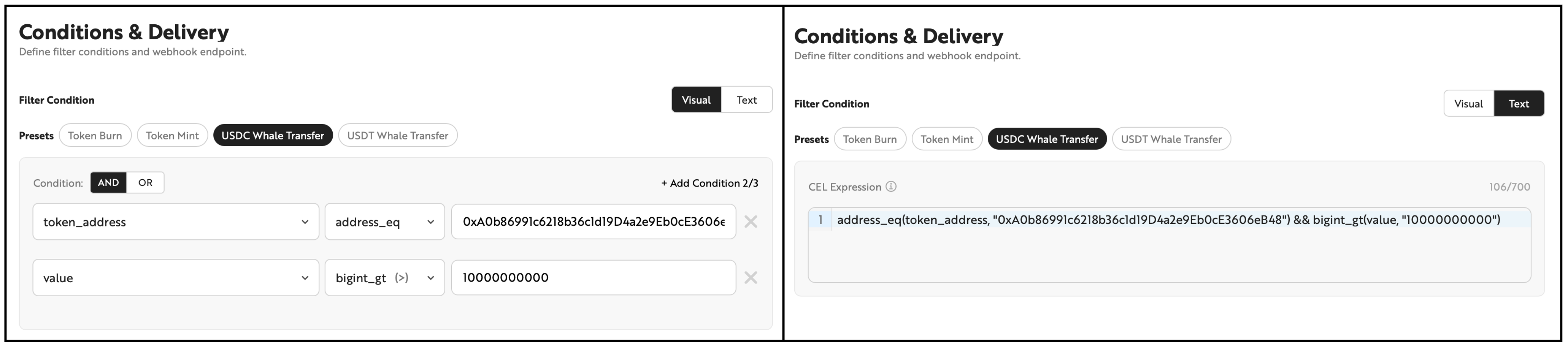
Define webhook trigger conditions using the filterable fields of each stream type. Supports AND/OR logic groups and offers two editing modes.
- Visual Mode: Build conditions by selecting fields, operators, and values in a no-code UI
- Text Mode: Directly edit CEL expressions
You can switch between both modes at any time, and changes are synchronized bidirectionally. However, if you enter an expression in Text Mode that does not conform to the expected format, you cannot switch back to Visual Mode.
2. CEL Expression Syntax
CEL (Common Expression Language) syntax available in Text Mode. Conditions can be combined using the operators below.
Comparison Operators
Operator | Description | Example | Example Description |
|---|---|---|---|
`==` | Equal to | `receipt_status == "0x1"` | Successful transactions only |
`!=` | Not equal to | `receipt_status != "0x0"` | Exclude failed transactions |
`>` `<` `>=` `<=` | Numeric comparison | `transaction_count > 100` | Blocks with more than 100 transactions |
String Operators
Operator | Description | Example | Example Description |
|---|---|---|---|
`in` | Matches one of multiple values | `topics[0] in ["0xddf...", "0x8c5..."]` | Transfer or Approval event |
`contains` | Contains substring | `data.contains("a9059cbb")` | data contains a specific pattern |
`startsWith` | Starts with a specific string | `data.startsWith("0xa9059cbb")` | Specific function selector |
Address Operators
Operator | Description | Example | Example Description |
|---|---|---|---|
`address_eq` | Case-insensitive address comparison | `address_eq(from_address, "0xA0b8...")` | Transfers sent from a specific wallet |
Large Number (bigint) Operators
Quantity fields (value, gas_used, etc.) are large integers represented as strings. Use bigint_* functions instead of standard comparison operators.
Operator | Description | Example | Example Description |
|---|---|---|---|
`bigint_eq` | Equal to | `bigint_eq(value, "1000000")` | Exactly 1 USDC |
`bigint_gt` / `bigint_gte` | Greater than / Greater than or equal to | `bigint_gt(value, "1000000000000000000")` | More than 1 ETH |
`bigint_lt` / `bigint_lte` | Less than / Less than or equal to | `bigint_lt(value, "100")` | Less than 100 |
Array Operators
Operator | Description | Example | Example Description |
|---|---|---|---|
`exists` | At least one element in the array satisfies the condition | `topics.exists(e, e == "0xddf...")` | A specific value exists in topics |
Combination Examples
# ERC-20 Transfer
address_eq(token_address, "0xA0b86991c6218b36c1d19D4a2e9Eb0cE3606eB48") && bigint_gt(value, "1000000000")

# Transaction Receipt
address_eq(to_address, "0x1234...") && receipt_status == "0x1"

# Log: Transfer or Approval events
topics[0] in ["0xddf252ad...", "0x8c5be1e5..."]

# Block
transaction_count > 200 && log_count > 500
Constraints
- Maximum 2 groups, maximum 3 conditions per group
- Conditions between groups / within groups are connected by AND or OR
- Maximum 700 characters for the entire expression
For filterable fields, refer to the Condition column in Flexible Webhook Stream Types.
Preset Templates
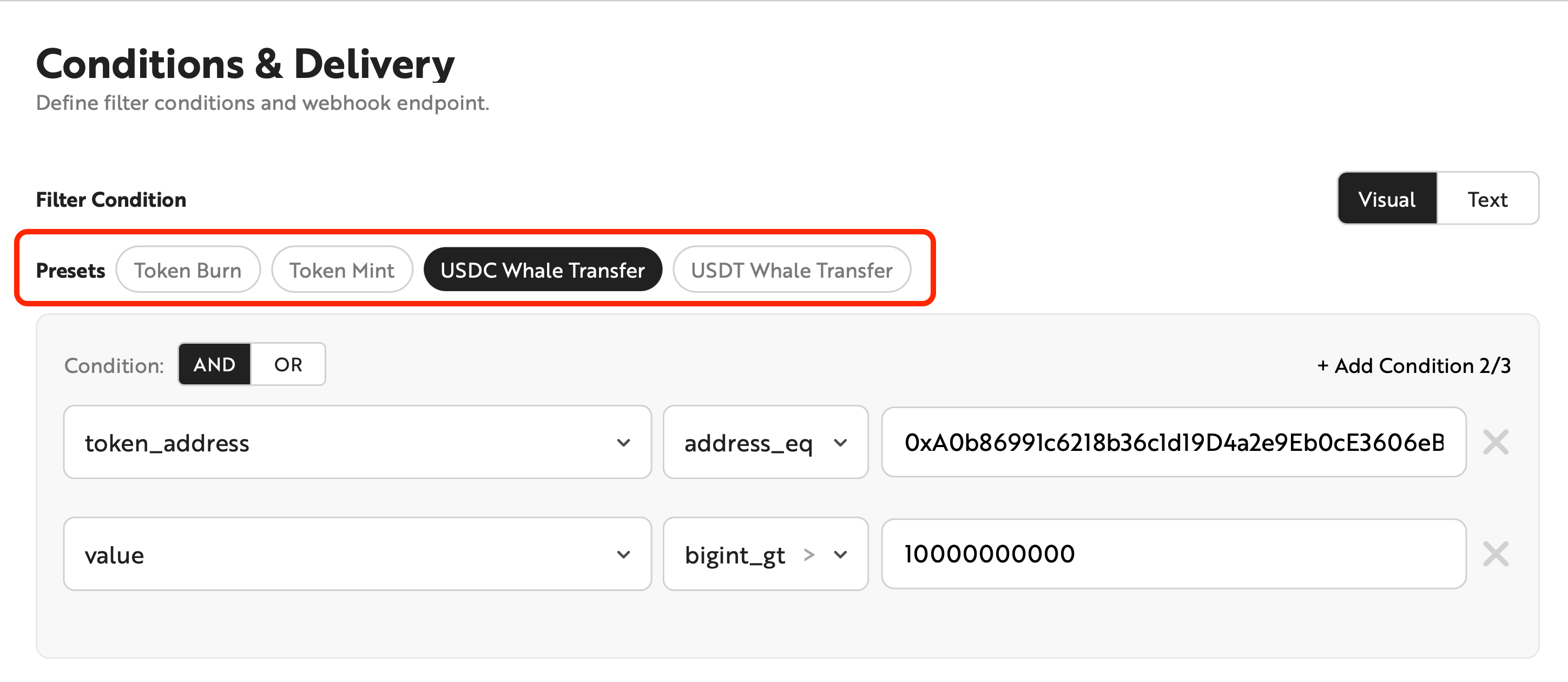
Frequently used condition patterns are provided as Presets. Selecting a Preset automatically sets the conditions and output fields.
Stream Type | Preset |
|---|---|
Block | High Gas Block |
ERC-20 Transfer | Token Burn, Token burning (to zero address), Token Mint, USDC Whale Transfer, USDT Whale Transfer |
ERC-721 Transfer | NFT Burn, NFT burning (to zero address), NFT Mint |
ERC-1155 Transfer | Token Burn |
Log | ERC20 Approval, Ownership Transferred |
Transaction Receipt | Failed Transaction, High Gas Transaction, High Value Transaction |
The Preset list is subject to change in the future.
Selective Output Fields
Select which fields to include in the webhook payload. By receiving only the fields you need, you can reduce payload size and use the data directly without additional parsing.
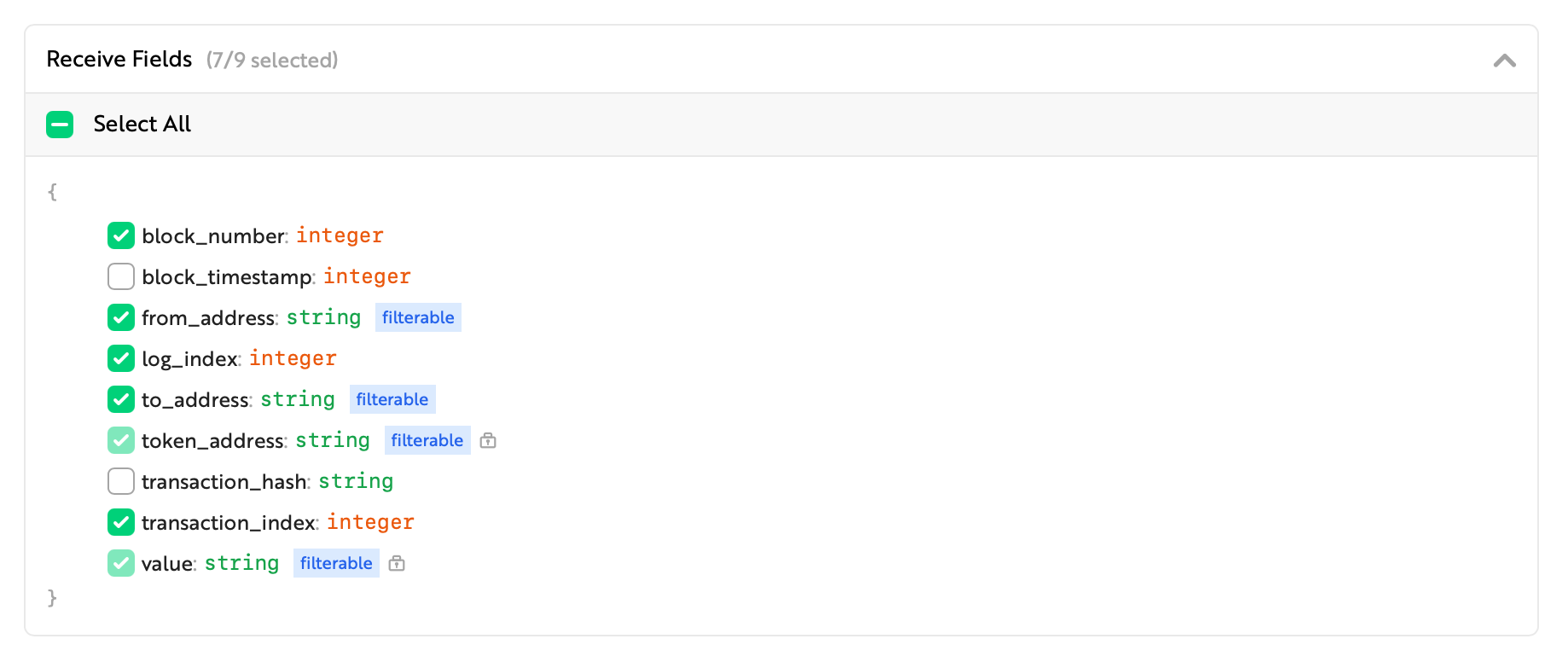
Fields used in filter conditions cannot be deselected.
Live Testing
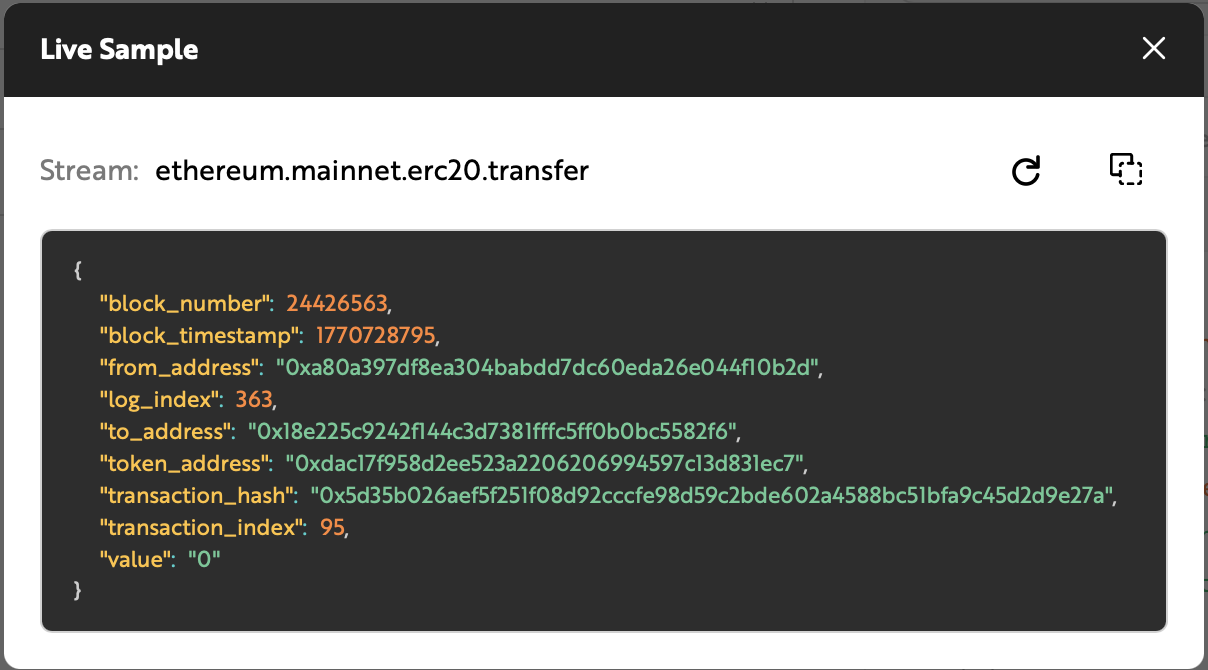
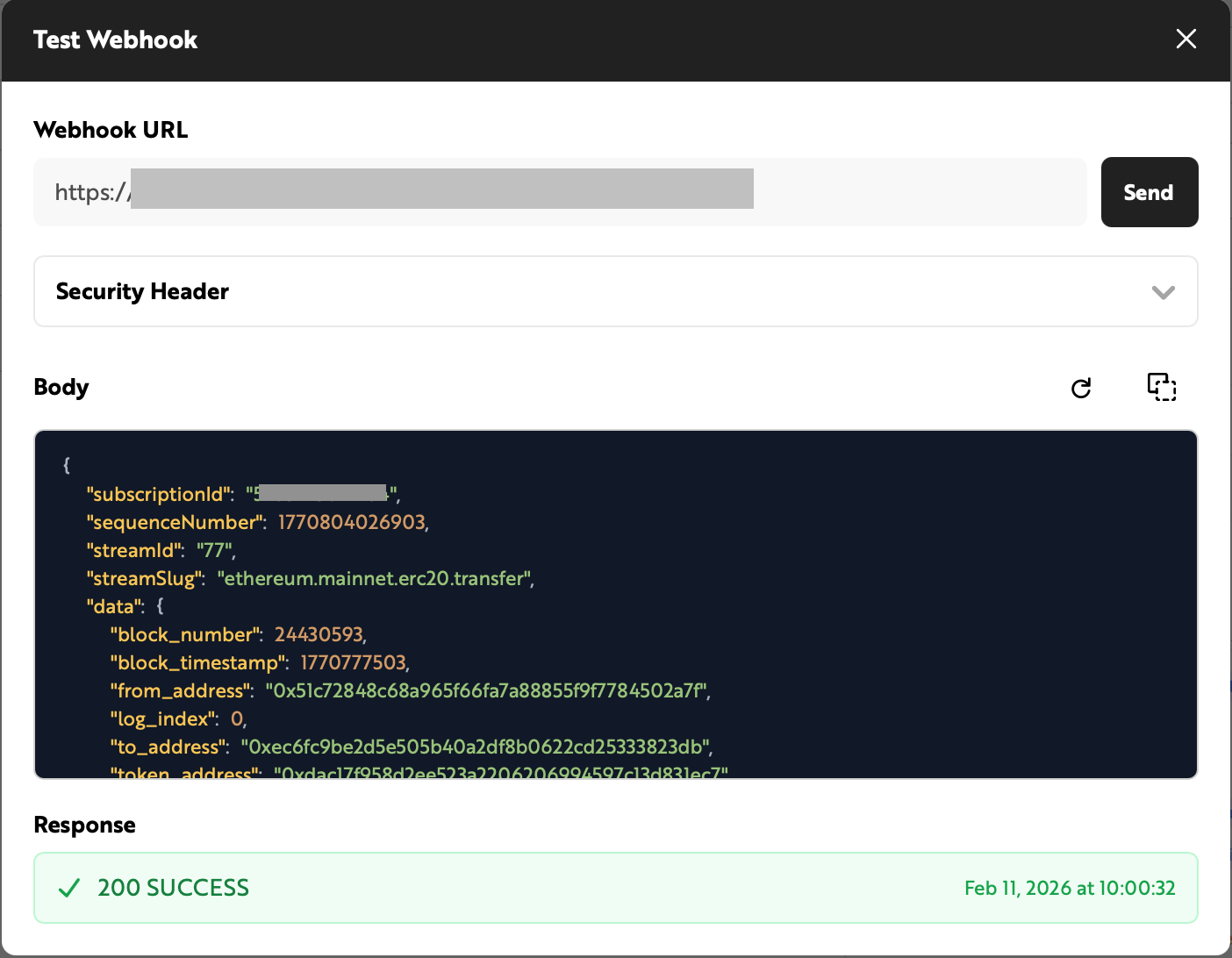
You can use the two features below to validate your configuration with real on-chain data before creating the webhook.
Live Sample and Test Webhook use the latest data from the selected stream regardless of the filtering conditions. The data may differ from what is actually received by the Webhook.
Live Sample
Preview recent events that match the current conditions. Useful for validating whether the condition scope is appropriate.
Test Webhook
Send a test payload to the entered Webhook URL and verify the delivered data and whether it was received.
Delivery History and Resend
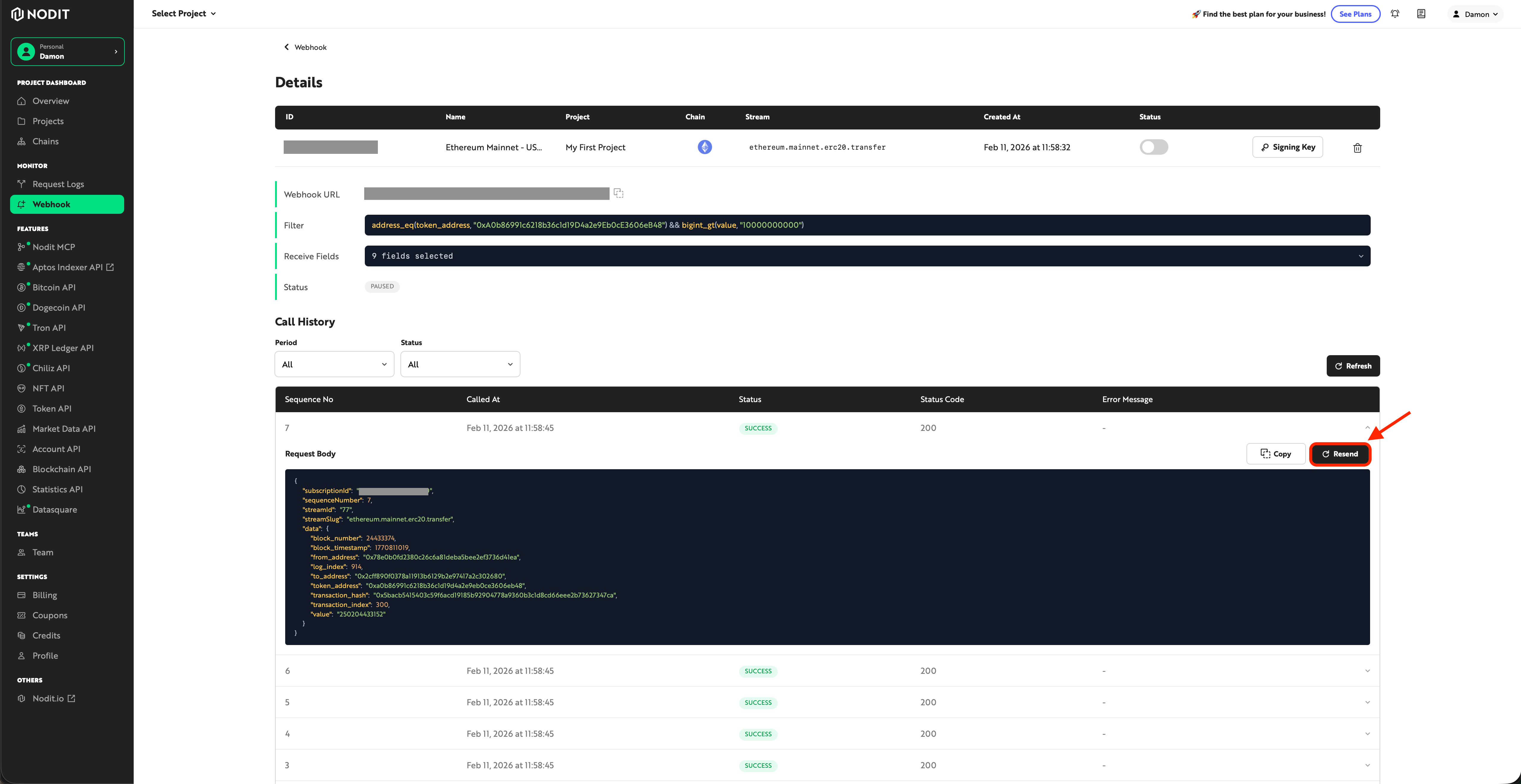
Select individual items from the delivery history list to resend them. (Note: retry records are not separately logged in the history.)