

FAQ
This page lists frequently asked questions and answers.
For questions not covered here, contact [email protected].
Products and Services
HyperNode is a node infrastructure solution built on Nodit's technology. It is designed to handle large-scale traffic requests reliably through a distributed clustering environment, while resolving state inconsistency between nodes and ensuring data integrity.
Dedicated Cluster is a node infrastructure with fixed, exclusively allocated resources that delivers more customized and consistent performance for your project. Unlike Elastic Node, it does not share resources with other clients, giving you full control over node capacity and performance. Dedicated Cluster is suited for projects that require reliable performance under high traffic, enterprises that need control over their node infrastructure, or projects with strict security and compliance requirements.
Nodit's Data API is a REST API that provides access to precisely indexed blockchain data ready for immediate use, without requiring separate ETL (Extract, Transform, Load) pipelines. It supports queries for grouped data that are difficult to retrieve via RPC API (e.g., tokens grouped by owner account), and offers a variety of API call options such as search, sorting, and paging.
RPC API is the API provided by blockchain nodes, returning data in a format that conforms to the design specification of the respective blockchain.
Yes, Nodit APIs can be used with AI. To support easy and effective development through LLM integration, Nodit provides capabilities such as MCP. For details, refer to the Quickstart for AI page.
How to Use the API
A 429 error occurs when the request limit is exceeded. Check the following two possible causes.
- Requests per second exceeded: The CU/s limit of your current plan has been exceeded. Retry after a short wait, or upgrade to a higher plan.
- Per-API CU limit exceeded: A 429 error also occurs when the CU consumed by a single API call exceeds the CU/s limit of your plan. Check the CU cost of the API and upgrade your plan if necessary.
For details on request limits and pricing by plan, refer to the Plans page.
Nodit provides the ability to restrict accessible sources by domain and source IP for security. Refer to the Security page for instructions on how to apply this.
Plans and Billing
Plan changes are applied at different times depending on whether you are upgrading or downgrading.
- Upgrade: Applied immediately upon payment completion.
- Downgrade: Not applied immediately. The new plan takes effect on the 1st of the month following the month in which the change was requested. For example, if you request a downgrade on December 13, the new plan applies starting January 1.
A scheduled downgrade can be canceled until the day before the billing date (the 2nd of each month at 23:59:59 UTC). For details, refer to the Subscription documentation.
The Free Trial is available for 30 days from the start date. The end date is calculated as 00:00 UTC, 30 days after the UTC date on which the Free Trial started. The hour, minute, and second of sign-up are not taken into account, so the Free Trial start and end dates are calculated the same way for all users based on UTC dates.
For example, if you start the Free Trial on August 1, 2026 (UTC), the end date is August 31, 2026 at 00:00 UTC.
Your Free Trial eligibility ends as soon as the paid plan takes effect. The remaining Free Trial period is not paused or carried over, and you cannot use the Free Trial again even if you later cancel the paid plan.
For example, if you start the Free Trial on August 1, 2026 (UTC) and subscribe to a paid plan on August 10, the Free Trial ends on August 10 and the remaining period cannot be reused.
You cannot switch back or downgrade from a paid plan to the Free Trial. This also applies if you subscribed to a paid plan while some of the initial 30 days remained. The Free Trial is available only once per account, so we recommend completing any necessary evaluation before switching to a paid plan.
Canceling a paid subscription does not return you to the Free Trial. The service stops immediately at the time of cancellation. Your existing resources are retained for 90 days from the cancellation date and are deleted once the retention period ends.
To restore your resources within the retention period, you must resubscribe to the paid plan you were on right before cancellation or a higher plan. Since there is no path back to the Free Trial, there is also no process for adjusting your resources to fit the Free Trial limits before cancellation.
The Enterprise plan is designed for large-scale projects and enterprises. Send your project scale, intended use, and requirements to [email protected], and the team will assist with subscribing to the Enterprise plan or suggest a more suitable option.
The following payment methods are available.
-
Credit / Debit Card: Register a credit or debit card issued in South Korea to use as a recurring payment method. Charges are billed in Korean Won (KRW).
-
PayPal: Link a PayPal account with a registered credit card, debit card, or other payment method to use as a recurring payment method. Charges are billed in US Dollars (USD).
-
Crypto Balance: A prepaid balance that can be topped up using cryptocurrencies such as BTC, ETH, and USDT. Register it as a subscription payment method and use the topped-up amount for billing. The balance uses USD as its base currency, with 1 Balance equivalent in value to $1.
-
x402: Nodit supports the x402 payment protocol, which allows immediate access to Nodit's Data API and RPC API using only a blockchain wallet and USDC. For details, refer to the x402 page.
No. You do not need to remove projects or API keys before canceling. When you cancel a subscription, the service stops immediately and any remaining resources on the account are cleaned up automatically. However, cancellation will not proceed if the account has an outstanding balance, so any unpaid amount must be settled first.
The cleaned-up resources are retained for 90 days from the cancellation date and then deleted. To restore them within the retention period, resubscribe to the plan you were on right before cancellation or a higher plan. For the detailed procedure, refer to the Subscription documentation.
If an outstanding balance is not resolved within 4 days of the billing date, service access is restricted. Once the outstanding balance is paid, the restriction is lifted and service resumes normally.
Payment may fail if the registered card has expired or if the bank account has insufficient funds. If neither of these applies, contact [email protected].
If an outstanding balance is not resolved by the end of the billing month, the subscription is terminated and service becomes unavailable. In this case, the outstanding balance cannot be resolved through the console. Contact [email protected] for assistance.
If an outstanding balance is not resolved within 4 days of the billing date, service access is restricted. If not resolved by the end of the month, the subscription is terminated and service becomes unavailable.
If an outstanding balance has been incurred, it can be paid directly from the console.
- Click the [Make Payment] button in the top banner to navigate to the Pricing page.

- Click the [Confirm Payment] button in the Payment Details Overview.
- Once payment is complete, a receipt is sent by email and the service restriction is lifted.
If the outstanding balance cannot be paid through the console after subscription termination, contact [email protected].
To use Crypto Balance for subscription payments, you must first remove any existing payment method and then set Crypto Balance as the payment method. If another payment method is registered, payments will be charged to that method regardless of whether the Crypto Balance top-up was successful.
The Crypto Balance associated with an account is automatically forfeited upon account deletion and cannot be recovered. Complete any balance withdrawal before deleting your account.
Credits can only be used within Nodit services. Used Credits cannot be canceled or refunded, and cannot be applied to external service payments or converted to cash.
Account Management
Account information can be updated in the [Profile] tab of Lambda256 ID.
- Navigate to the [Profile] tab in Lambda256 ID.
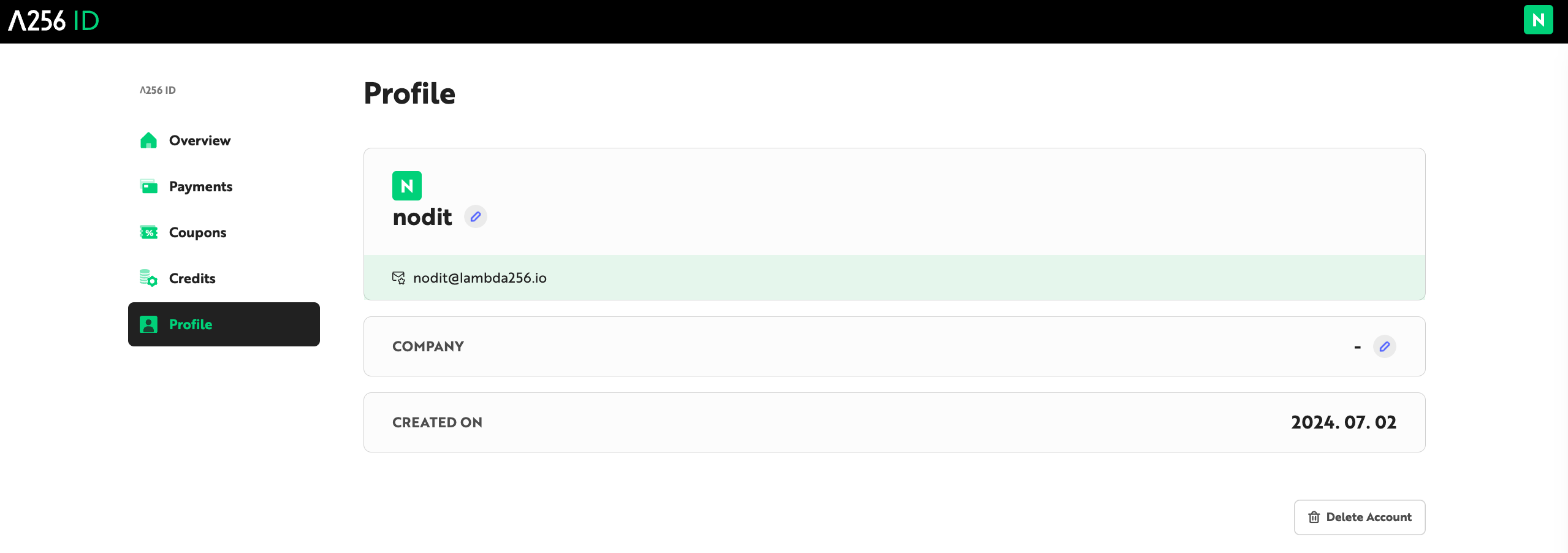
- Click the pencil icon to edit your
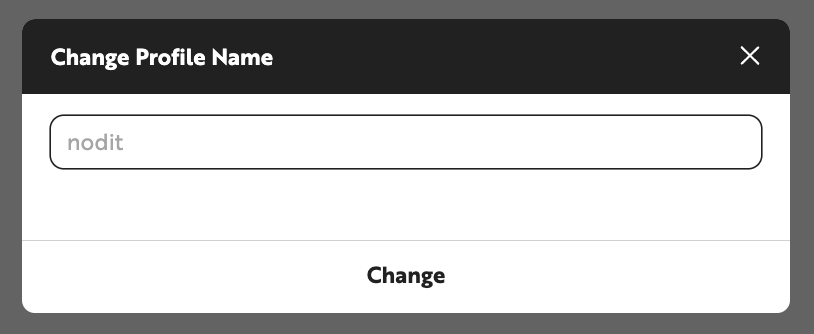
Profile NameandCompany Name. - Enter the updated information in the popup and click the [Change] button.
Profile Namemust be between 2 and 20 characters. Special characters are not allowed.Company Namemust be between 1 and 50 characters.
The email address cannot be changed. Notices, invoices, receipts, newsletters, and other communications are sent to the email address used for registration.
Switching to a team account requires an active paid plan of Basic or higher. If the account is not already a member of another team, it can be converted to a team owner account from the [Team] menu in the console. For detailed steps, refer to the Team Account page.
Team Owner has full permissions over team project settings, including payment method management, plan changes, and coupon and Credit usage. Team Member is categorized into Admin, Editor, and Viewer based on their permissions.
Admin can change the roles of Team Members within projects where they have been assigned the Admin role. Editor has permissions for all functions except project settings-related functions, including Dashboard access, API Key management, and creating and editing Webhooks. Viewer can only view projects. For a full permissions comparison table, refer to the Team Account page.
A team owner account cannot join another team's project as a team member. Once an account is converted to a team owner, individual account mode is no longer available, and projects can only be managed in team account mode.
Account deletion is performed from the [Profile] tab. Before deleting, ensure there is no active paid plan subscription and no outstanding balance.
- Navigate to the [Profile] tab in Lambda256 ID.
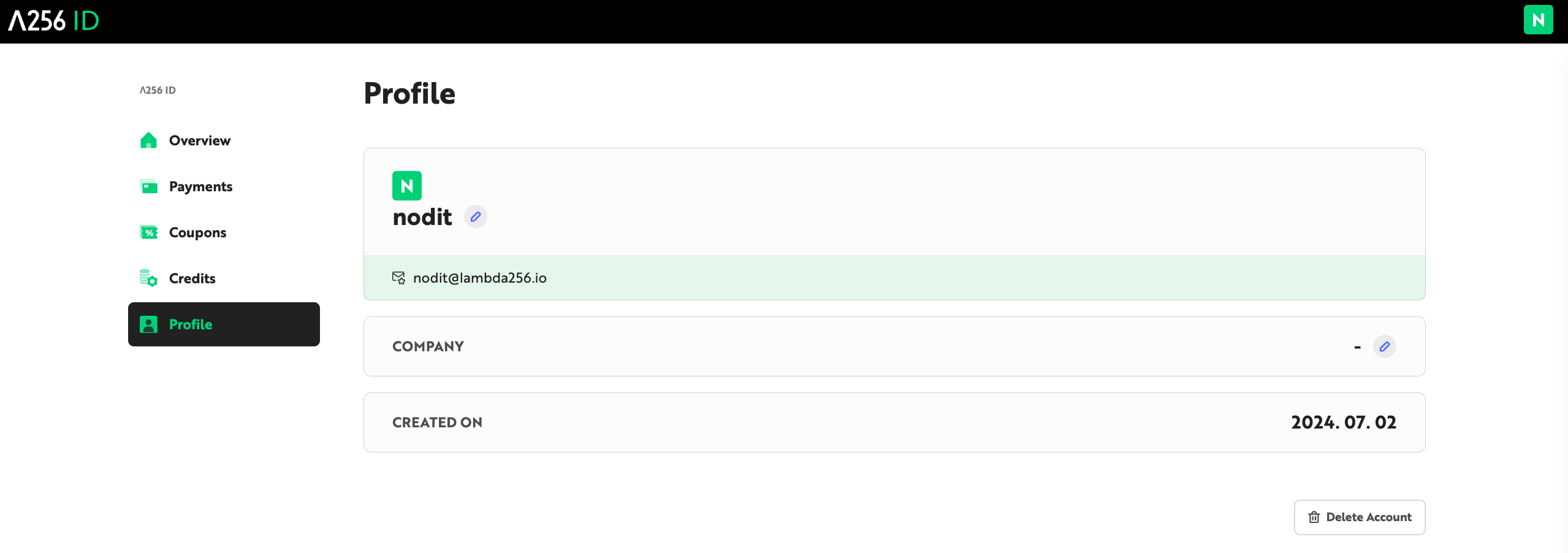
- Click the [Delete Account] button.
- Review the instructions in the popup, enter your password, and click [Delete] to complete the deletion immediately.
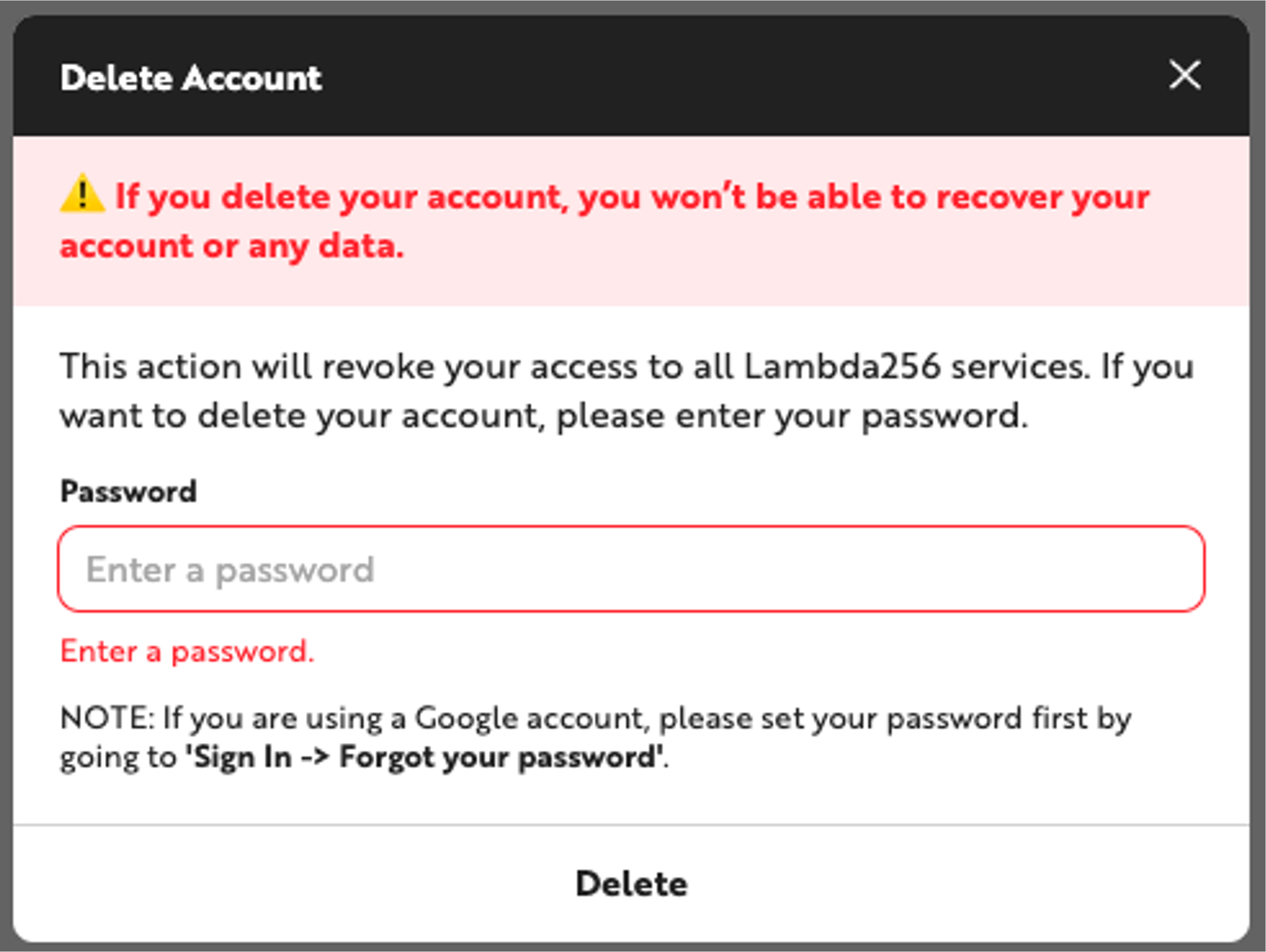
If account deletion does not proceed, first check for any outstanding balance or active paid plan subscription.
Account recovery is not possible after deletion. The following restrictions apply.
- The account cannot be logged into.
- All personal information and assets associated with the account cannot be recovered.
- Re-registration with the same account is not possible for 30 days from the date of deletion.
- The Crypto Balance held by the account is automatically forfeited upon deletion and cannot be recovered.