Solana Staking Service
Key Features
Nodit Solana Staking Service is provided in a non-custodial manner. Users retain full control over their assets without transferring custody to a service provider, and can stake or unstake at any time.
Nodit operates Validator Nodes on an infrastructure verified by SOC 2 Type I and Type II certifications, delivering a reliable and secure staking environment.
Users can participate in the Solana Staking Service with no additional commission charged on staking rewards.

Overview
Nodit Solana Staking Service is a non-custodial staking service that enables users to delegate SOL and participate in Solana network validation — earning staking rewards — without having to operate a Validator Node themselves. Users can contribute to the network ecosystem and receive rewards simply by delegating their assets, without the complexity of running a node.
The most critical factor in a Validator Node-based staking service is stable node operation. If a Validator Node performs inconsistently or experiences connectivity issues, the chance of participating in validation decreases, and rewards may be negatively affected under network policy. Therefore, the ability to reliably operate a Validator Node directly impacts the trustworthiness and reward efficiency of a staking service.
Nodit is a Node Provider Service that delivers enterprise-grade blockchain infrastructure to help businesses and institutions run on-chain operations reliably. Recognized through SOC Type I / Type II certifications for its global-standard security and operational capabilities, Nodit directly operates nodes across 69+ diverse blockchain mainnets and provides blockchain infrastructure to exchanges, wallet services, and other platforms worldwide.
Built on this expertise and capability, Nodit delivers the stable Validator Node operation that matters most in a staking service.
Key Terms
The following are key terms you need to know before using Nodit Solana Staking Service.
Validator Node
Also referred to as a Validator, a Validator Node is a node that contributes to the blockchain network ecosystem by creating, propagating, and validating blocks.
Vote Account
The address of an account containing information about a Validator Node's voting status, vote credits, commission, and rewards.
Stake Account
An account where a user's assets are deposited. It can be created from the user's own account, and delegating a Stake Account allows participation in Nodit Solana Staking Service.
Slot
A unit of time or opportunity during which a block can be produced. A Validator Node can propose and validate a block each Slot. However, if a block is not produced within a Slot, that Slot passes without a block.
Epoch
A collection of Slots. One epoch consists of 432,000 Slots. The Solana network updates network state — such as staking activation and deactivation — on an epoch-by-epoch basis.
Rent
When creating an account on the Solana network, a certain amount of SOL must be held depending on the size of the account. This is called the Rent-Exempt Minimum Balance, and the account must maintain at least this amount while active. In this service, approximately 0.002–0.003 SOL is used as Rent. After a user unstakes and closes the Stake Account, the Rent is returned to the user's account along with the principal.
Fee / Commission
The operating fee charged by a Validator Node. Nodit Solana Staking Service operates with Zero Fee.
APY
Stands for Annual Percentage Yield — the annualized return rate calculated with compound interest, assuming the current reward rate remains constant for one year. APY is an estimate and does not represent a guaranteed return.
Activation
Staking activation state is divided into Starting and Staking.
- Starting: The state of waiting until the next epoch to begin staking. Canceling staking in this state immediately changes the status to Ready to Withdraw.
- Staking: The state in which staking is currently active. When unstaking is initiated, a Cool-Down period is required before unstaking takes effect in the next epoch.
Deactivation
Staking deactivation state is divided into Unstaking and Ready to Withdraw.
- Unstaking: The state of waiting until the next epoch for staking to be fully deactivated.
- Ready to Withdraw: The state in which staking has been fully deactivated. SOL can be withdrawn immediately, or you can re-stake using the [Staking Again] button.
Warm-Up Period / Cool-Down Period
The time required to activate or deactivate staking. The Solana network updates staking state on an epoch basis, so there is a waiting period before staking becomes active or inactive depending on when a user initiates the action.
- Warm-Up: The waiting period after a user initiates staking, during which the stake waits until the next epoch to become active.
- Cool-Down: The waiting period after a user initiates unstaking, during which the stake waits until the next epoch to become fully deactivated.
Getting Started
This section explains how to use Nodit Solana Staking Service. Click the link below to access the Nodit Solana Staking Service site.
Due to Solana's epoch-based state update mechanism, staking activation/deactivation, deposits, and withdrawals may take approximately 2–3 days to process.
⮕ Go to Nodit Solana Staking ServiceConnecting Wallet
A wallet must be connected before using Nodit Solana Staking Service. Click the [Connect Wallet] button in the upper-right menu or the [Connect Wallet] button in the center of the page to connect your wallet.
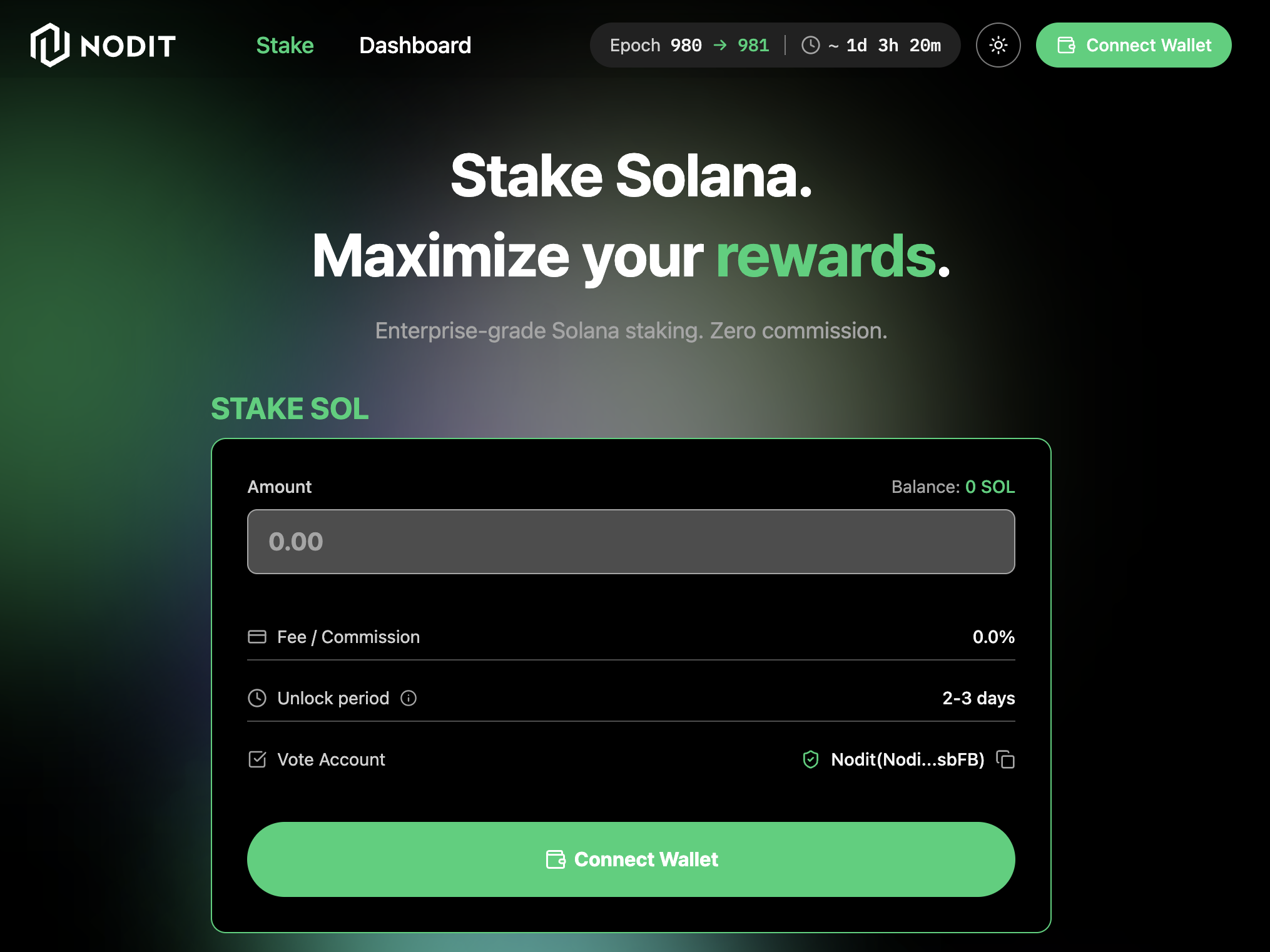
Supported wallets include MetaMask, Phantom, Solflare, Backpack, Coinbase Wallet, Trust, and Ledger. Clicking any wallet button will redirect you to the browser extension installation page. Once installed, connect your wallet through the extension.
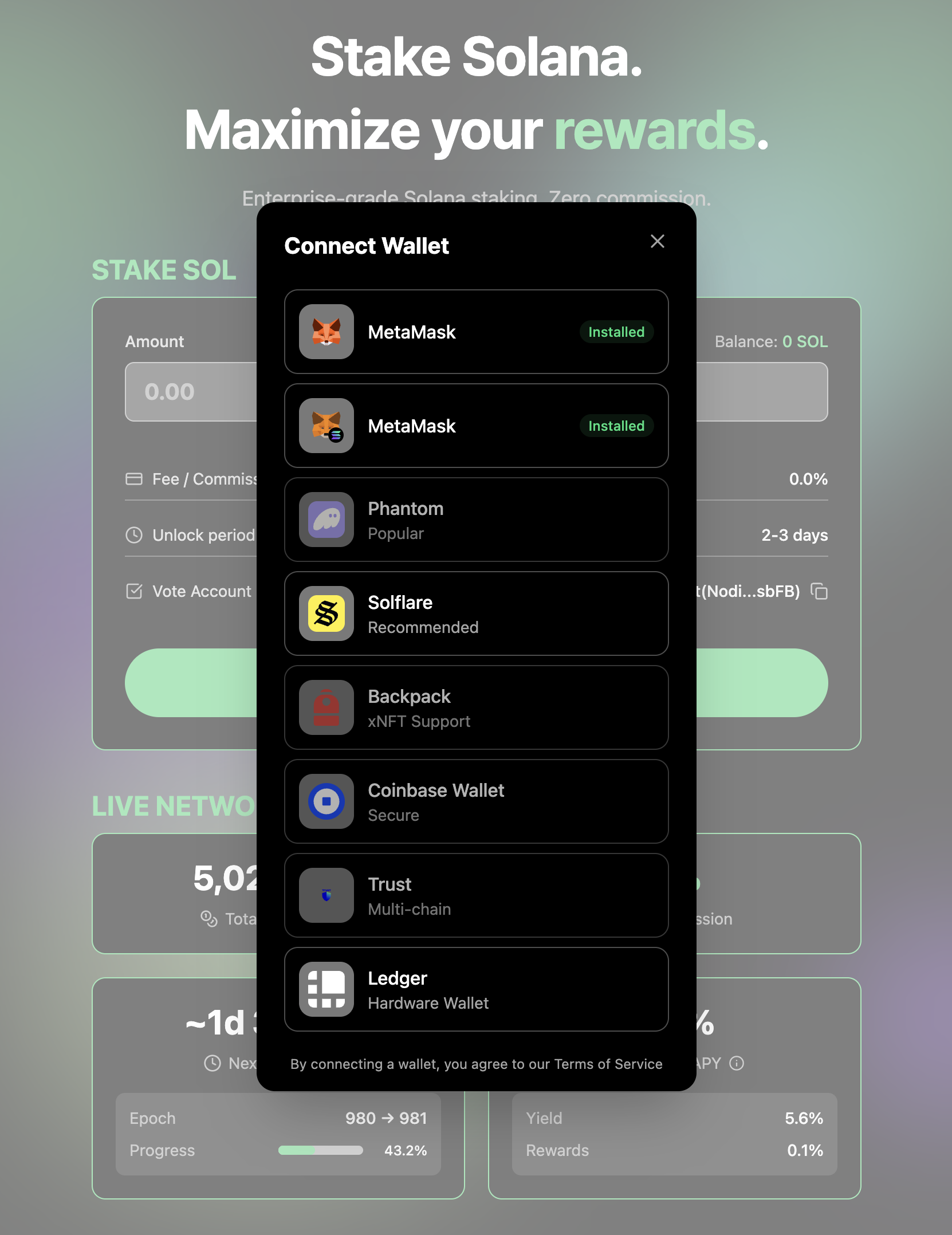
Once the wallet is connected, the [Connect Wallet] button in the upper-right menu changes to your wallet address, and the [Connect Wallet] button in the center of the page changes to [Stake SOL]. You can now start staking.
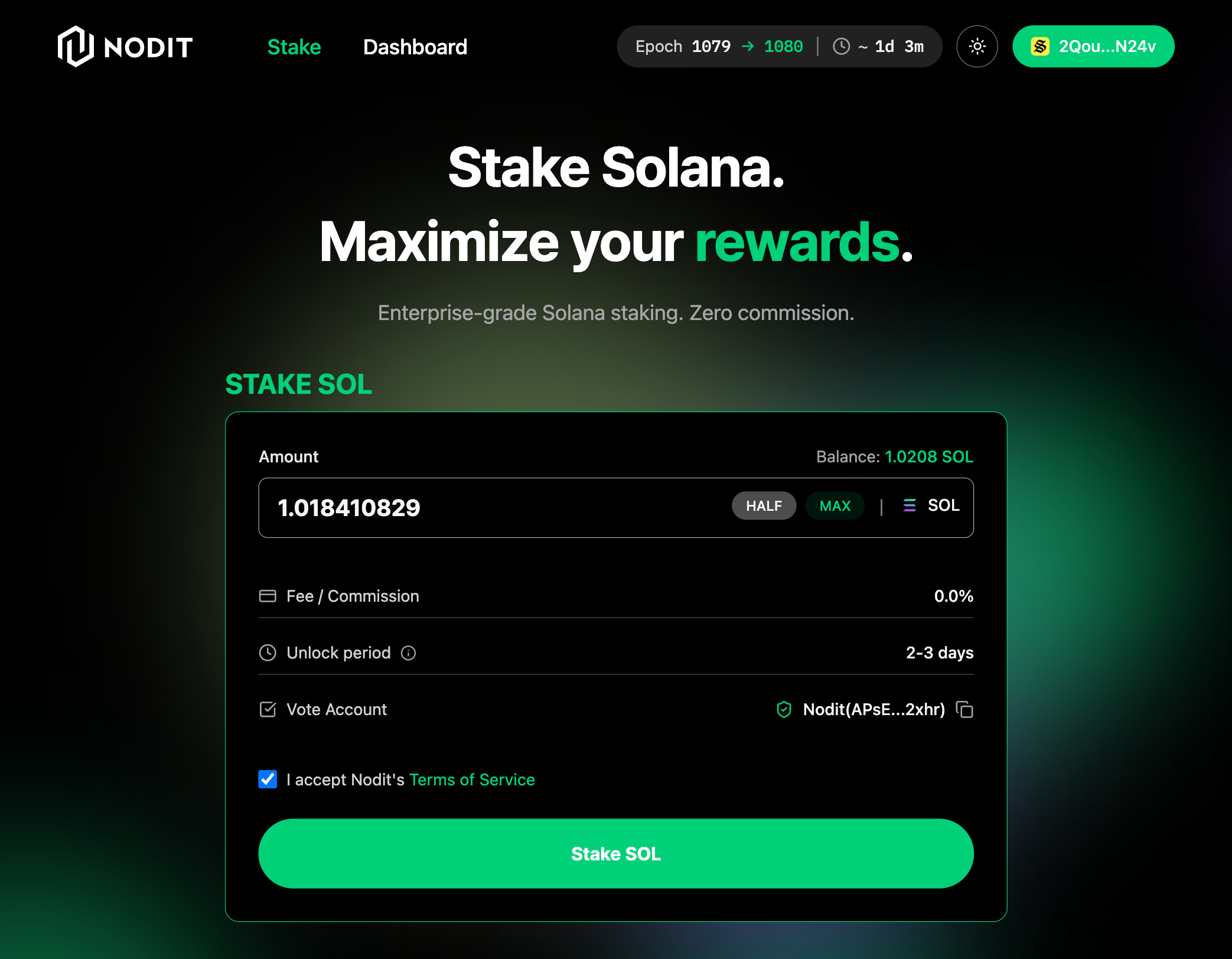
Staking
Enter the amount of SOL you wish to deposit. You can review the staking reward commission, estimated unlock period, and information about the Validator Node's Vote Account.
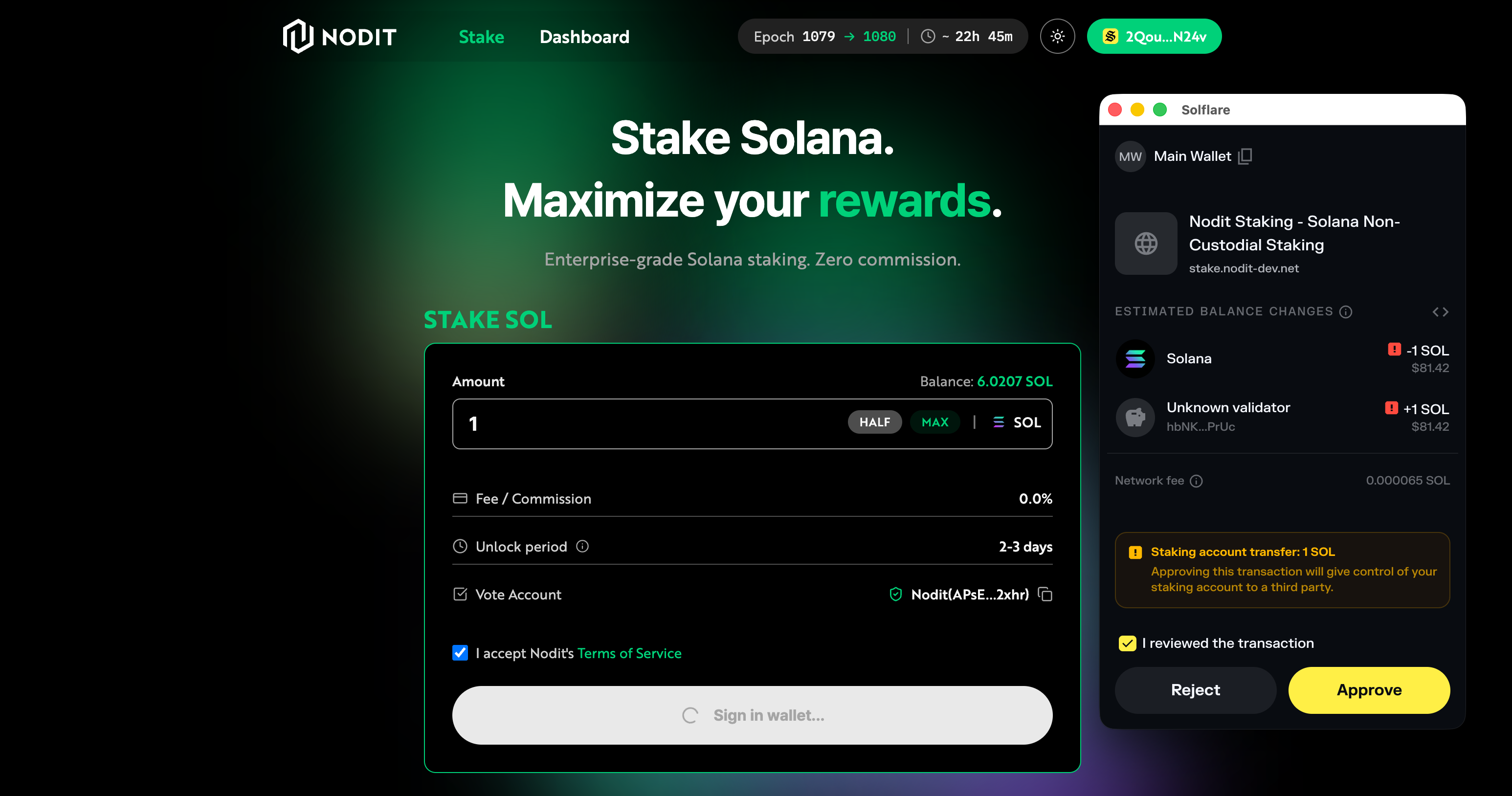
Click the [Stake SOL] button. Complete the transaction via your connected wallet's browser extension to proceed with staking. Once the transaction is successfully submitted, a success message is displayed. Staking will be applied in the next epoch. You can check the staking status in the Dashboard.
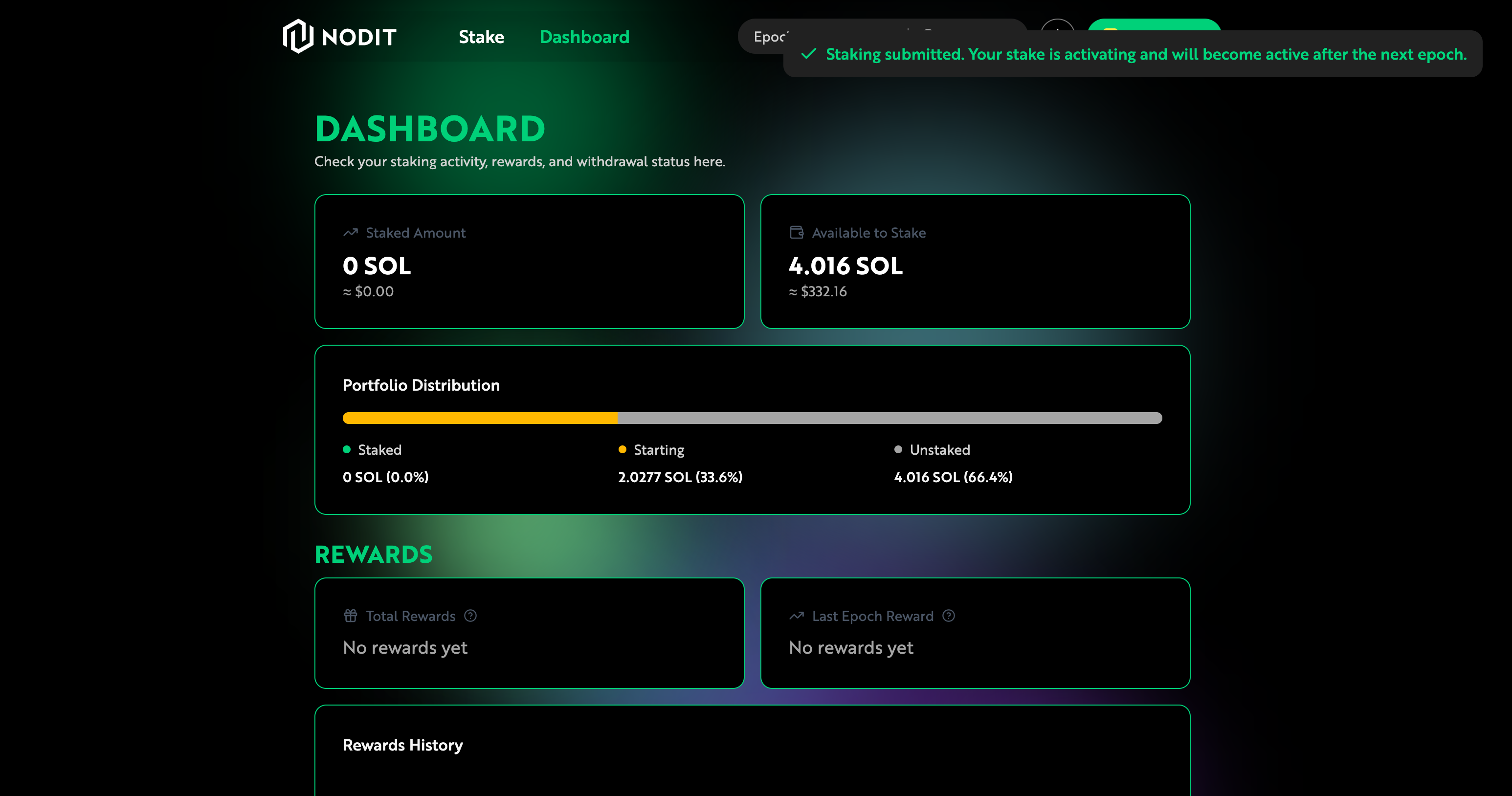
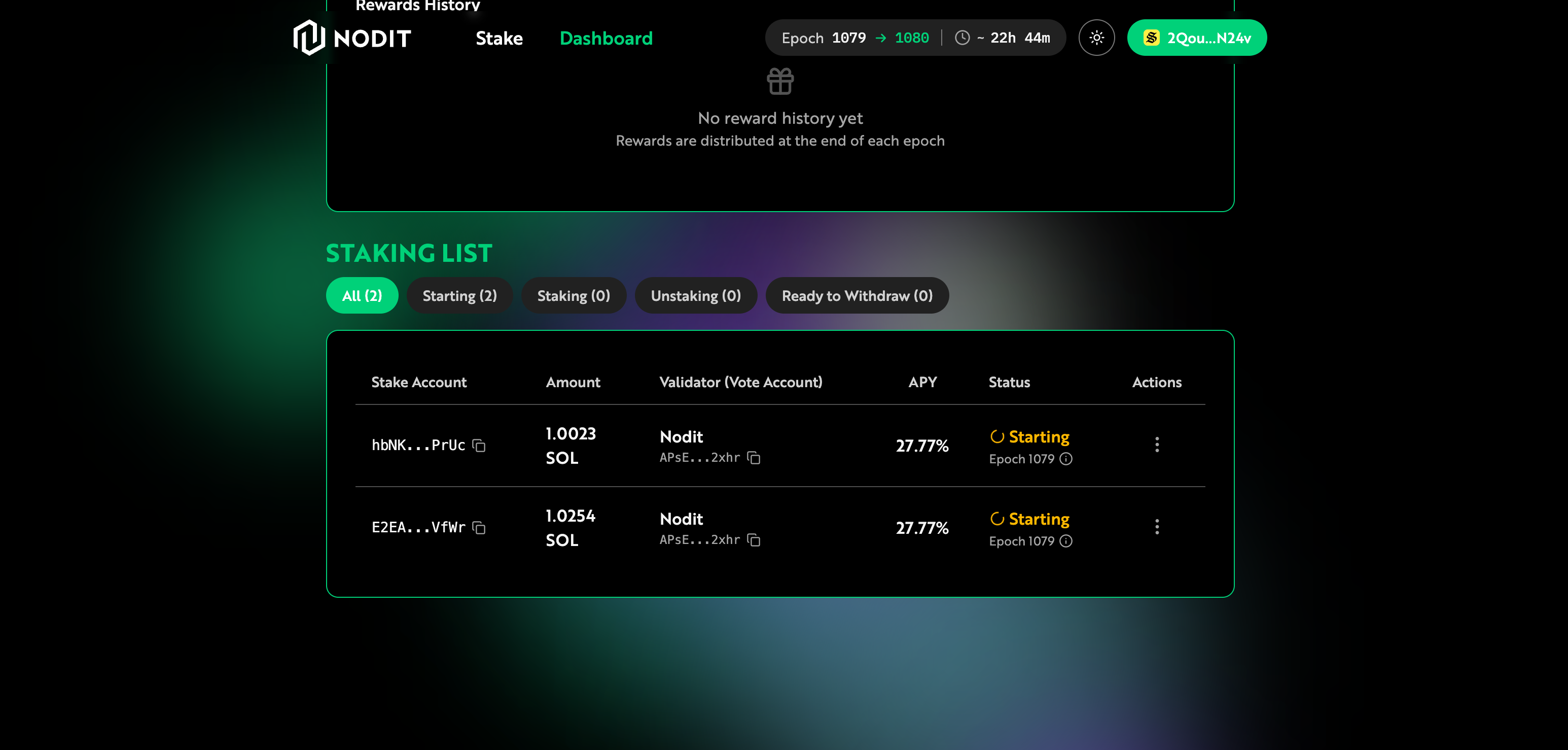
Dashboard
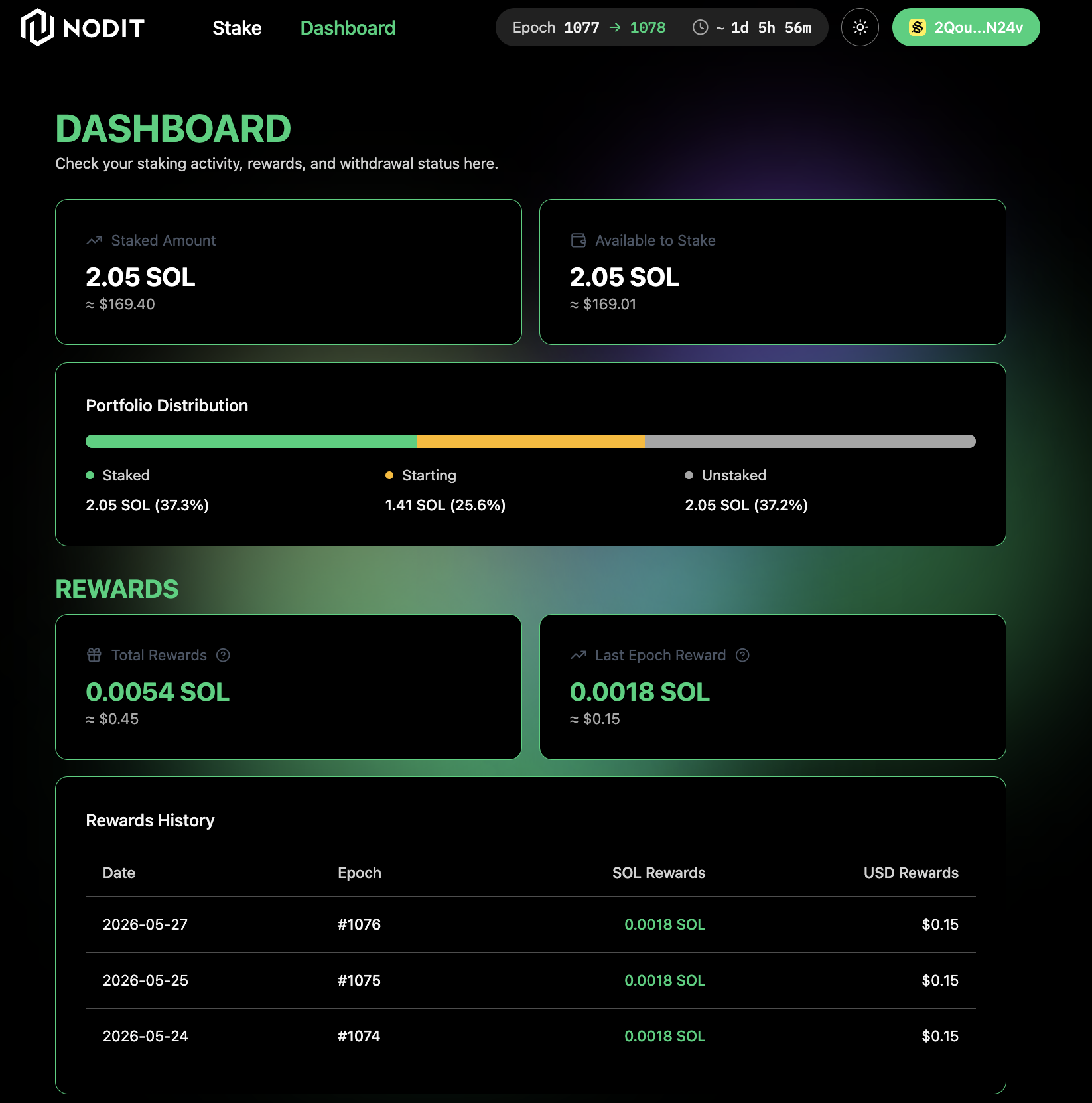
Navigate to the Dashboard page by clicking [Dashboard] in the top menu. This page displays the total amount of SOL staked, the SOL distribution by staking status, reward information, and staking history. A connected wallet is required to view this information.
Unstaking
In the Staking List on the Dashboard, find the item with [Staking] status, click the actions [⋮] button on the right, and select [Unstake].
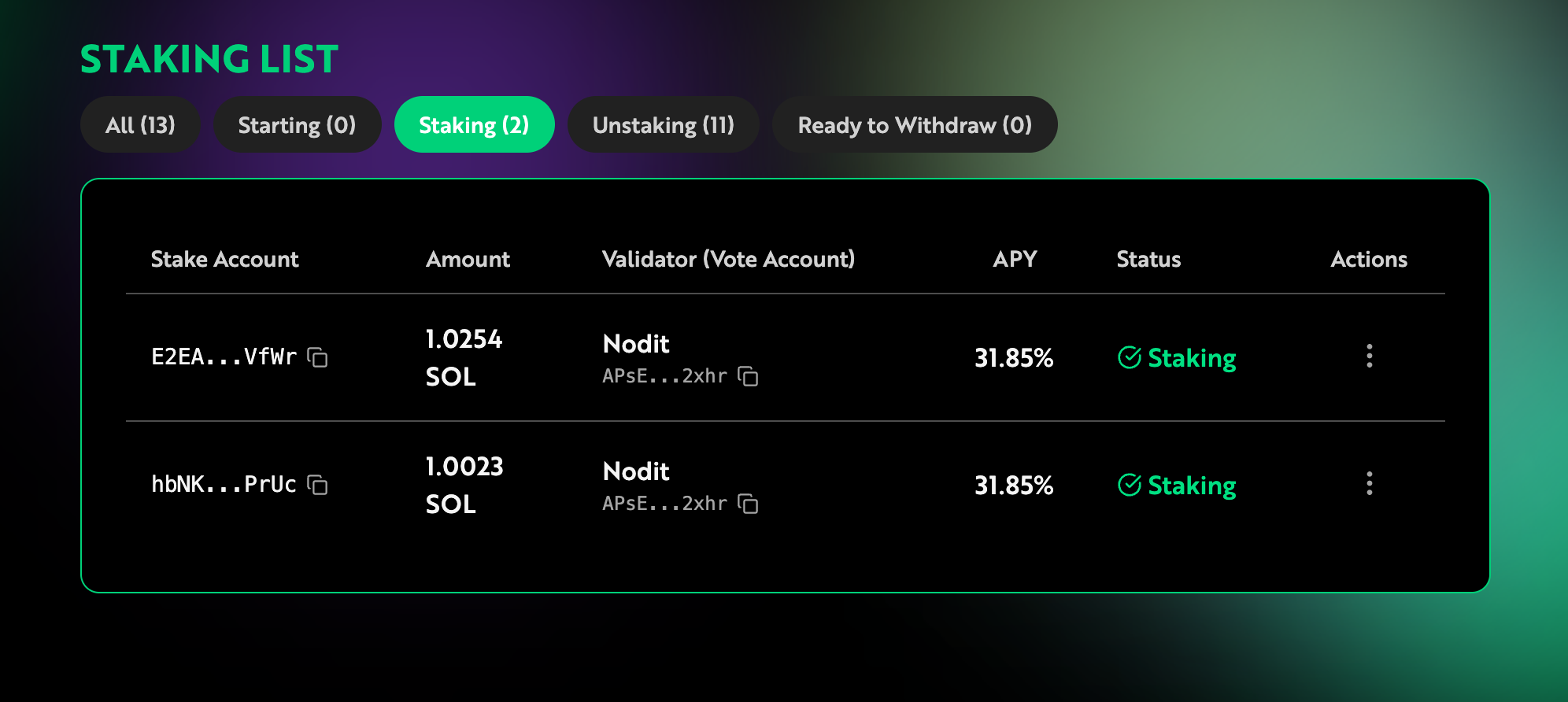
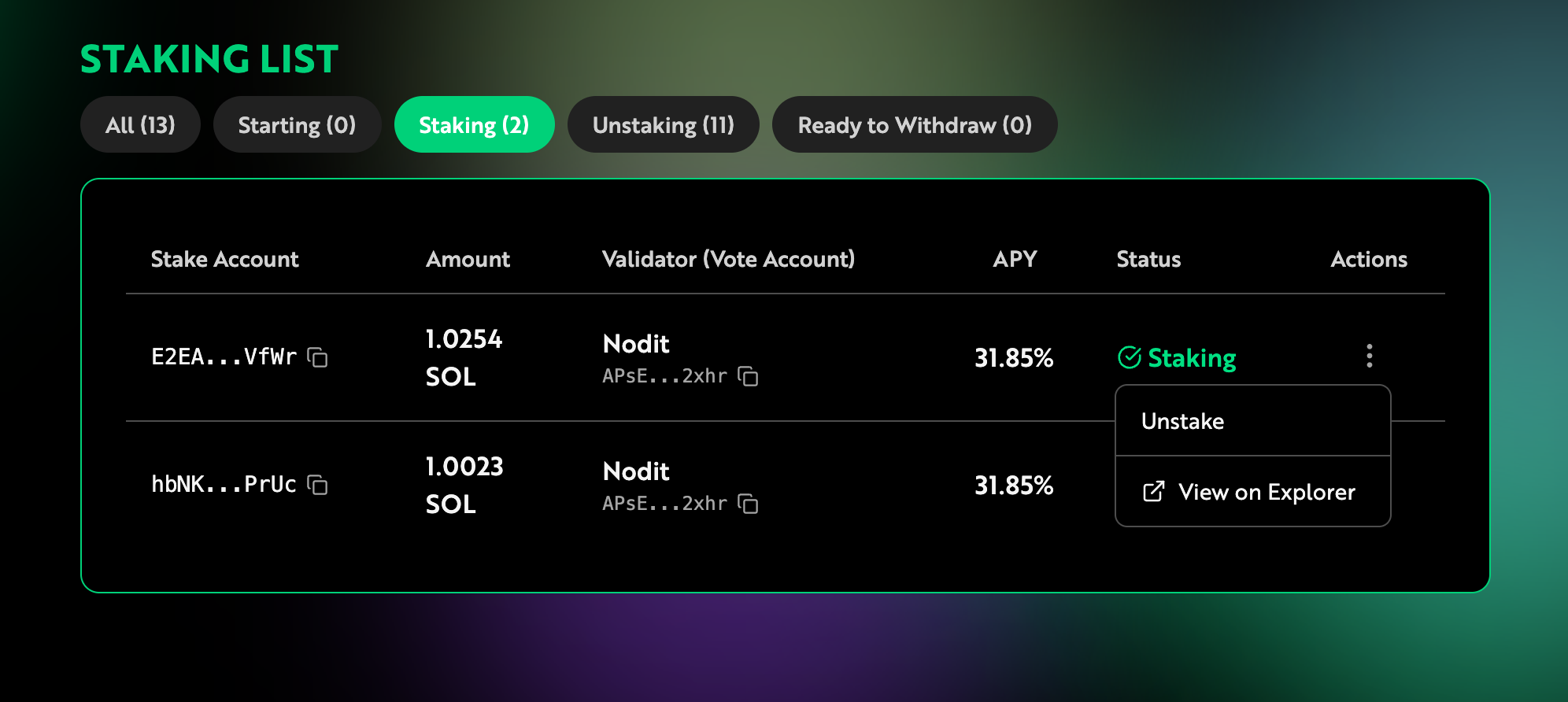
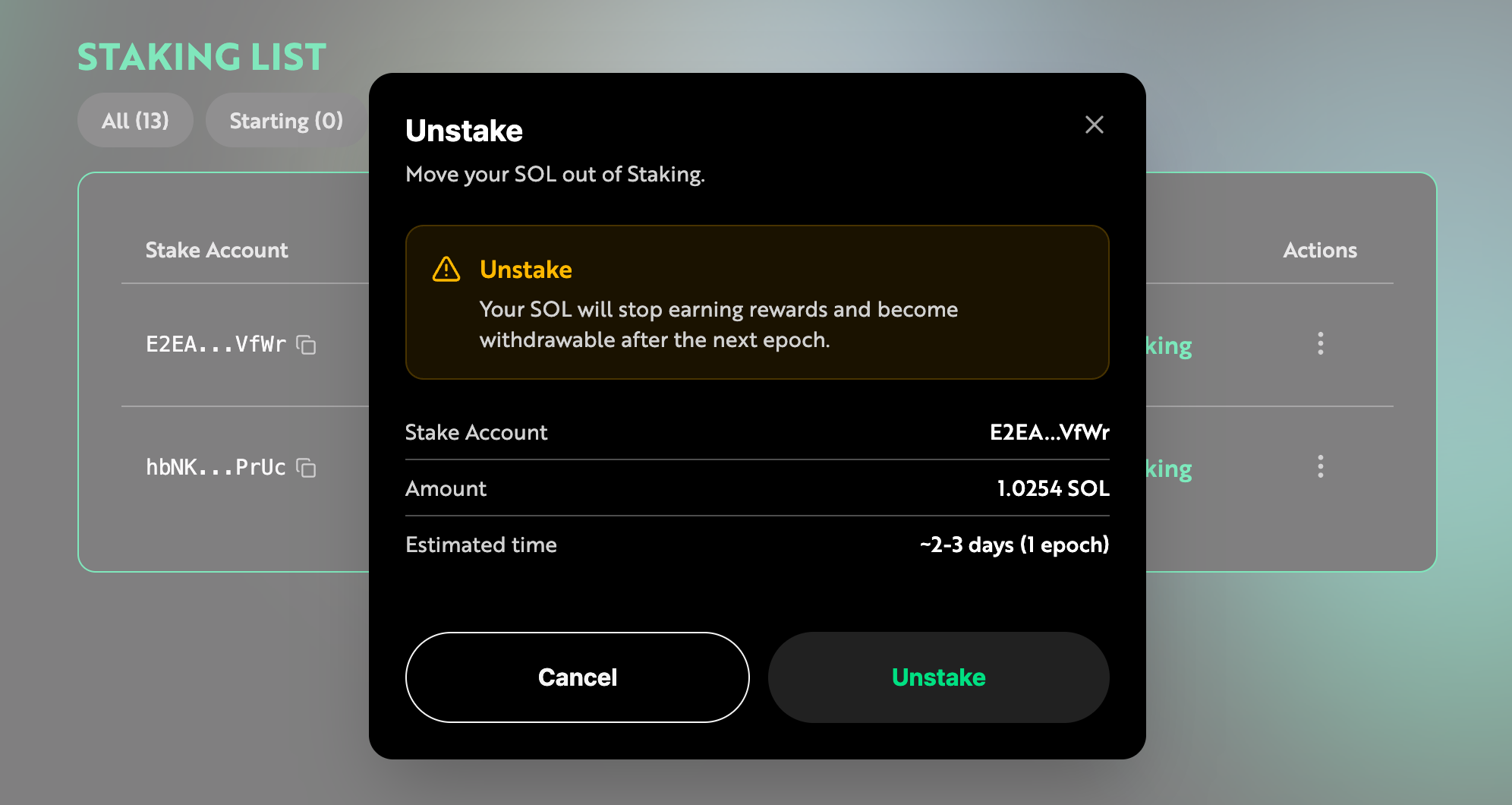
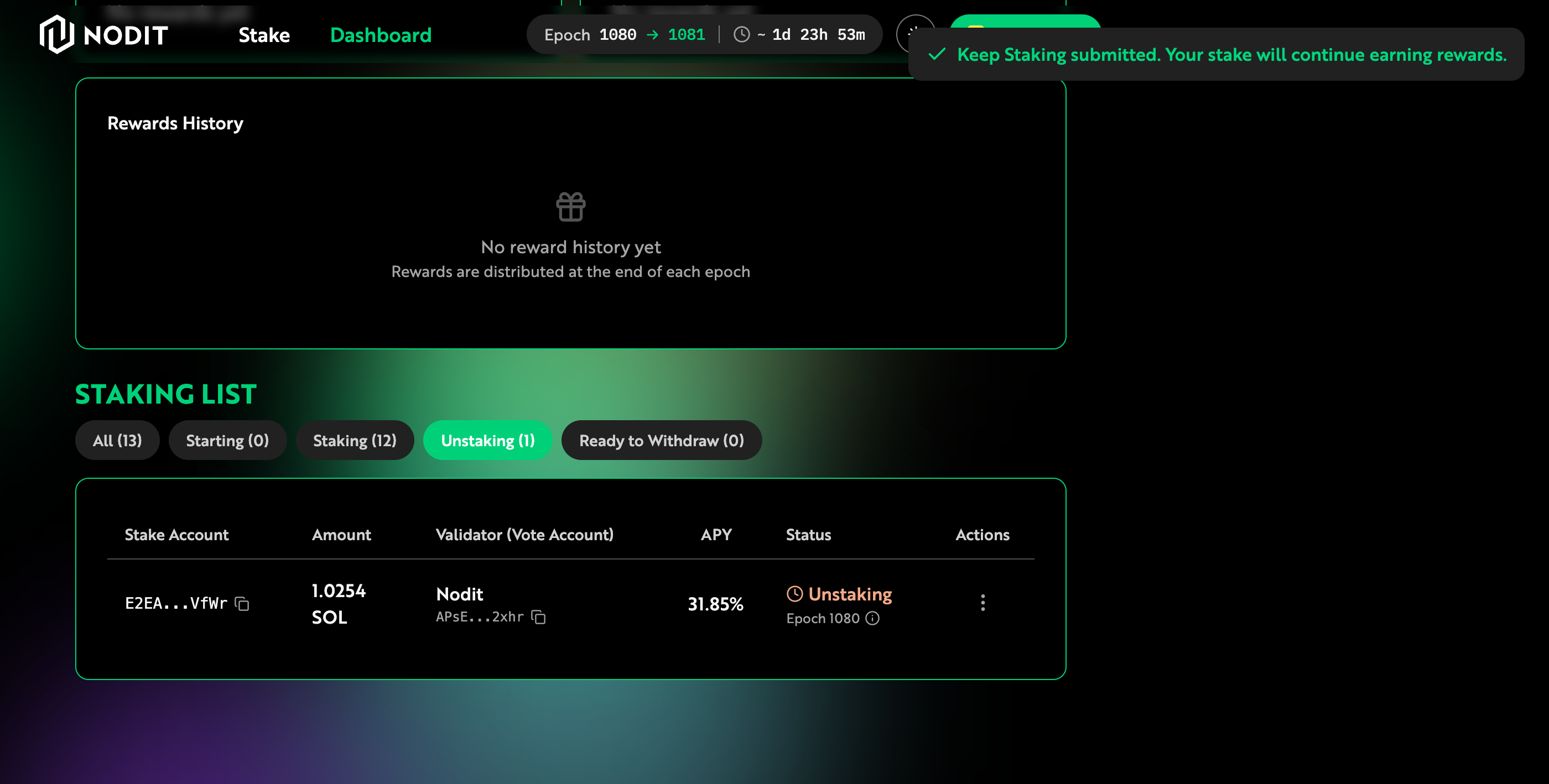
Review the notice about reward suspension and the unstaking waiting period, then click [Unstake] to submit the Unstake transaction. Once signed and submitted via your connected wallet's browser extension, the staking entry changes to Unstaking. The staked assets will be unstaked in the next epoch.
Withdrawal
Only SOL that has completed the Cool-Down Period can be withdrawn. Withdrawing closes the Stake Account and returns the Rent along with the deposited SOL to your wallet. In the Staking List on the Dashboard, find the item with [Ready to Withdraw] status, click the [⋮] button on the right, and select [Withdraw].
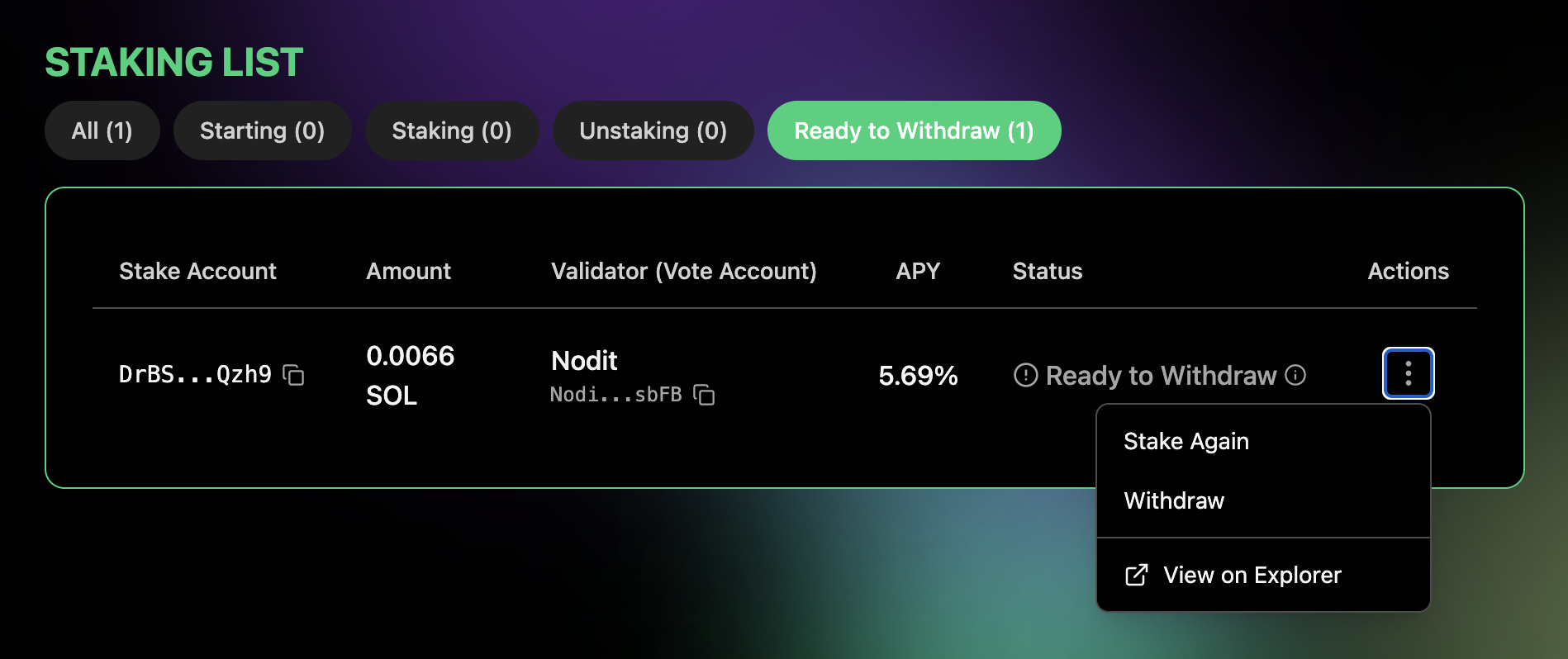
Review the withdrawal details in the modal, then submit the Withdraw transaction via your connected wallet's browser extension.
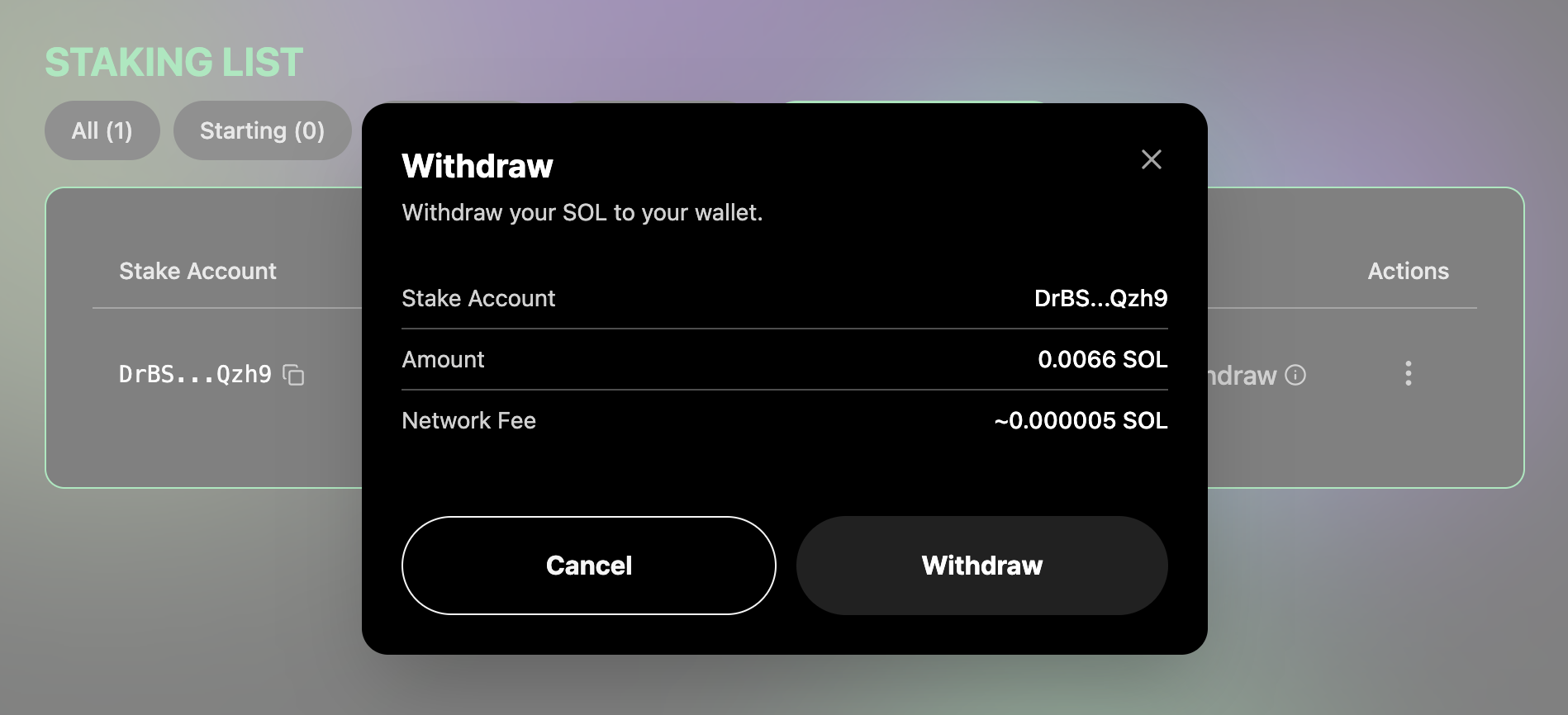
The balance including Rent is transferred to your wallet and the Stake Account is closed, completing the withdrawal. You can confirm the withdrawal by checking your wallet balance. The corresponding entry is removed from the Staking List.
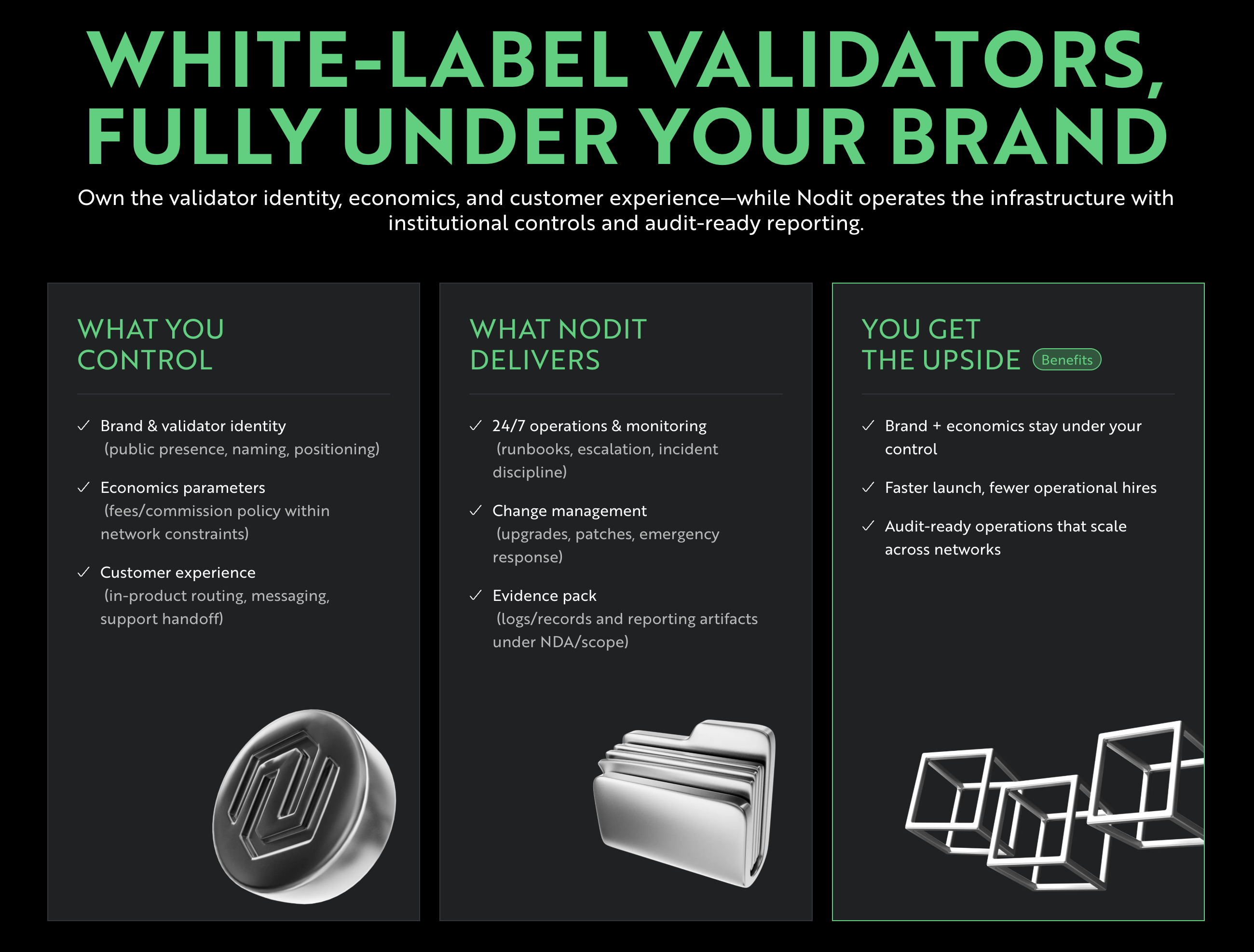
White Labeling Service for Enterprises and Institutions
Nodit offers a White Labeling service for enterprises and institutions looking to operate their own Solana Staking service. This includes setting up a Validator Node operating environment and providing a branded Staking Service site tailored to each organization's identity. For inquiries about Nodit Solana Staking White Labeling services, please contact [email protected].