API Key
What is an API Key?
An API Key is a unique value that controls access to API calling permissions, allowing only authorized users for security purposes. When making an API call, the API Key is included in the request header and sent to the server. The server verifies that the requester is an authenticated user through the API Key before processing the request. Users can use API Keys to prevent entities other than authorized users from accessing project resources.
If an API Key is leaked outside the project and used by other users, unintended deletions or changes may occur to resources being used in the project, and plan usage may be deducted due to unauthorized use. Please securely configure your API Key within your project code through key storage or encryption to prevent leakage.
How can I obtain an API Key?
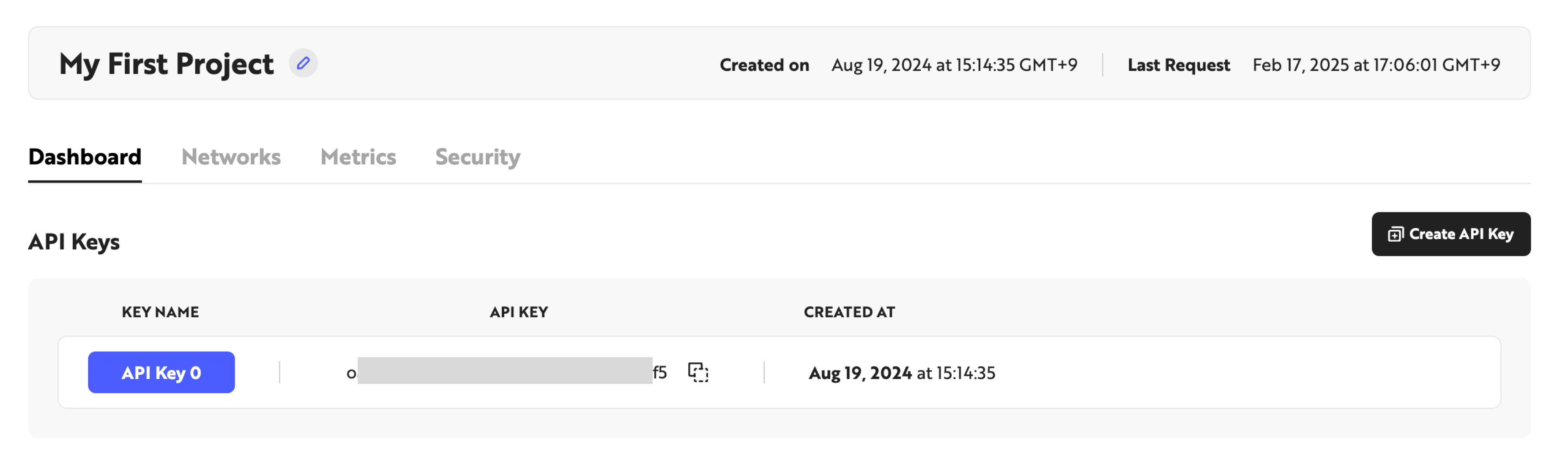
When a user completes Nodit onboarding, a project and its associated API Key are automatically generated. Users can view their API Key on the project Overview page of the Nodit console and use it to access various APIs provided by Nodit.
How can I use an API Key?
You can call APIs using an API Key in two ways: by entering it in the API request header or by entering it in the API endpoint. Let's explore these methods through the examples below.
1. Entering API Key in the API Request Header
Enter X-API-KEY field as the key and your issued API Key as the value in the API request header. This is the most basic method for sending requests with an API Key to the server. Remove <Your_API_Key> in the example code below, enter your issued API Key, and try running it in the terminal!
curl --request POST \
     --url https://ethereum-mainnet.nodit.io/ \
     --header 'X-API-KEY: <Your_API_Key>' \
     --header 'accept: application/json' \
     --header 'content-type: application/json' \
     --data '
{
  "id": 1,
  "jsonrpc": "2.0",
  "method": "eth_blockNumber"
}
'
2. Entering API Key in the API Request Path
Call the API by entering your issued API Key in the API path. This method can be used when calling Nodit's Node API. Remove <Your_API_Key> in the example code below, enter your issued API Key, and try running it in the terminal!
curl --request POST \
     --url https://ethereum-mainnet.nodit.io/<Your_API_KEY> \
     --header 'accept: application/json' \
     --header 'content-type: application/json' \
     --data '
{
  "id": 1,
  "jsonrpc": "2.0",
  "method": "eth_blockNumber"
}
'
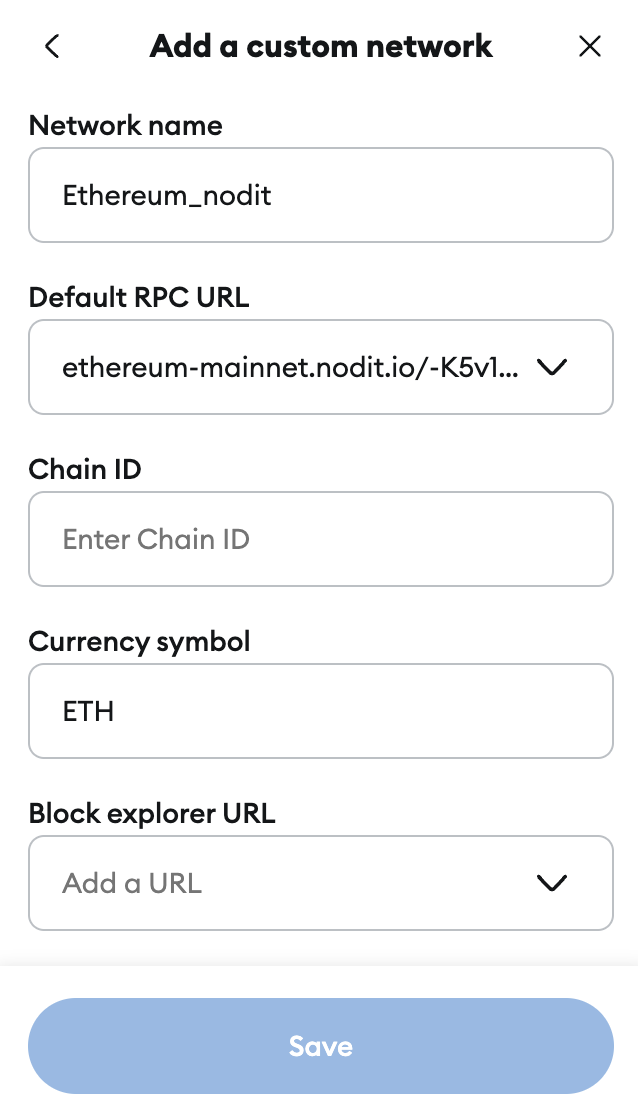
This method can be used not only when calling APIs but also when connecting custom networks to wallet services like MetaMask. As shown in the image, you can add networks provided by Nodit to wallet services like MetaMask by entering an HTTPS endpoint that includes the API Key in the RPC URL.
I want to issue additional API Keys.
For users on the Nodit Starter (Free) plan, one free API Key is provided. If you need to create additional API Keys, you can upgrade your plan to generate more keys. You can check the support for each plan by clicking the link below.