Coupon
Have you received a coupon code through a Nodit promotion or event? You can register the coupon code and immediately apply it to Plan payment or reserve it for application to use the provided registered coupon.
Visit the Nodit Console to create an account and try out the features in a free project.
Step 1: Registering Coupon Code
To apply a coupon, you must first register the coupon code.
- Navigate to the [Coupons] tab in Lambda256 ID.
- Enter the 16-digit coupon code in the Coupon Registration field and click the [Submit] button.
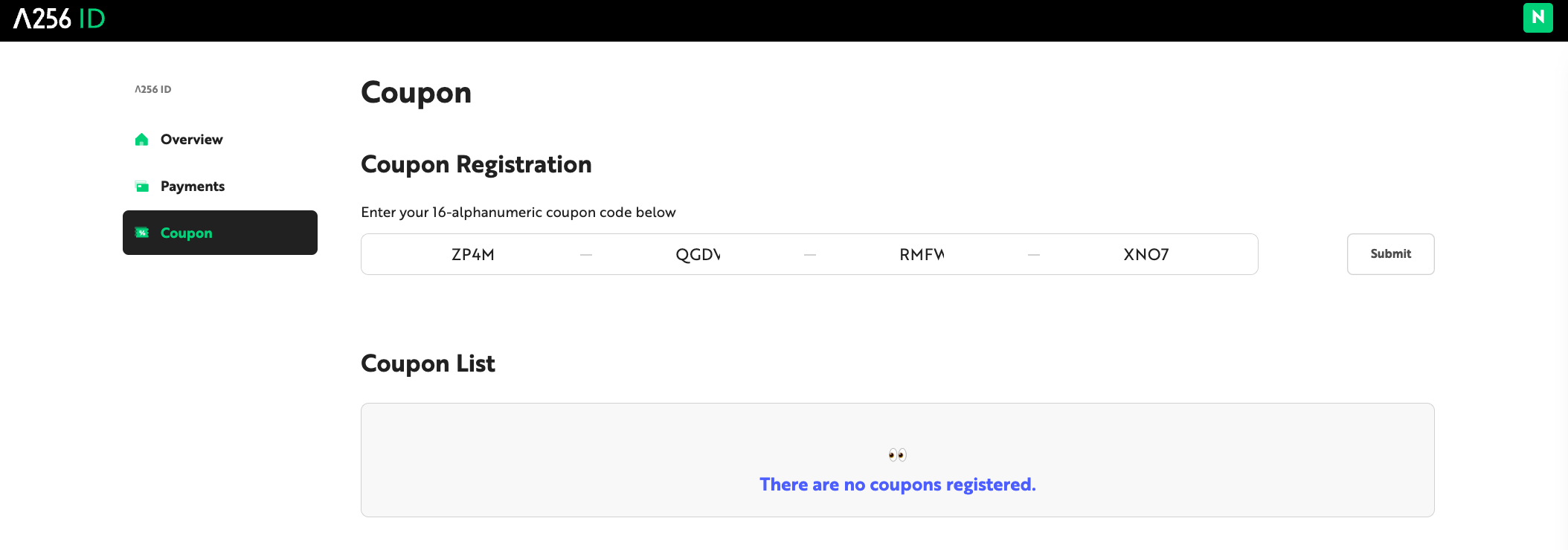
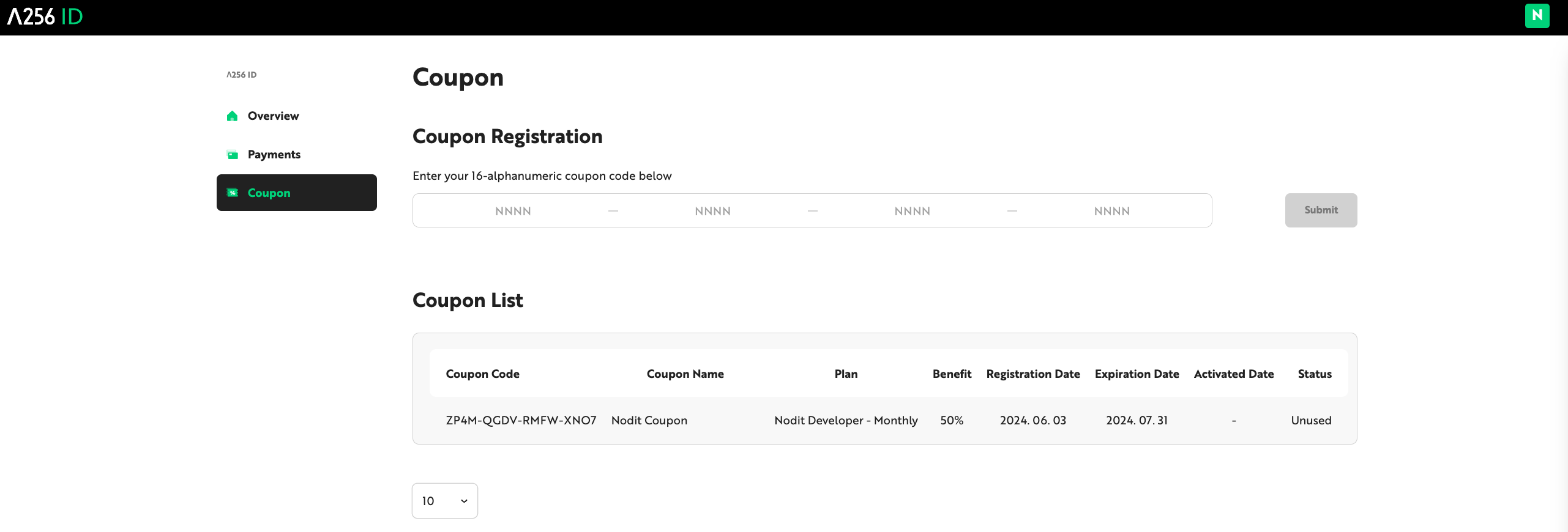
- You can check registered coupon information and usage history in the [Coupon List] field.
Step 2-1: Applying Coupon Immediately
The method to apply registered coupons is as follows.
-
Click the [Upgrade My Plan] button on the Nodit Account Dashboard or click [pricing] in the top menu bar.
-
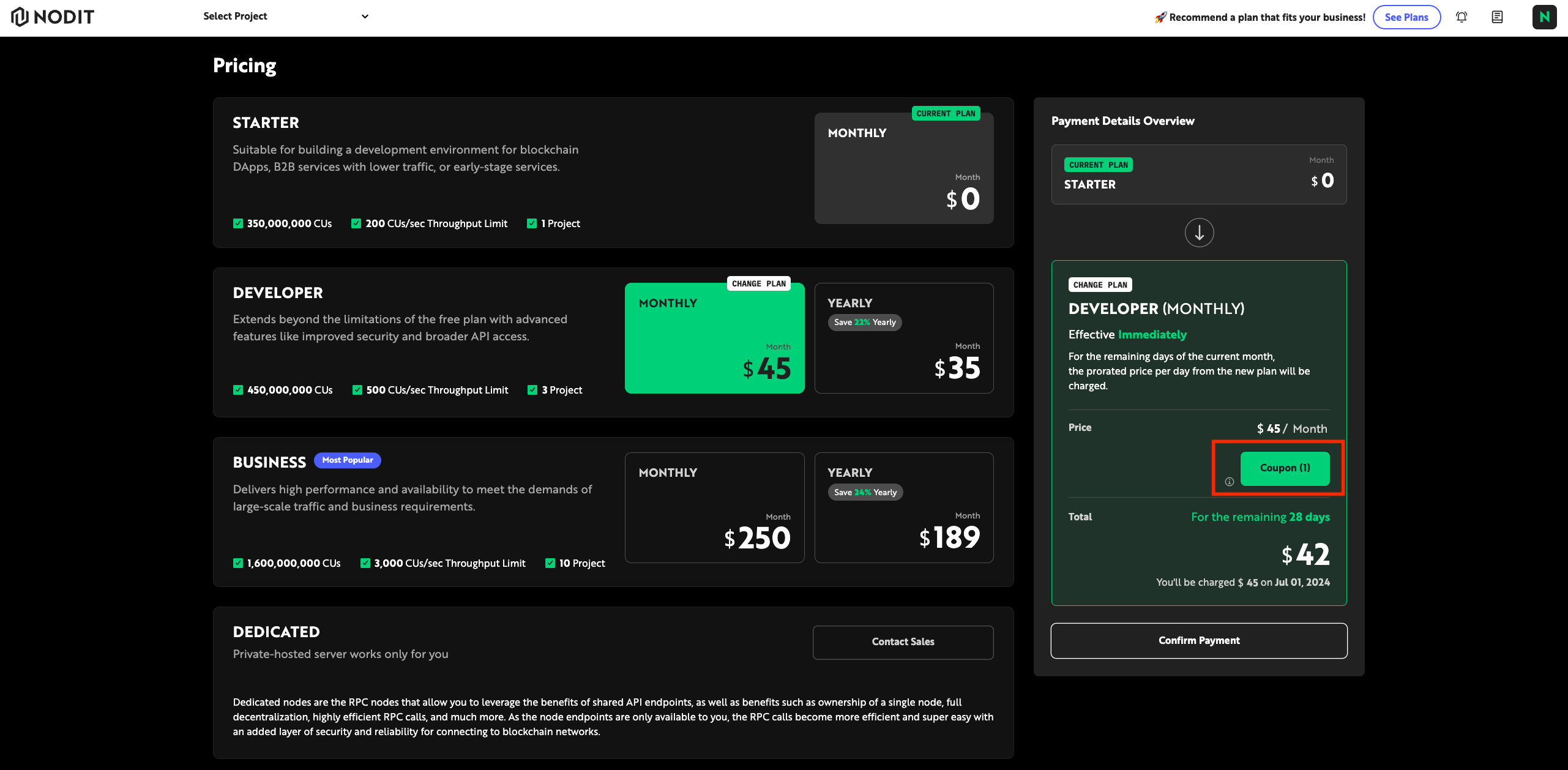
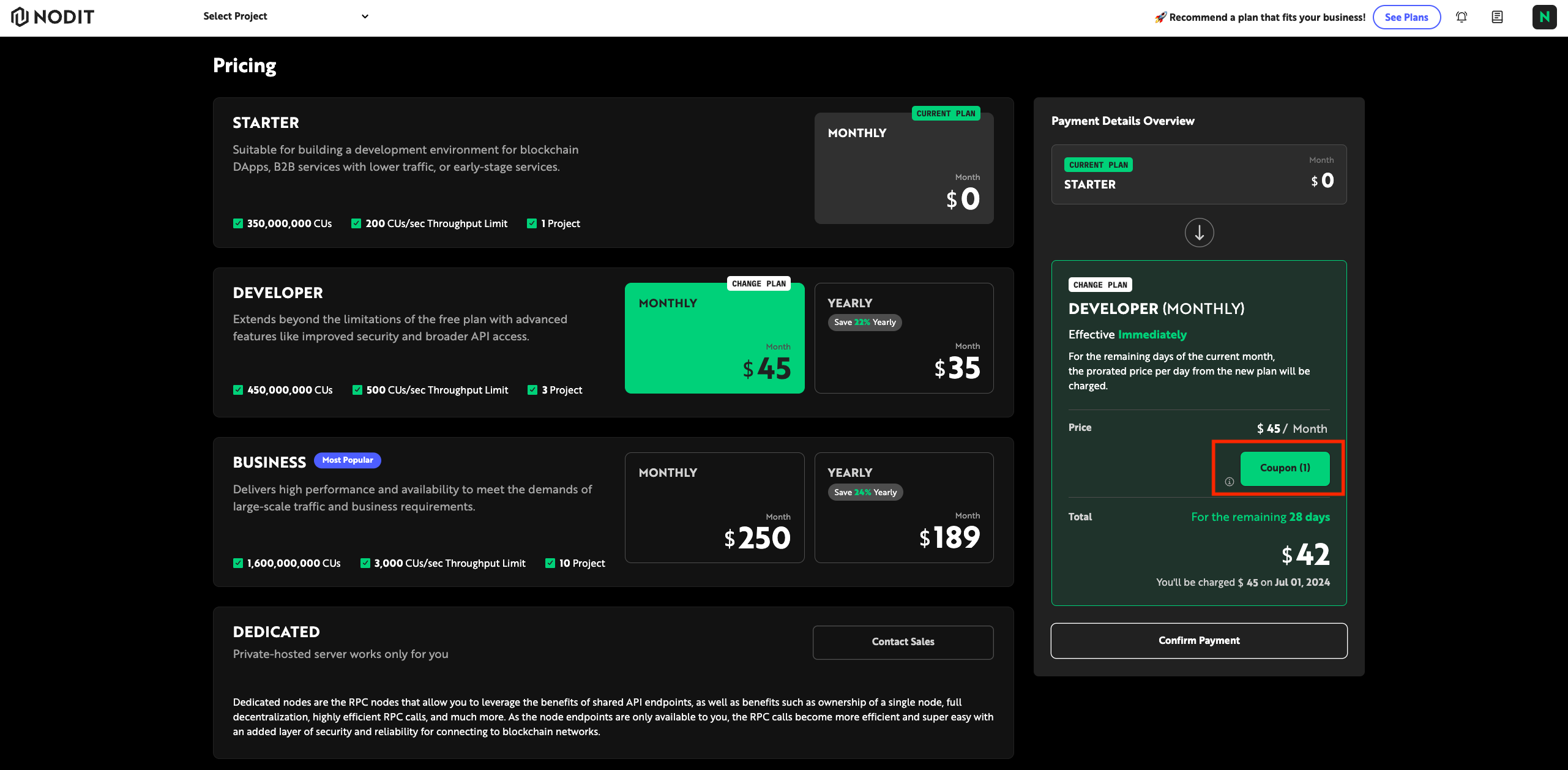
Select the plan to subscribe to or change, and if there is an applicable coupon, the [Coupon] button will be enabled in the Payment Details Overview.
-
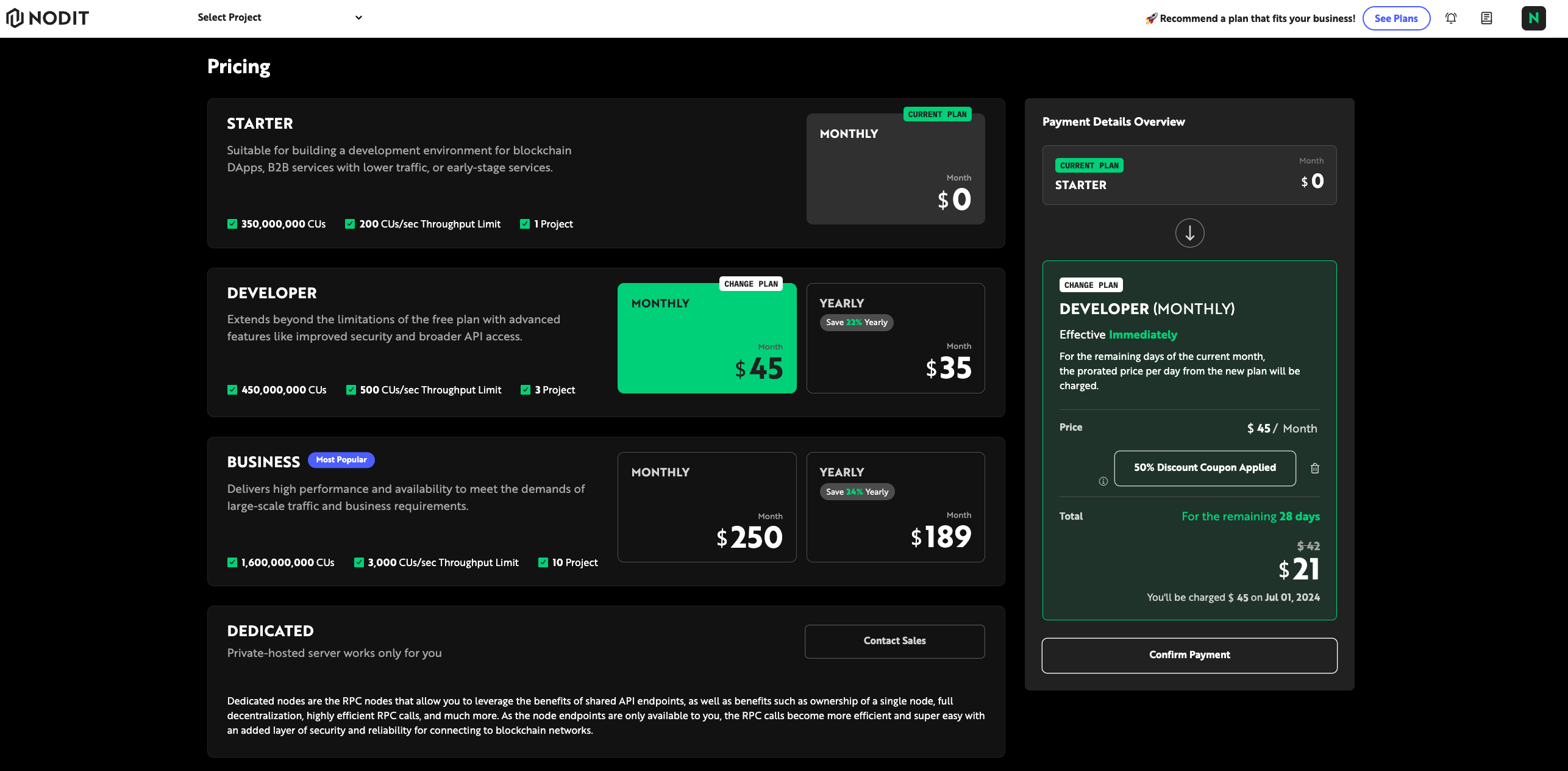
Click the [Coupon] button to select the desired coupon, then click the [Apply] button.
-
After checking the estimated amount with the discount applied, click the [Confirm] button. When payment is completed, the plan is changed and you will be redirected to the Nodit Service Dashboard page. You can check the Receipt related to payment through the email entered during sign-up.
Step 2-2: Reserving Coupon Application
When changing to a lower plan than the currently subscribed plan, coupon application, payment, and plan change are applied from the next month based on the change date.
-
Click the [Upgrade My Plan] button on the Nodit Account Dashboard or click [pricing] in the top menu bar.
-
If there is an applicable coupon for the plan the user is subscribing to, the [Coupon] button will be enabled in the Payment Details Overview.
-
After applying the coupon, click the [Confirm Payment] button to reserve the plan change.
- If the coupon expiration date is shorter than the next billing settlement date, coupon application reservation is not possible.
- Coupon application reservation cancellation is possible until the day before the next settlement date (2nd of each month, 23:59:59 UTC+09:00).