Elastic Node
Key Features
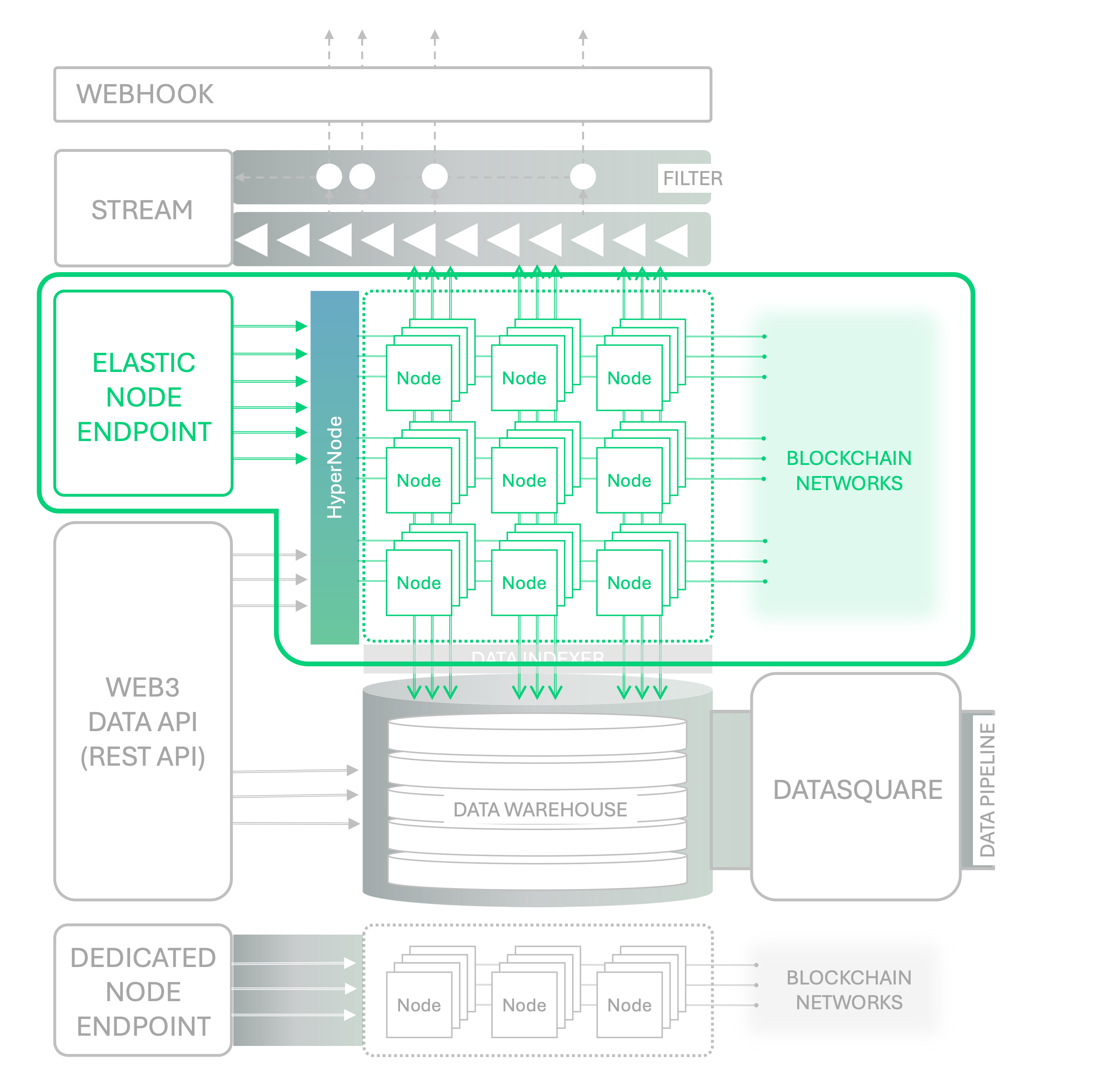
✅ HyperNode Powered Endpoint & API Provides Node Endpoints for individuals from the abstracted massive node infrastructure offered by the Nodit Node pool. Through this Endpoint, you can call Node APIs supported by each chain's node client or deploy smart contracts.
✅ Low Latency, High Availability Provides fast response times and 99.9% SLA high availability through Nodit Node Optimizer's load balancing and processing methods according to request types.
✅ Auto Scaling (Paid Plan Only) Enables stable services at optimized costs by providing Auto Scaling functionality to allow uninterrupted service even with variable resource usage.
Nodit's Shared Node Infrastructure Service, Elastic Node
Elastic Node is a scalable shared node solution designed to handle variable workloads. Through the shared node Endpoint stably operated by Nodit's expert technical team, you can immediately call blockchain Node APIs to query network changes and send transactions without dedicated infrastructure operations personnel. Additionally, if you need to deploy contracts directly for DApp development, you can deploy your written smart contracts to the desired network by integrating the assigned Endpoint into your development environment.
While Nodit's entire node infrastructure resources are shared by all projects, the resources actually used by each project are elastically allocated within the maximum performance allowed by the plan based on real-time usage and usage patterns of that project. This allows all projects to provide stable services inexpensively within the predicted performance range. If your workload is variable or unpredictable and may exceed the maximum usage of your selected plan, you can set the Auto Scaling option to pay only for the exceeded usage without service interruption. If you're planning a cost-optimization-oriented startup or small business, Elastic Node would be a good choice.
The list and specifications of Node APIs callable through the Elastic Node Endpoint can be found on the Node API page for each chain in the API Reference menu. Nodit's plan default usage allowance is shared across all features including Node API, Web3 Data API, and Webhook/Stream, and the usage deducted per API and details can be found on the Usage Measuring(CU) page.
HyperNode for Greater Scalability
The biggest technical challenge of pool-based node infrastructure services is implementing a node Pool composed of multiple physical nodes to operate logically like a single blockchain node. Since blockchain nodes maintain different block synchronization states and transaction pools (mempool), consistent operation cannot be guaranteed by simply adding physical nodes and distributing traffic. Problems can occur where different latest block data is returned as the node processing the request changes, or follow-up information about submitted transactions cannot be properly queried.
Nodit's HyperNode is a node abstraction layer designed to solve state inconsistency problems between nodes during infrastructure expansion and ensure data integrity. HyperNode provides high data integrity and real-time performance, fast response speed, and scalability by building a shared state pool through state monitoring of all nodes at the front of the node Pool, then providing optimized responses based on the Context of requests.
- Data Integrity and Real-time Performance: HyperNode load balances requests based on a shared state View to provide responses from the most optimized node for each Node API request. This allows users to access the latest block information in the node Pool in real-time without worrying about data inconsistencies due to block state differences between nodes.
- Scalability: HyperNode supports flexible expansion of shared resources composing Elastic Node. The data abstraction, Context-based load balancing, and transaction management features provided by HyperNode minimize the complexity that occurs when physical resources are expanded, enabling linear resource expansion.
Currently HyperNode supports Base Mainnet, Ethereum Mainnet, Optimism Mainnet, Arbitrum Mainnet, and Polygon Mainnet, and will expand its support to more networks in the future.
Elastic Node Quickstart
Shall we connect Nodit's Elastic Node and utilize the Endpoint? You can start a Free Plan (Starter Plan) and check the immediately available Elastic Node Endpoint. Follow the guide on the Get Started with Nodit page to navigate to the project Overview screen of the Nodit console.
Checking the Complete List of Available Elastic Node Networks
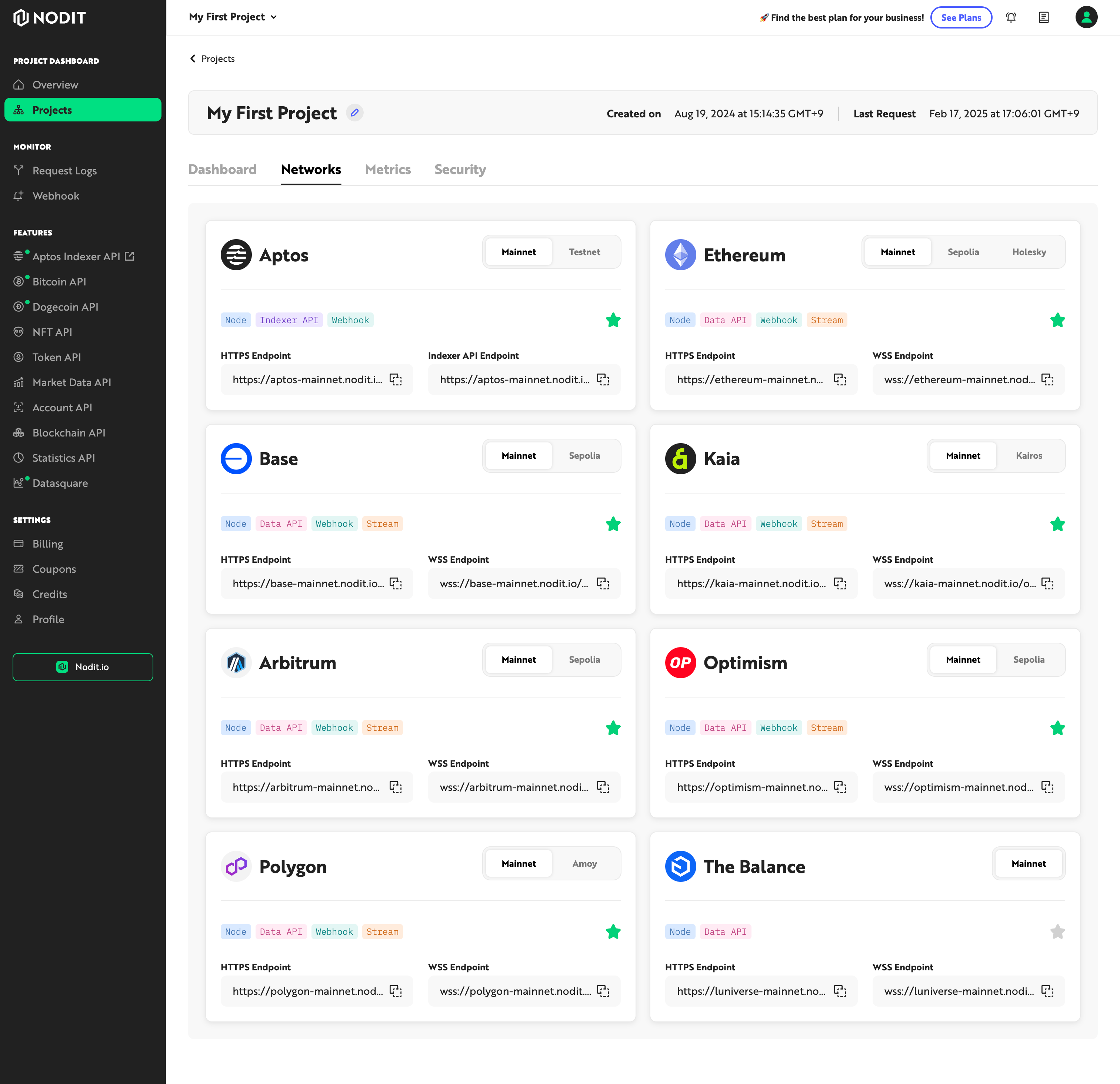
You can check the complete list of available networks by clicking the 'Networks' tab on the project detail screen. Available features for each network are displayed in tag format, and you can use Elastic Nodes for networks displaying the Node tag. For each network, you can switch to mainnet and testnet information by clicking detailed network divisions such as 'Mainnet' or 'Testnet', 'Sepolia', 'Holesky', etc.
Checking Endpoints
In the 'HTTPS Endpoint', 'WSS Endpoint', 'Indexer API Endpoint' areas, you can view and click to copy Endpoint addresses for node API, Stream, and other development tool integration.
Adding Networks to Project Favorites
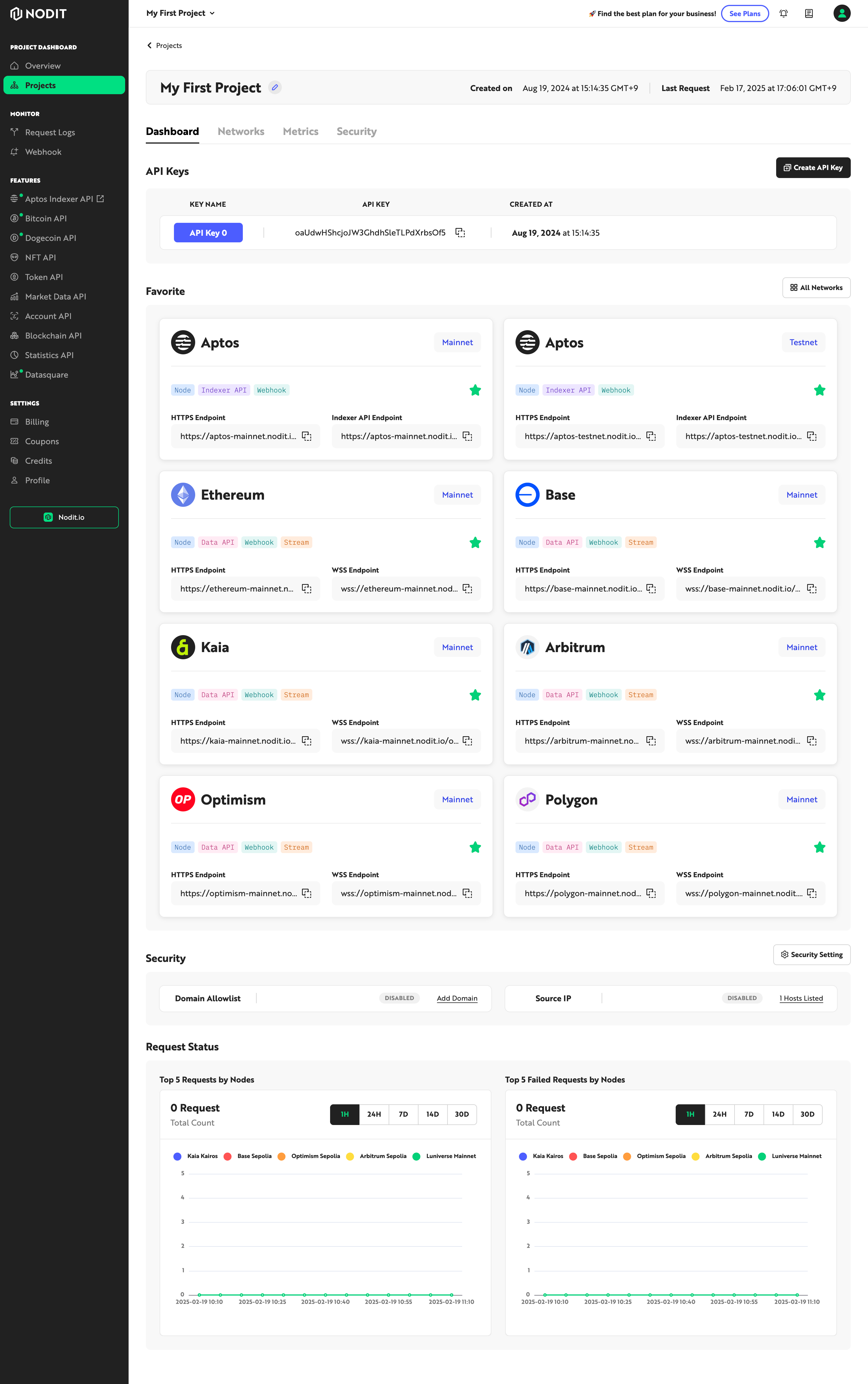
You can add the network to the favorites area or remove it from favorites by clicking the star icon inside each network card. Networks added to favorites are added to the 'Favorite Networks' area as shown below on the project's Dashboard for easy access.
Network Dashboard (Status and Statistics)
Navigate to the Dashboard for each network by clicking the chain name or card area in the Network list or favorites list. You can view the status and statistical information of that network.
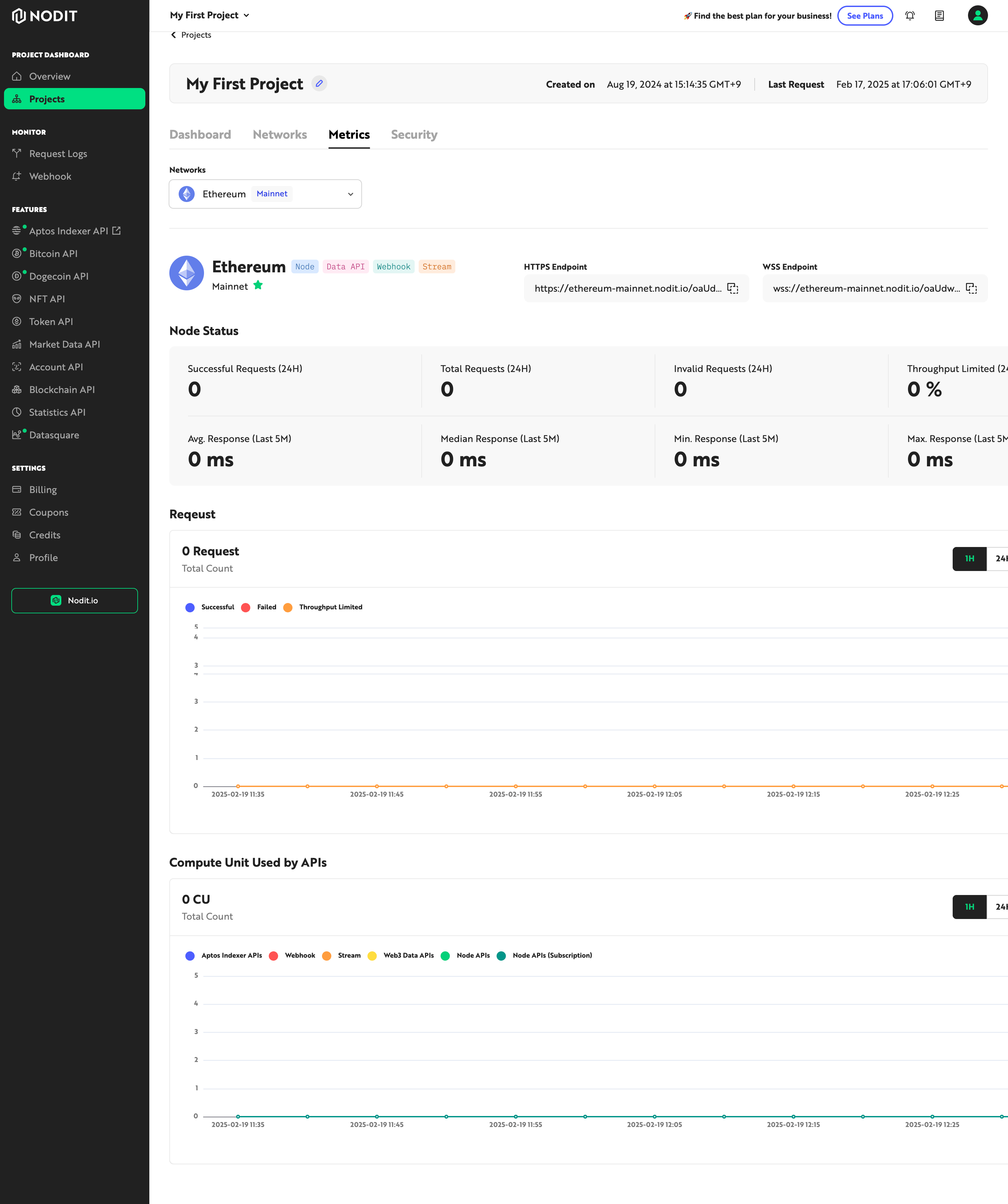
Available items to view are as follows:
- HTTPS Endpoint / WSS Endpoint
- Node Status Statistics
- Successful request count (24H)
- Total request count (24H)
- Invalid request count (24H)
- Request count not processed due to Throughput Limited (24H)
- Node API response time average (last 5M, ms)
- Node API response time median (last 5M, ms)
- Node API response time minimum (last 5M, ms)
- Node API response time maximum (last 5M, ms)
- Total request count graph by period
- Request count not processed due to Throughput Limited graph
Calling Node APIs and Checking History Through Request Log Menu
Once you've connected the desired node to your project, you can check the [HTTPS Endpoint] or API Key and call Node APIs.
Calling APIs and Checking Example Code Using API Reference Page
To allow easy API calls with desired parameters and checking responses without development environment setup and implementation work, we provide test call functionality on the API Reference screen. After entering your issued API Key in the CREDENTIALS area on the Node API page you want to test, you can try calling API examples.
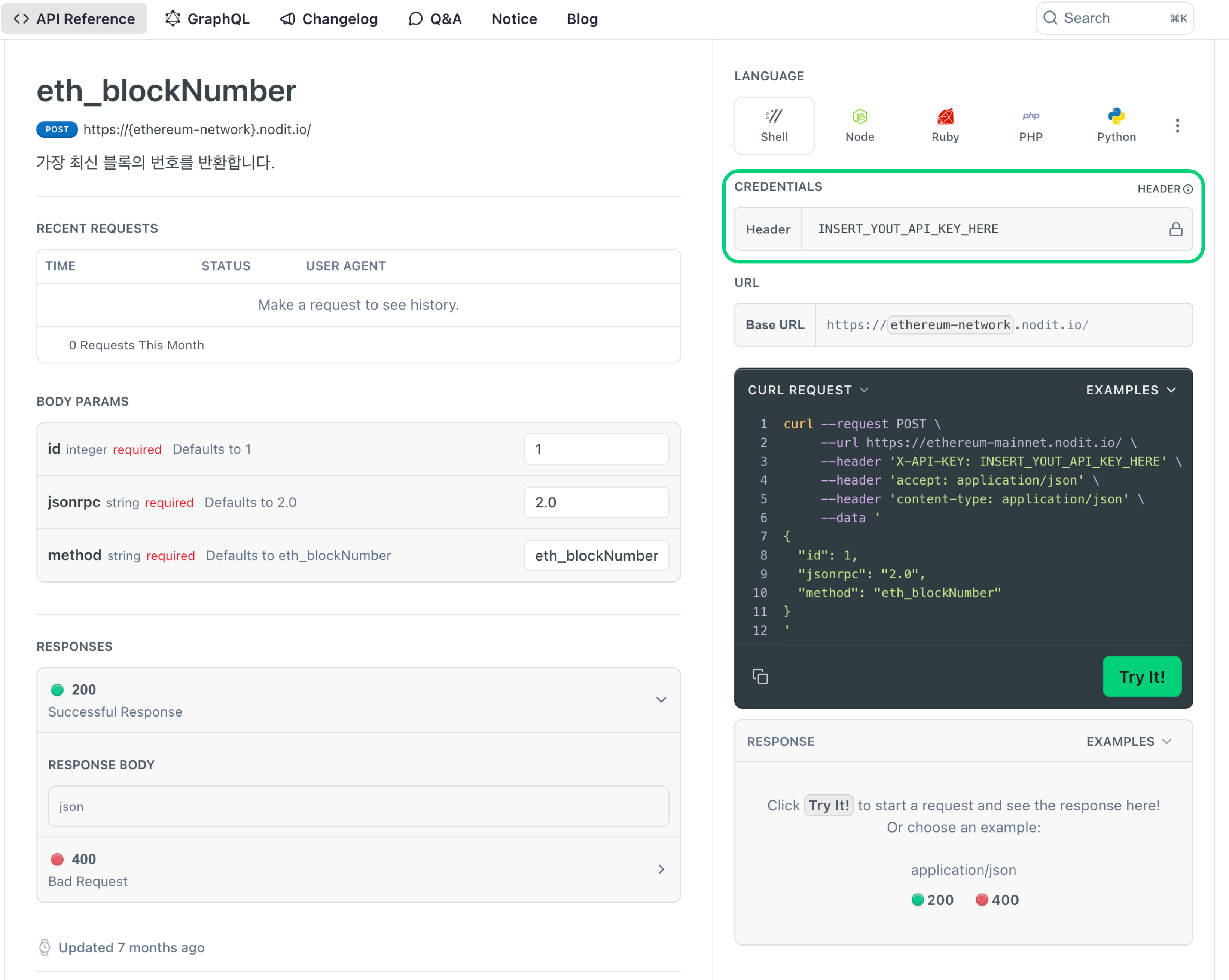
Utilizing API Call Code Using jsonrpc Templates
You can check simple jsonrpc API call example code by clicking the button below. When API calls are needed in your code, easily integrate Node APIs using the example code.
Checking Request Logs
You can view and track all Node API call history made to the node using the Request Log feature. Explore the features on the Request Logs page and check your test call history.
Deploying Smart Contracts Through Endpoint
You can deploy your written smart contracts or integrate wallets through the Endpoint. Try executing smart contract deployment through the Smart Contract Deployment Example using Hardhat.
Visit the Nodit Console to create an account and try out the features in a free project.