Get Started with Nodit
Ready to begin your Web3 project journey? Follow the guide below to check the information for your first project created in the Nodit console.
Check your first created project
- API Key
- Favorite Networks
- Security
- Project Dashboard
Nodit Console Sign Up and Onboarding
Sign Up
To use Nodit, you need to sign up for the Nodit console. You can register using a Google account or an email address. If you are not yet a Nodit console member, click the link below to navigate to the Sign Up page and create an account.
Check Your First Created Project
Once registration is complete, you will be automatically redirected to the Overview page of the automatically created 'My First Project'. The items you can view on the project Overview page are as follows.
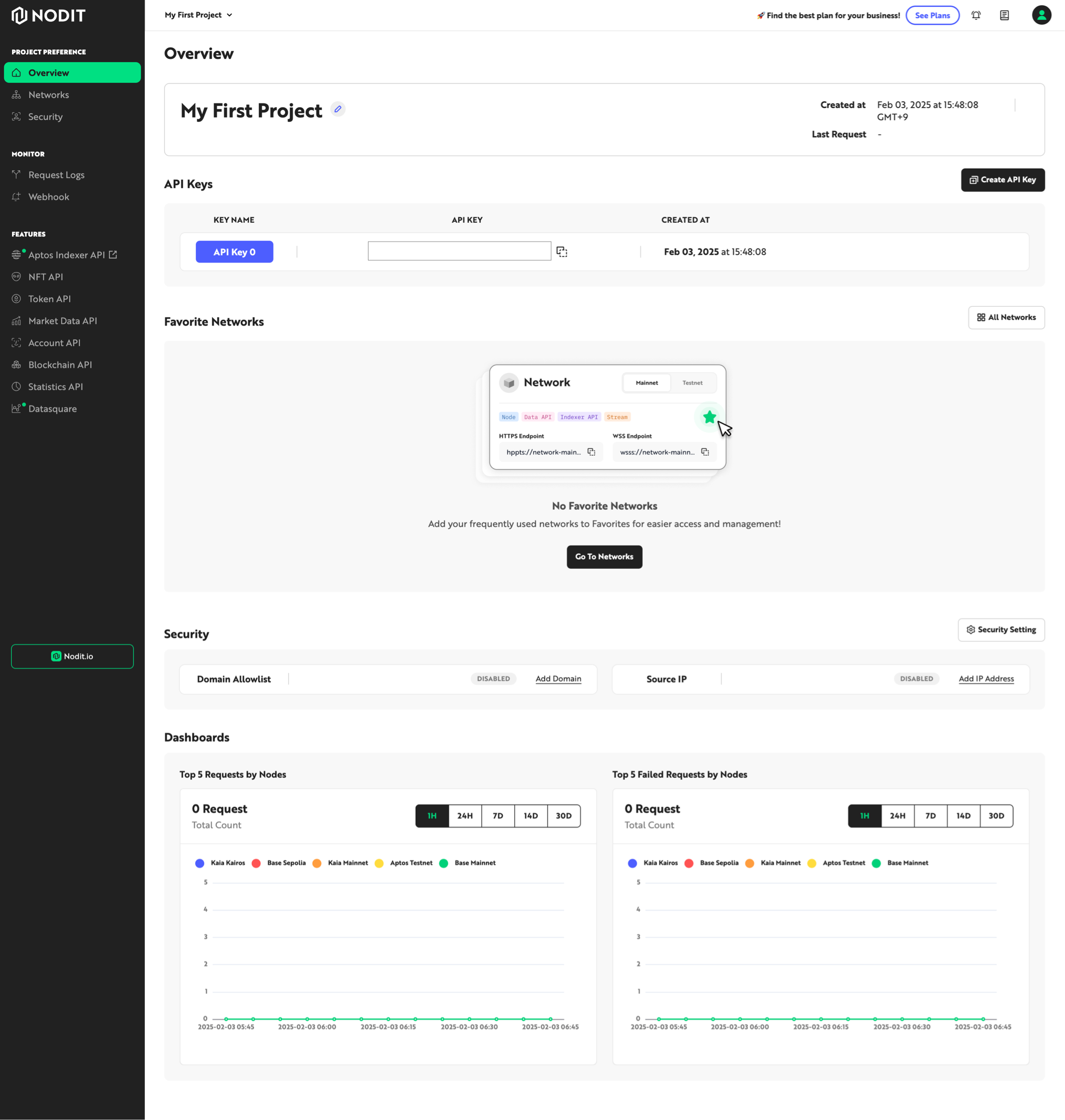
API Keys
You can view the API Key used for authentication when making API calls. Since the API Key internally contains account and project information and is used as a unit of usage measurement, it must be managed securely to prevent external exposure. One API Key is created by default, and you can create additional API Keys for different development environments, apply them separately, and meter usage independently. For more details about API Keys, please refer to the API Key page.
Favorite Networks
This area displays the networks you have added to your favorites from the full list of networks supported by Elastic Node. You can click the Networks menu on the left, the [All Networks] button in the upper right of the area, or the [Go To Networks] button displayed in the area upon first access to view the full network list and add your preferred networks to favorites.
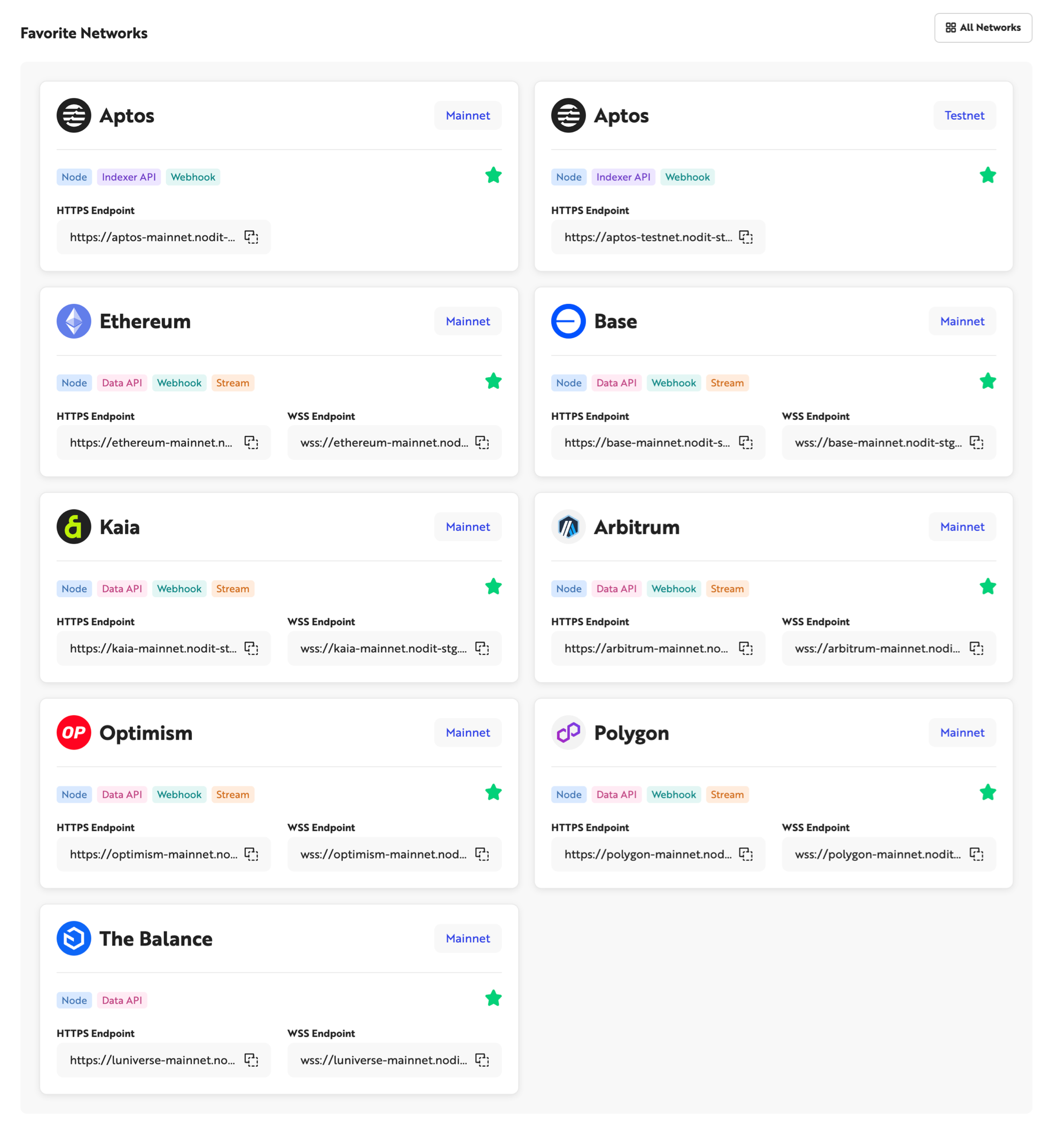
Checking Endpoints by Network
Click the HTTPS Endpoint or WSS Endpoint address to copy the node Endpoint address for Node API calls and development tool integration. For networks that provide data querying in the form of an Indexer API, such as Aptos, you can click the [Indexer API Endpoint] button to find the query Endpoint.
Checking Statistics by Network
Click on each network name or card area to view node status information and request statistics for that network.
Security
You can enhance security by allow-listing the clients that can call APIs using the Endpoint and API Key assigned to this node. Currently, domain address and IP filtering are provided, and more security features will be added in the future. For more details, please refer to the Security page.
Dashboard
This Dashboard lets you view the API call status for each network at a glance. You can check the total number of requests and the number of failed requests. To view statistics for each network, click the Networks menu on the left or click the network card added to the Favorite Networks area to navigate to the Dashboard screen for a specific network.
Go to the Nodit Console to create an account and try out the various features in a free project.