Crypto Balance
What is Crypto Balance?
Nodit Crypto Balance is a type of prepaid payment balance that can be charged by paying cryptocurrencies such as BTC, ETH, and USDT, and can be registered as a subscription payment method to use the charged amount for payments. The balance is based on US dollars (USD) and 1 Balance is converted to the same value as $1.
Navigating to the Crypto Balance Tab
You can check your Crypto Balance, charge it, and request refunds in the Crypto Balance tab of the Billing menu. Here's how to navigate to the Crypto Balance tab.
Step 1. Navigate to Billing Menu
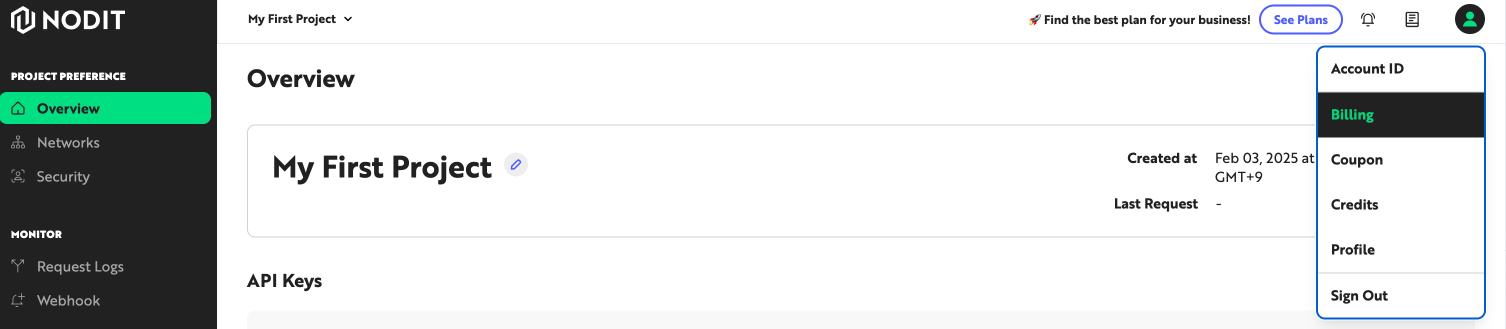
Click the profile icon at the top right of the Nodit console, then click the [Billing] menu to navigate to the account settings screen.
Step 2. Click Crypto Balance Tab
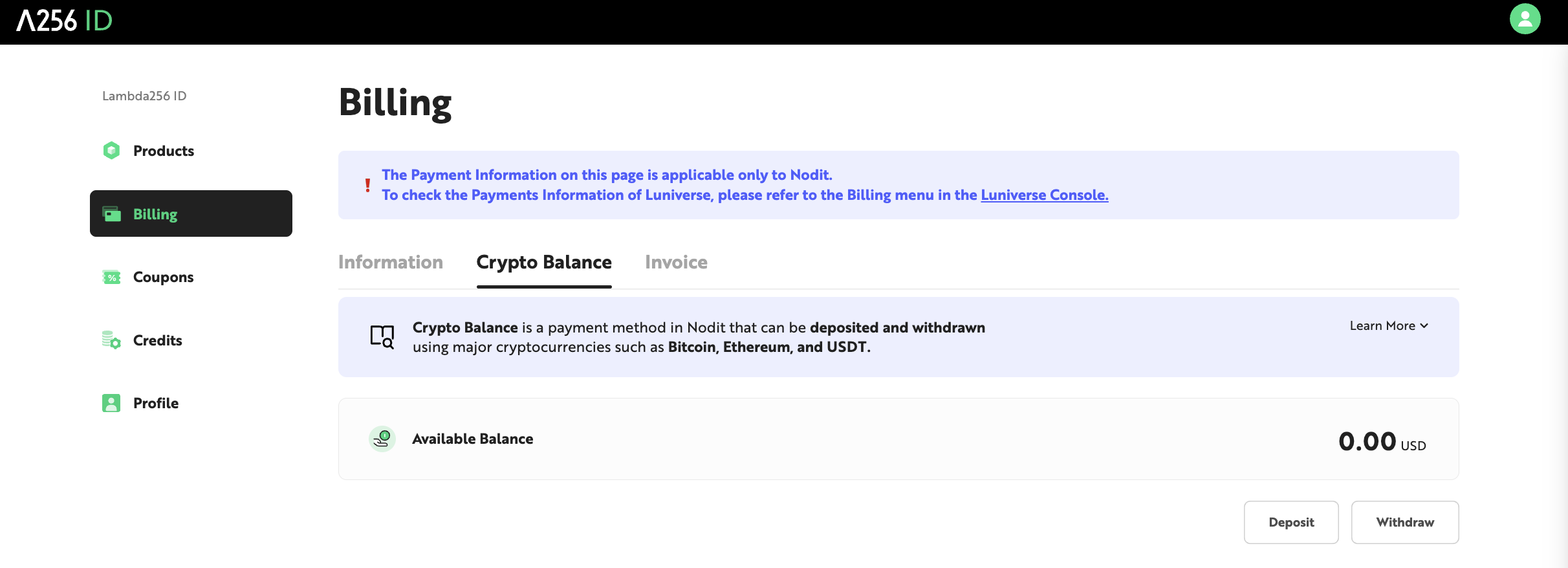
Click the [Crypto Balance] tab. You can check your currently available balance in the Available Balance area.
Charging Crypto Balance
Step 1. Enter Charge Amount
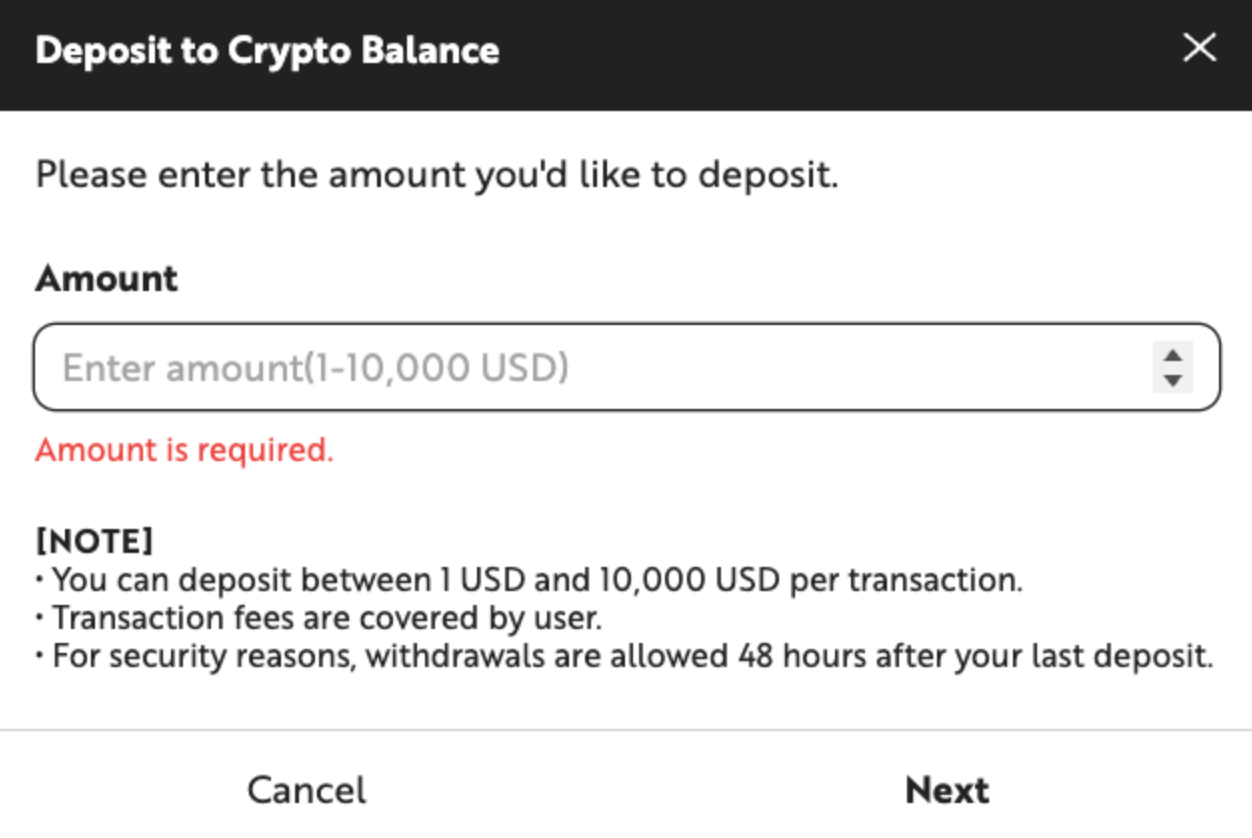
In the Crypto Balance tab, click the [Deposit] button at the bottom, then enter the amount you want to charge in US dollars (USD) in the popup window that appears as shown below. The minimum charge amount is $1 and the maximum charge amount is $100,000.
Step 2. Select Cryptocurrency
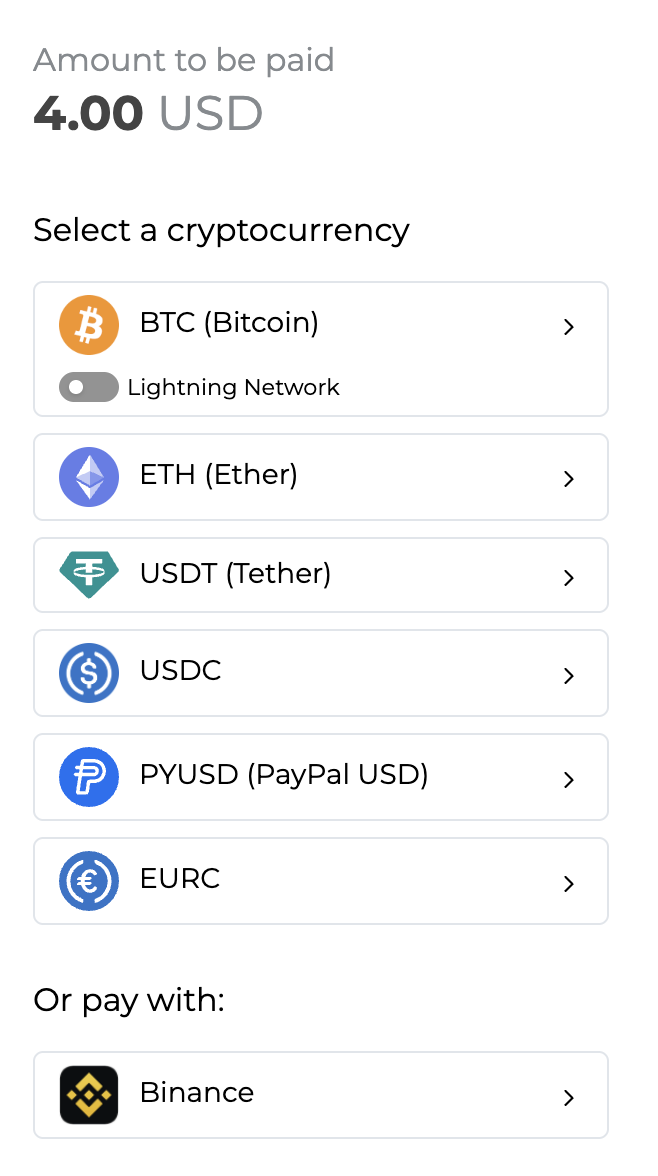
Click the [Next] button to navigate to the Crypto payment popup window. Select the cryptocurrency you will pay to charge your balance in the popup window.
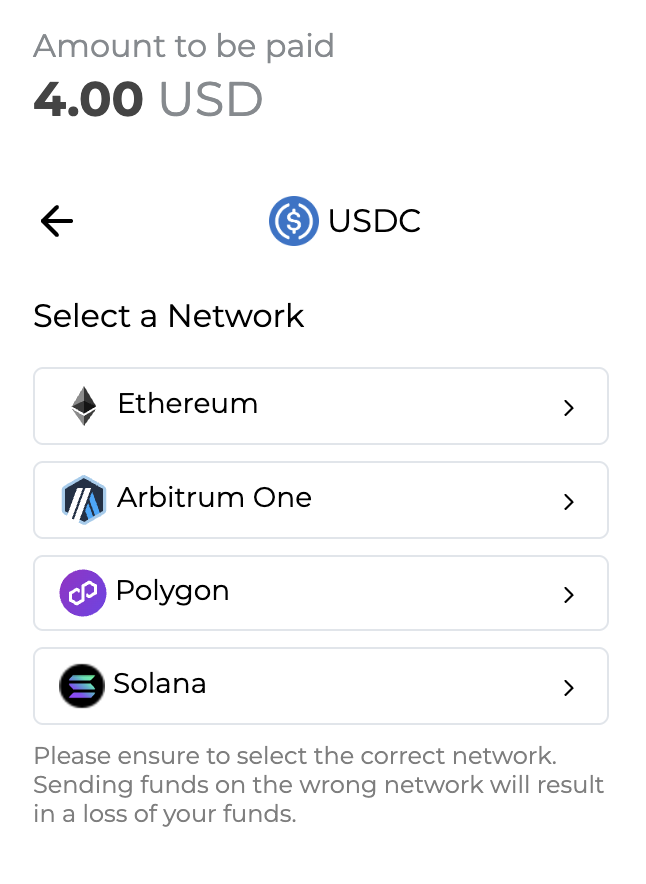
Step 3. Select Network for Payment
Select the target network to pay the selected currency from the list under Select a Network. For example, if you select USDC as the payment currency and Ethereum as the network, you can pay the charge amount through a wallet holding USDC on the Ethereum mainnet.
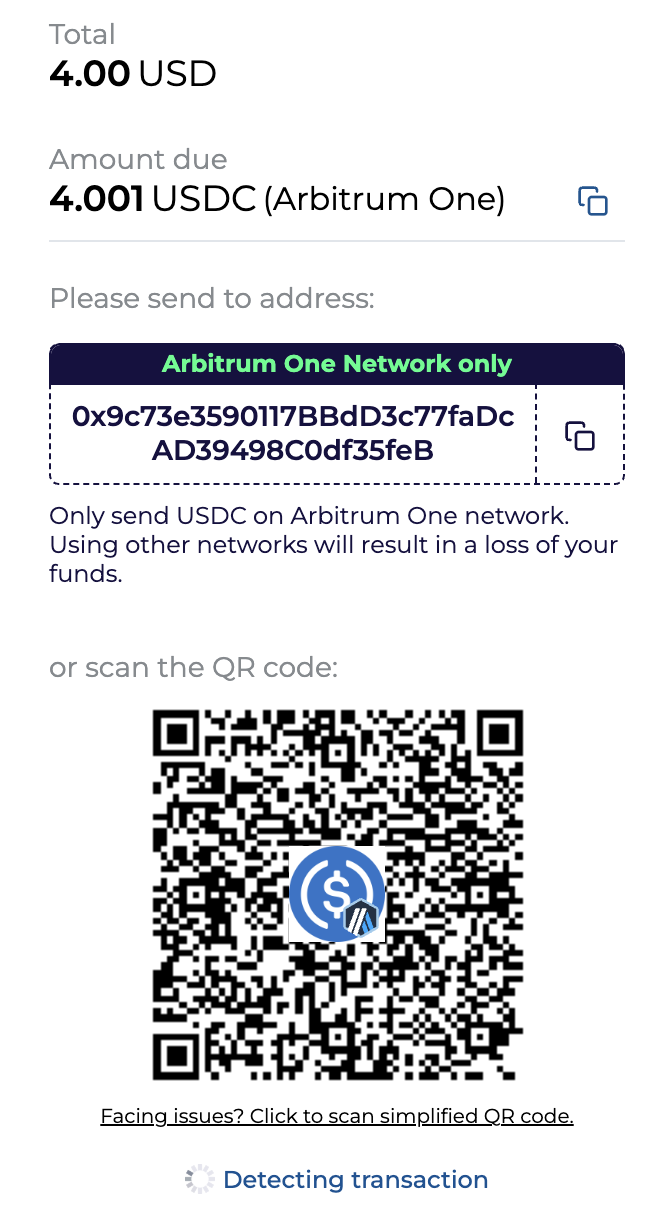
Step 4. Send Crypto
The final payment amount according to the real-time exchange rate is displayed in the selected Cryptocurrency. After checking the payment amount including fees, copy the wallet address displayed on the screen or scan the QR code with a mobile wallet application, etc. You can complete Crypto Balance charging by sending the total payment amount to that address within the time limit.
The total payment amount and deposit address displayed are valid for only 25 minutes depending on cryptocurrency exchange rate fluctuations, and if you fail to complete payment within this time, the exchange rate may change. After 25 minutes, the provided payment information expires, so please refresh the page. Upon refresh, a new deposit wallet address valid for 25 minutes is created and the latest cryptocurrency exchange rate is applied.
❗️ Important: Please double-check the deposit address and network when sending the payment amount.
Due to the nature of cryptocurrency transfers, transfers made on networks not selected or amounts sent to incorrect addresses cannot be refunded or compensated. To minimize the risk of mispayment due to mistakes such as entering the wrong address, please be sure to enter the address through QR code scanning and reconfirm the network in the final transfer confirmation message.
Step 5. Check Results
When the cryptocurrency transfer is confirmed on the network, a payment completion screen is displayed and a payment completion notification email is also sent. Payment completion generally occurs immediately, but may take several minutes or more depending on network conditions. If you close the browser window or refresh before payment is completed, the payment may not terminate properly, so please wait on the screen.
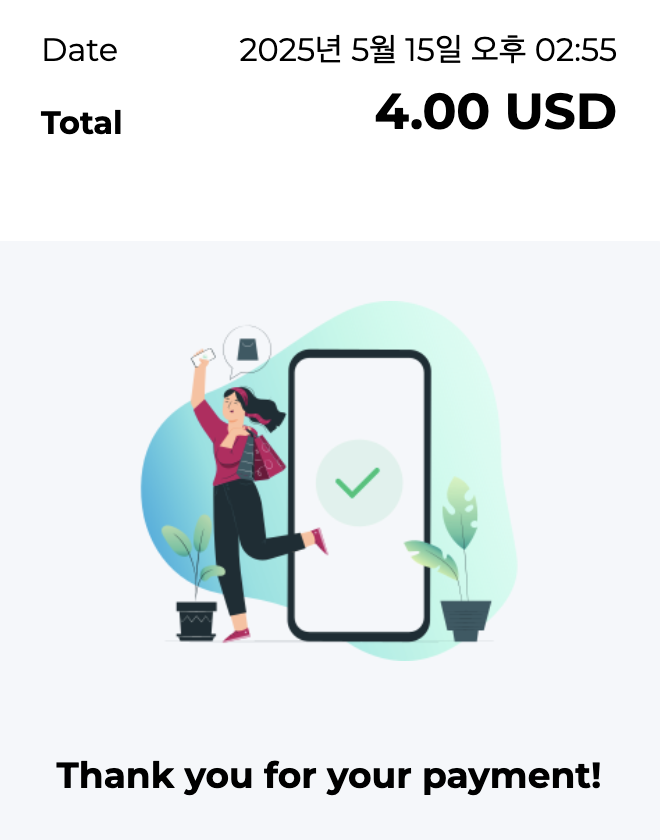
After checking the payment completion screen, refresh the Crypto Balance tab in the Nodit console to check the charged balance.
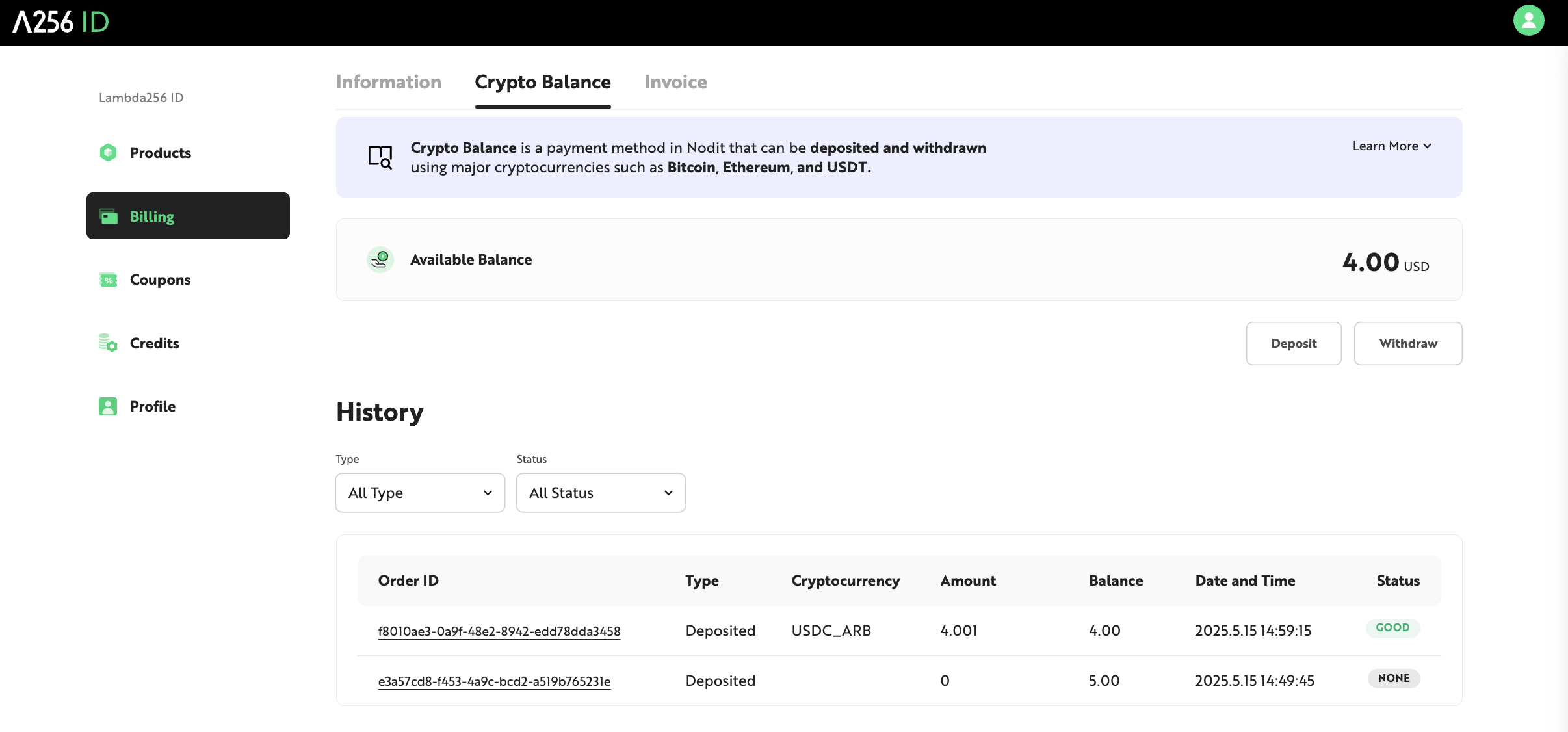
Step 6. Check Charge History
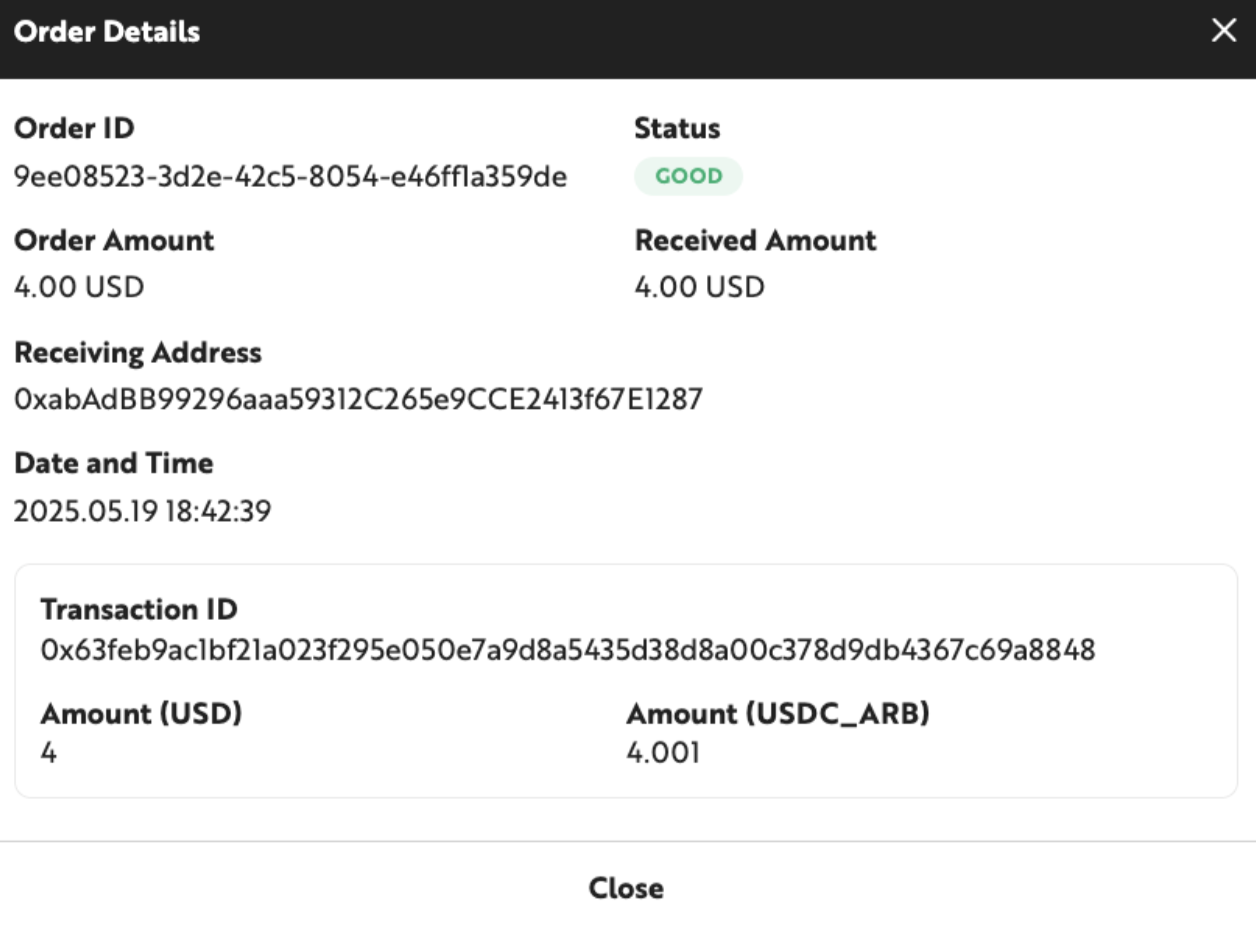
You can check the detailed information of each charge history by clicking each Order ID in the History area at the bottom of the screen.
Refunding Crypto Balance
Crypto Balance can be refunded by withdrawing it to a personal wallet address (withdrawal address). Withdrawal constraints are as follows:
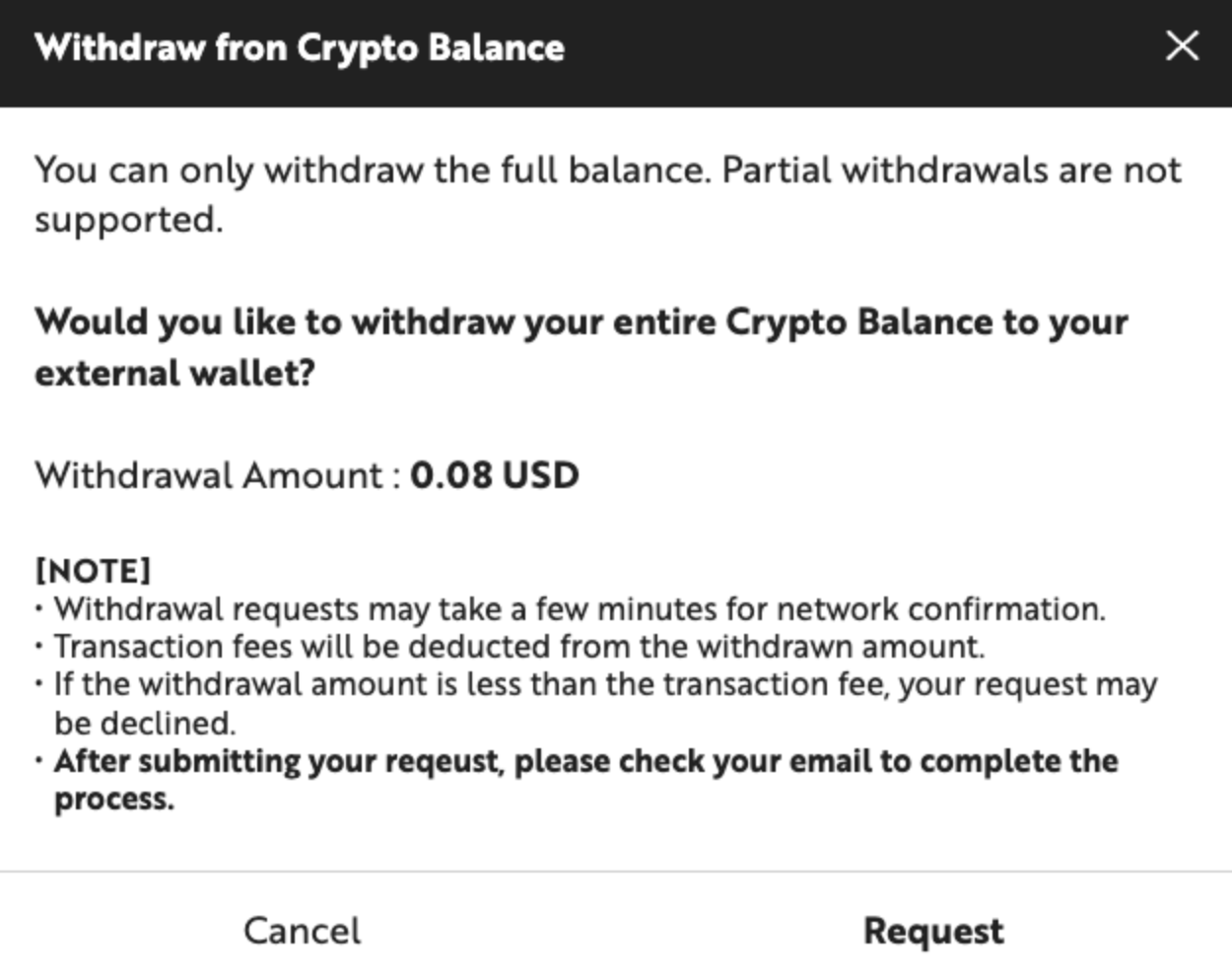
- Only full balance refunds are supported. You cannot refund only a portion of the balance.
- Refund requests are possible from 48 hours after the last balance charge request time.
- Refund requests may take several minutes or more depending on network conditions. (Maximum 40 minutes)
- Transaction fees required for refunds are deducted from the refund request amount, and the balance minus fees is deposited as the actual refund amount. Therefore, if your held balance is less than the transaction fee, you cannot request a refund.
- Refund requests are valid for 25 minutes from the time of request. Balance is deducted in advance simultaneously with the request, and after the refund transaction is completed normally, the refund amount is deposited to the requested withdrawal wallet. If the refund transaction is not completed within 25 minutes, the deducted balance is restored.
You can proceed with Crypto Balance refund by following the steps below.
Step 1. Request Refund
In the Crypto Balance tab, click the [withdraw] button to request a refund for the current full balance.
Step 2. Check Refund Link in Email
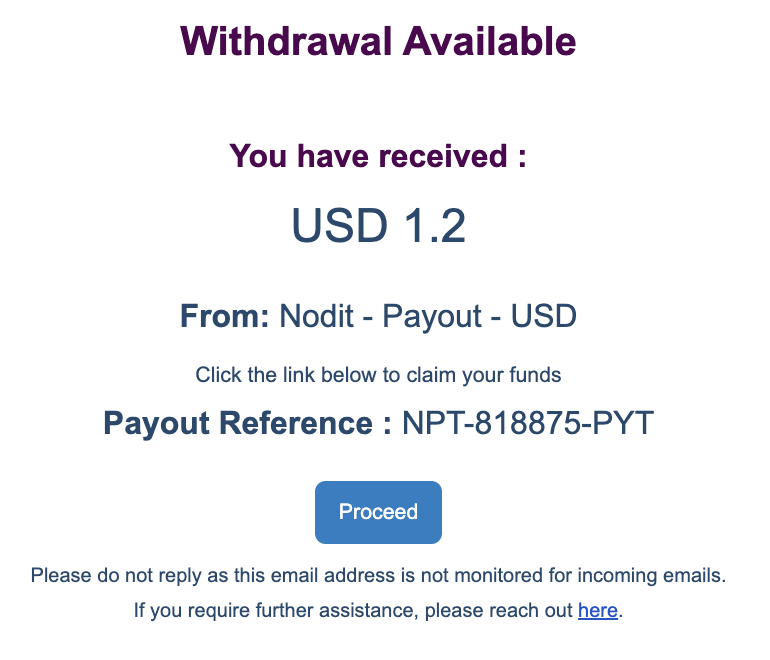
A link to apply for refund is sent to the Nodit account email. After checking the refund amount and details, please click the [Proceed] button.
Step 3. Select Cryptocurrency for Refund
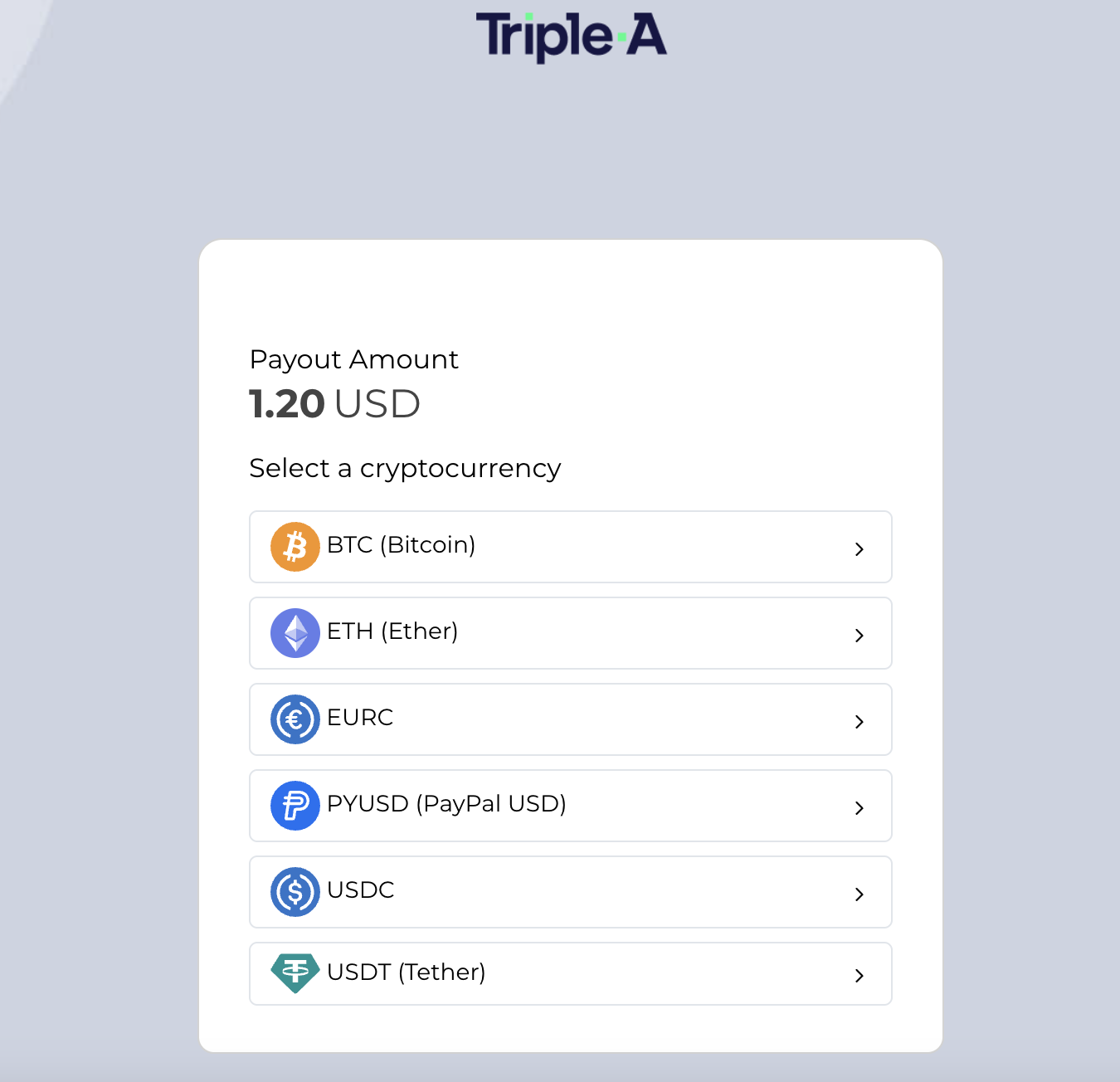
Please select the cryptocurrency you will receive the refund in the popup window. The applied cryptocurrency exchange rate is valid for only 25 minutes, and that exchange rate is applied only if payment confirmation and authentication are completed within the time. After 25 minutes, the link expires.
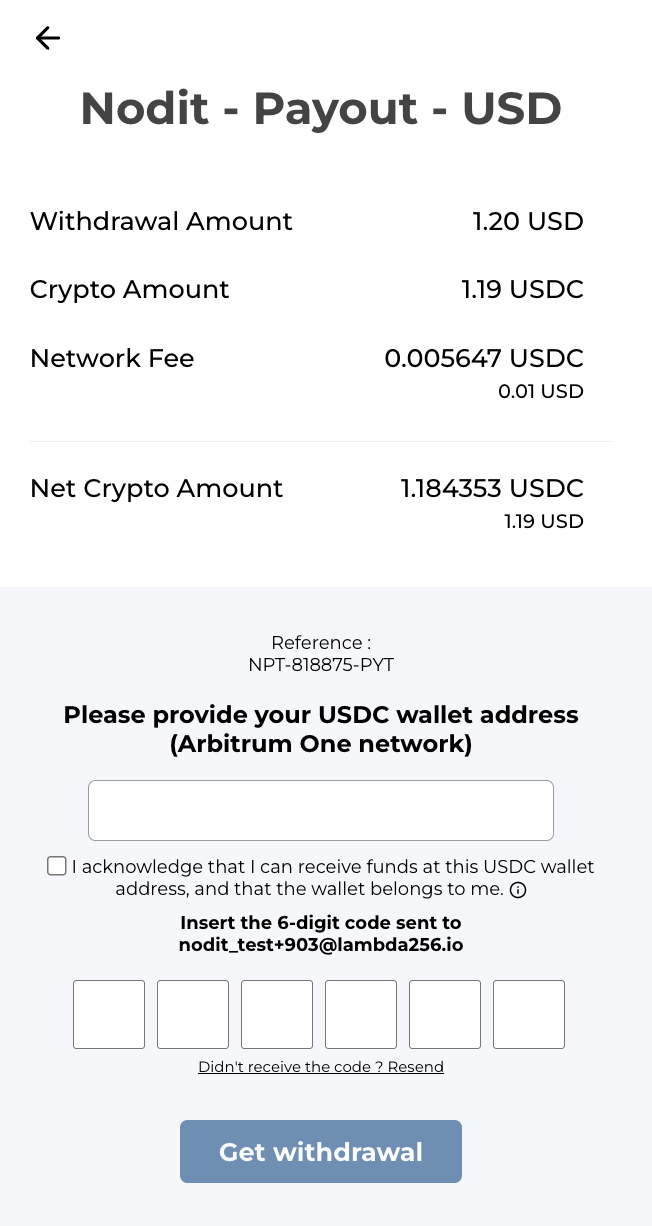
Step 4. Enter Wallet Address and Authentication Code for Refund
After checking the refund details, please enter the wallet address to receive the refund and the 6-digit code sent to your account email. After entering all information, click the [Get Withdrawal] button and the refund will proceed to the entered wallet address for the balance excluding fees. If you enter the refund form incorrectly, funds may be lost, so please make sure to accurately verify the entered information.
Step 5. Check Refund Results
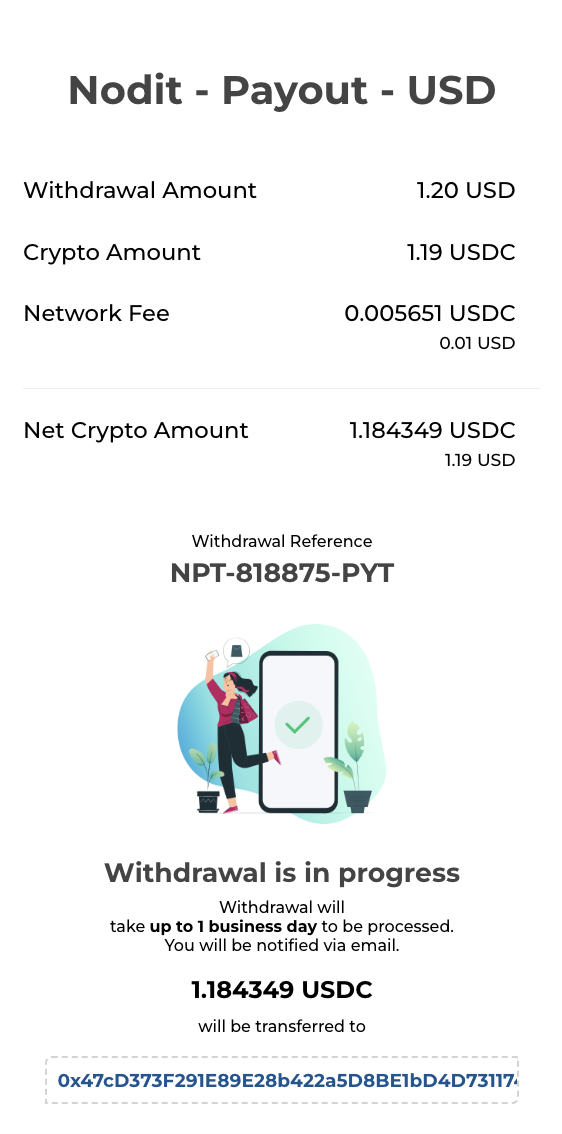
When the refund transaction is successfully completed, you can check the success message in the popup window. Refund request details and processing results are also sent to the Nodit account email, so please check your inbox.
Due to the irreversible nature of cryptocurrency transactions, the Company and payment agency do not take responsibility for refunds and recovery of financial losses and additional transaction fees caused by cryptocurrency misdirections due to incorrectly entered wallet addresses or amounts.
☑ Please double-check the wallet address, cryptocurrency, amount, and network used for cryptocurrency transmission and reception.
☑ Minimize misdirection risk by using QR code scanning and wallet applications.
☑ Always double-check the start and end characters of the wallet address. These characters must exactly match the sending or receiving address.
Crypto Balance Related FAQ
Q. There was a problem with the registered payment method and the subscription payment was not processed normally. What should I do?
Please refer to the Outstanding Charges page for service restrictions and repayment due to unpaid subscription fees.
Q. I charged Crypto Balance but subscription payment through Balance was not made.
If you want to proceed with subscription payment using Crypto Balance, you must cancel the existing payment method and change the payment method to Crypto Balance. If another payment method is registered, subscription payment proceeds to the registered payment method regardless of Balance charge success.
Q. I deleted my account with remaining Crypto Balance. Can I get a refund?
The Balance balance owned by the account automatically expires upon withdrawal and cannot be recovered. Please make sure to complete Balance withdrawal before deleting your account.