Security
Use the Security feature to restrict which origins are permitted to make API calls. By managing Domain Names and Source IPs through an Allowlist, unauthorized access to project resources and API calls are blocked. Requests from origins not registered in the Allowlist return an HTTP 403 status code with an error response.
Security Settings
Configure and manage the Domain/IP Allowlist from the Security tab on the project detail page. As a general practice, use the Domain Name Allowlist for requests originating from web browsers, and the Source IP Allowlist for requests from fixed network environments such as server-to-server communication. Enable only the method that fits your environment to allow only the necessary origins.
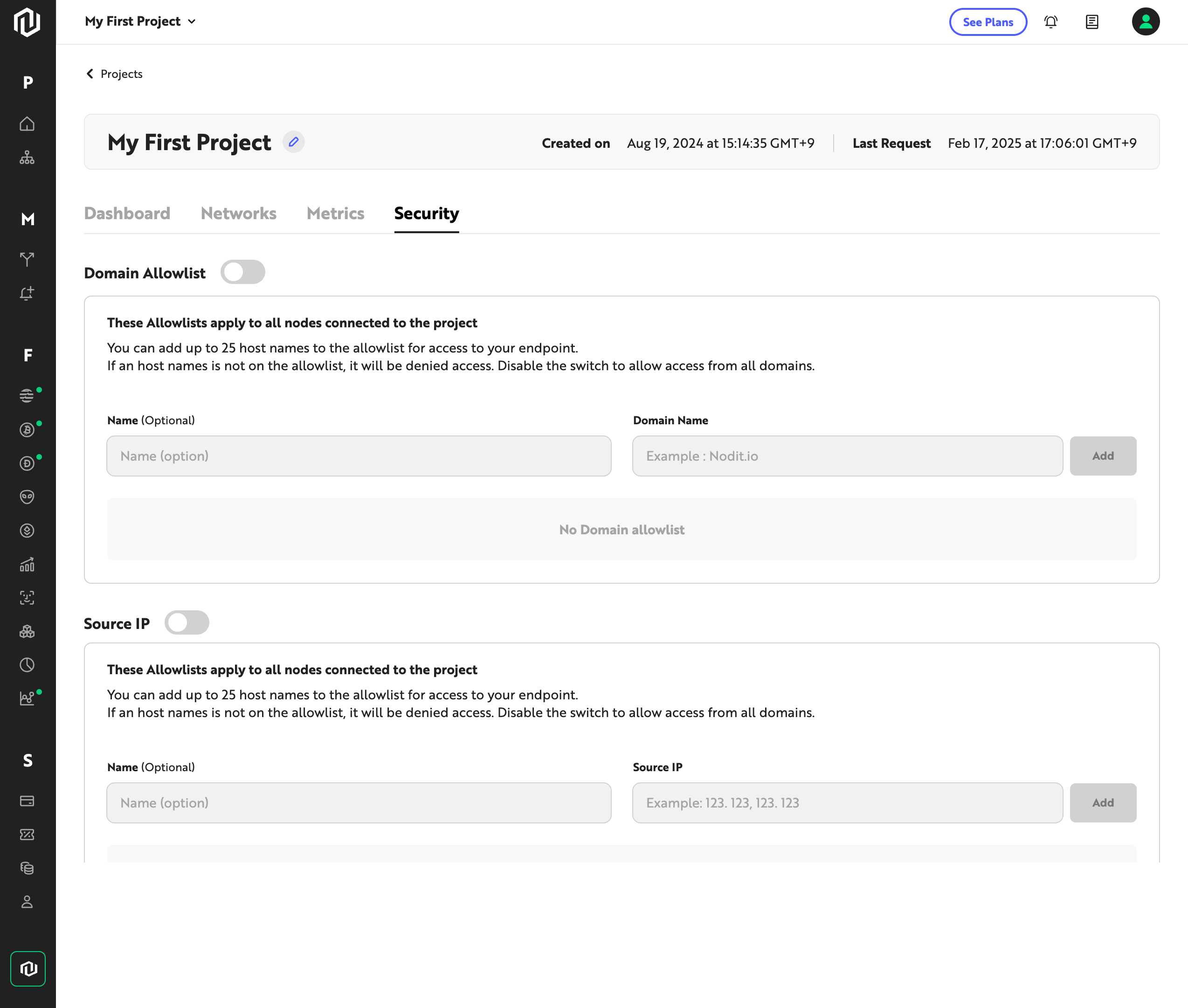
1. Register a Domain Name
This method restricts resource access from unauthorized origins based on Domain Name. Follow the steps below to add a Domain Name to the Allowlist.
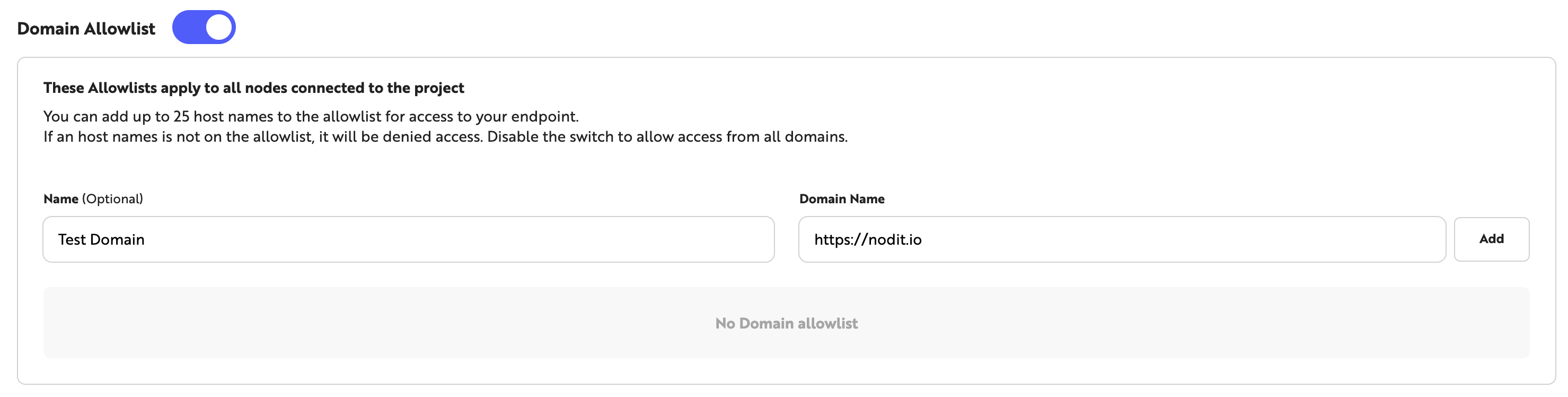
- Click the toggle to the left of [Domain Allowlist] to enable Domain Name-based security.
- Optionally enter a description for the domain in the [Name] field.
- Enter the Domain Name in the [Domain Name] field.
- Click the [Add] button on the right to add the entry to the Domain Name Allowlist.
Up to 25 Domain Names can be registered in the Allowlist. When this option is enabled, requests from origins with Domain Names not in the Allowlist return a 403 error.
2. Register a Source IP
This method restricts API calls to only those from permitted IP addresses based on Source IP. Follow the steps below to add an IP to the Allowlist.
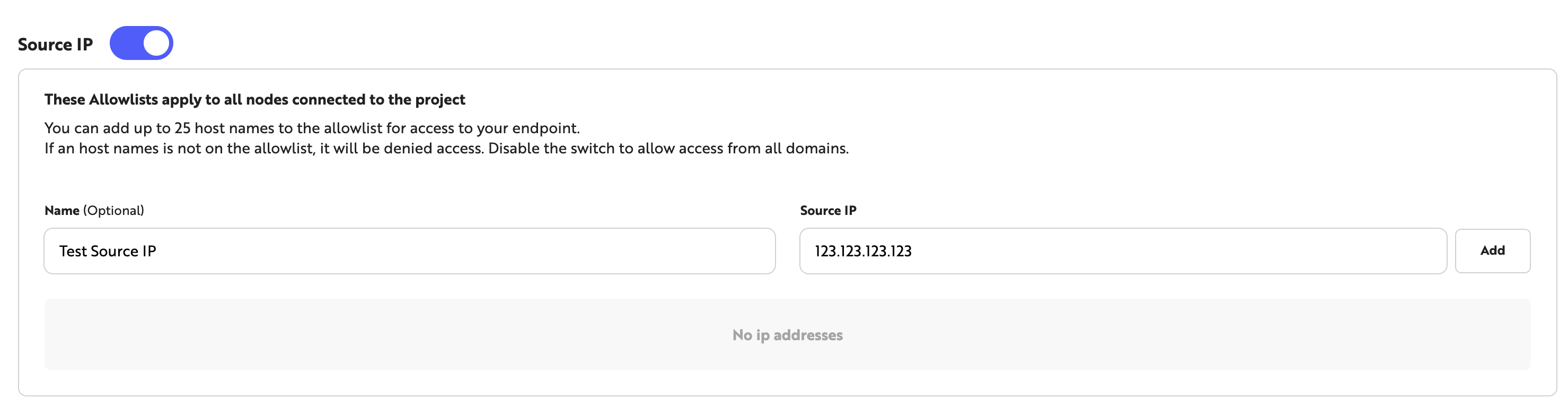
- Click the toggle to the left of [Source IP] to enable Source IP-based security.
- Optionally enter a description for the IP in the [Name] field.
- Enter the IP address in the [Source IP] field.
- Click the [Add] button on the right to add the entry to the Source IP Allowlist.
Up to 25 Source IPs can be registered in the Allowlist. When security is enabled, requests from Source IPs not in the Allowlist return a 403 error.
If a Domain or Source IP Allowlist is enabled and an unregistered origin calls the API, a 403 error is returned. When the Security feature is not in use, keep both Allowlists disabled to allow API calls normally.
Error Response
When an API call is made from an origin not registered in the Allowlist, the following response is returned with an HTTP 403 status code. The error message may reference Domain or Source IP depending on the type of request.
{
  "code": "PERMISSION_DENIED",
  "message": "Permission denied. Check your security settings and ensure your domain is allowlisted."
}
The main causes of this error and the corresponding remedies are as follows.
- The Domain or Source IP Allowlist is enabled, but the current origin is not registered — Add the Domain Name or Source IP to the Allowlist in the Security settings.
- The value registered in the Allowlist does not match the actual request origin — Review the registered entries and check for typos or formatting errors.
- The Security feature is not in use — Verify that the Domain and Source IP Allowlist toggles are disabled. When a toggle is enabled, only origins registered in the Allowlist are permitted.
Security Recommendations
Using API Keys together with the Security feature strengthens protection against unauthorized access. Review the following recommendations when configuring your security settings.
- Store API Keys in environment variables (e.g.,
process.env.API_KEY) rather than embedding them directly in source code. Do not commit API Keys to version control systems, as exposure can lead to unauthorized use. - Rotate API Keys periodically. Keys in long-term use accumulate exposure risk, and regular rotation helps maintain security.
- Keep the number of registered Domain Names and Source IPs in the Allowlist to a minimum. Remove entries that are no longer in use to eliminate unnecessary access paths.
- If your environment uses fixed network connections (e.g., server-to-server communication), enable the Source IP Allowlist to block requests from non-permitted IPs.