Coupon & Credit
Coupons and Credits are discount instruments applicable to plan subscription fees and Auto-scaling charges. Coupons are issued through promotions and events, while Credits are automatically granted upon specific events. This page covers how to register a coupon code and apply it to a payment, as well as how Credits work and how to use them.
Coupon
Coupons provide a fixed discount on plan subscription payments. There are two application modes: immediate application and scheduled application.
Step 1. Register a Coupon Code
To apply a coupon to a payment, first register the coupon code in Lambda256 ID. Registered coupons appear in the [Coupon List], where you can select and apply them during checkout.
-
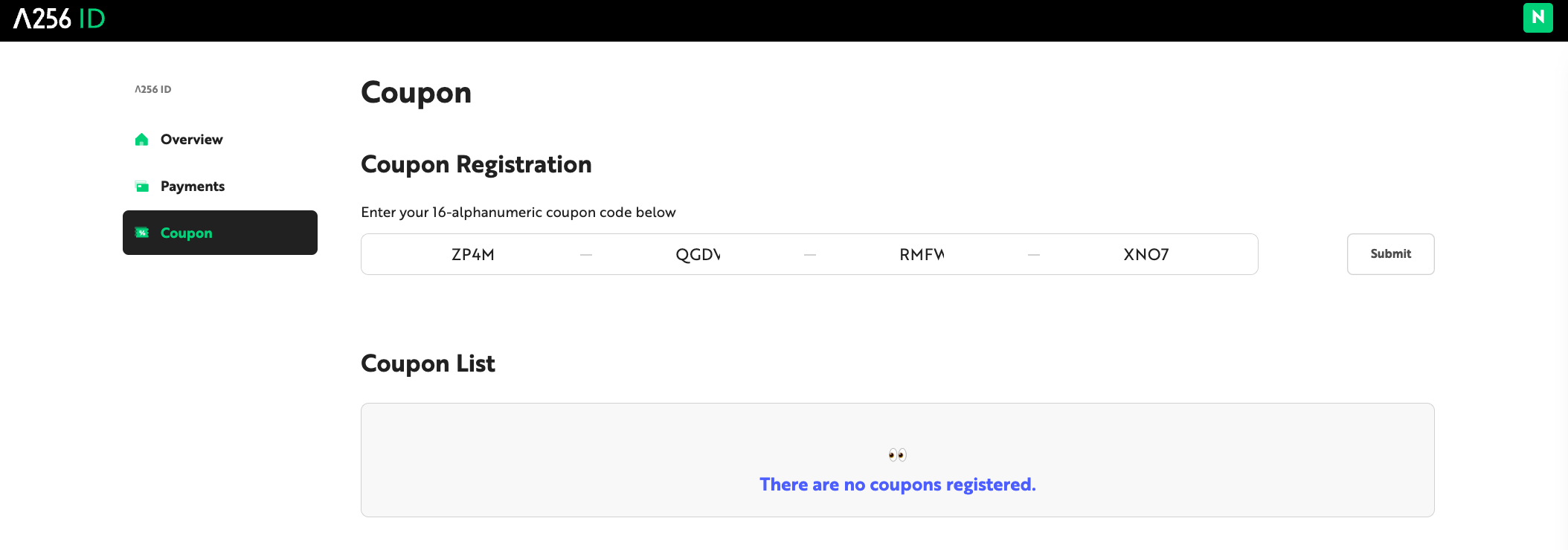
Log in to Lambda256 ID and navigate to the [Coupons] tab.
-
Enter the 16-digit coupon code in the Coupon Registration field and click [Submit].
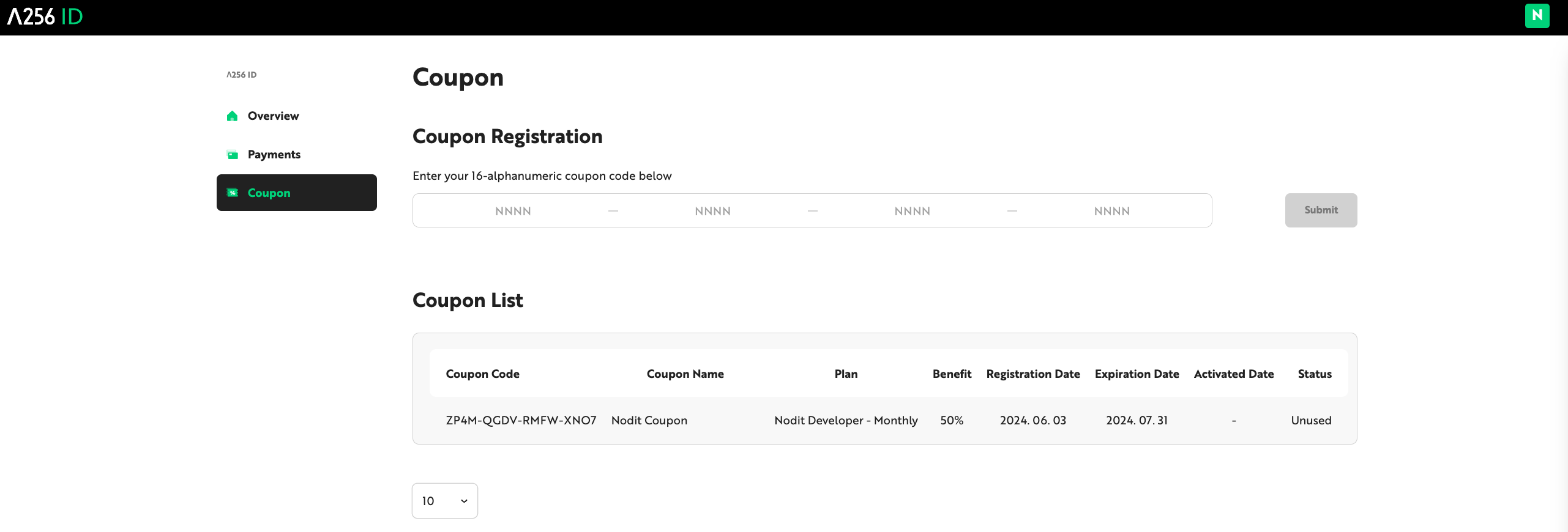
- Verify the registered coupon details and usage history in the [Coupon List].
Step 2. Apply a Coupon
Registered coupons can be applied during checkout when subscribing to or changing a plan. If an applicable coupon is available, the [Coupon] button is activated in the Payment Details Overview.
When subscribing to a new plan or upgrading to a higher-tier plan, the coupon is applied immediately.
-
In the Nodit Console Account Dashboard, click [Upgrade My Plan], or click [Pricing] in the top menu.
-
Select the plan to subscribe to. If an applicable coupon is available, the [Coupon] button is activated in the Payment Details Overview.
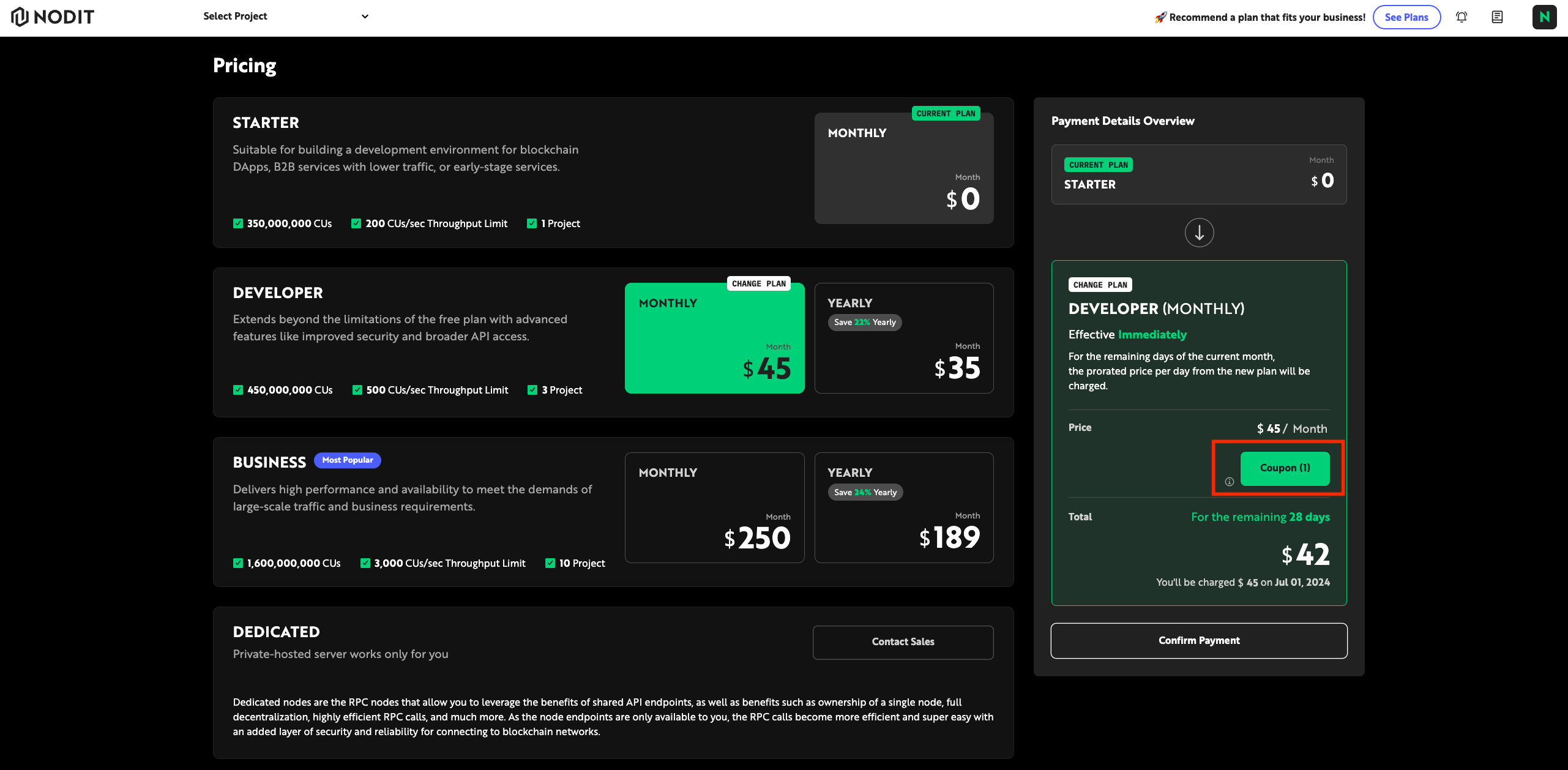
- Click [Coupon], select the desired coupon, and click [Apply].
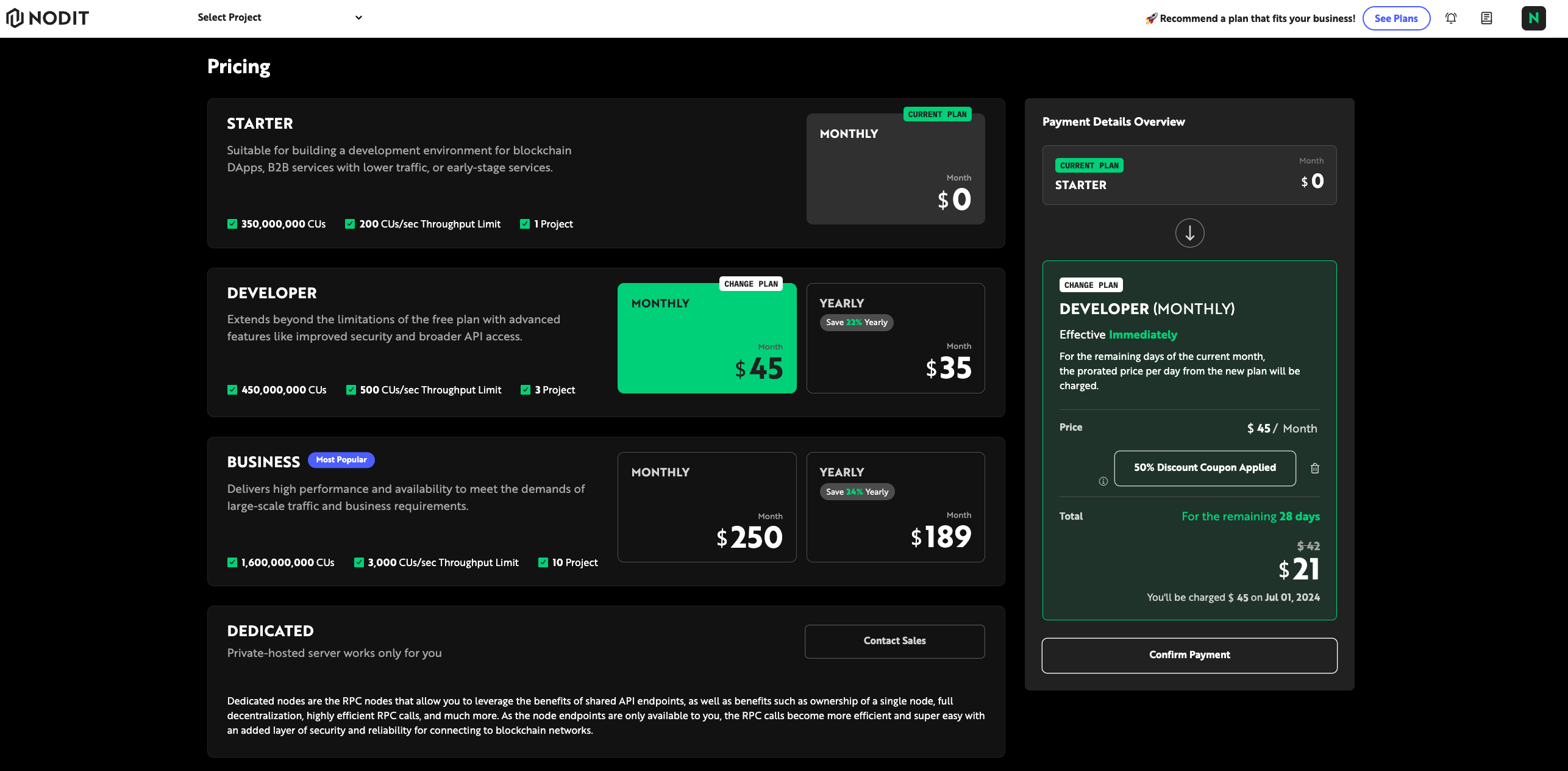
- Review the estimated amount with the discount applied, then click [Confirm]. Once payment is complete, the plan is updated and a receipt is sent to the email address registered at sign-up.
Credit
Credits are a point-based currency used for Nodit service charges, applicable to all billing items including plan subscriptions and Auto-scaling overage fees. Credits are automatically granted through events such as the Referral program and cannot be purchased separately.
| Item | Details |
|---|---|
| Exchange rate | $1 = 100 Credits |
| Minimum usage unit | 1 Credit |
Credits are redeemable only within Nodit services. Used Credits cannot be cancelled or refunded, and are not applicable to external service payments or cash conversion.
Credit Balance
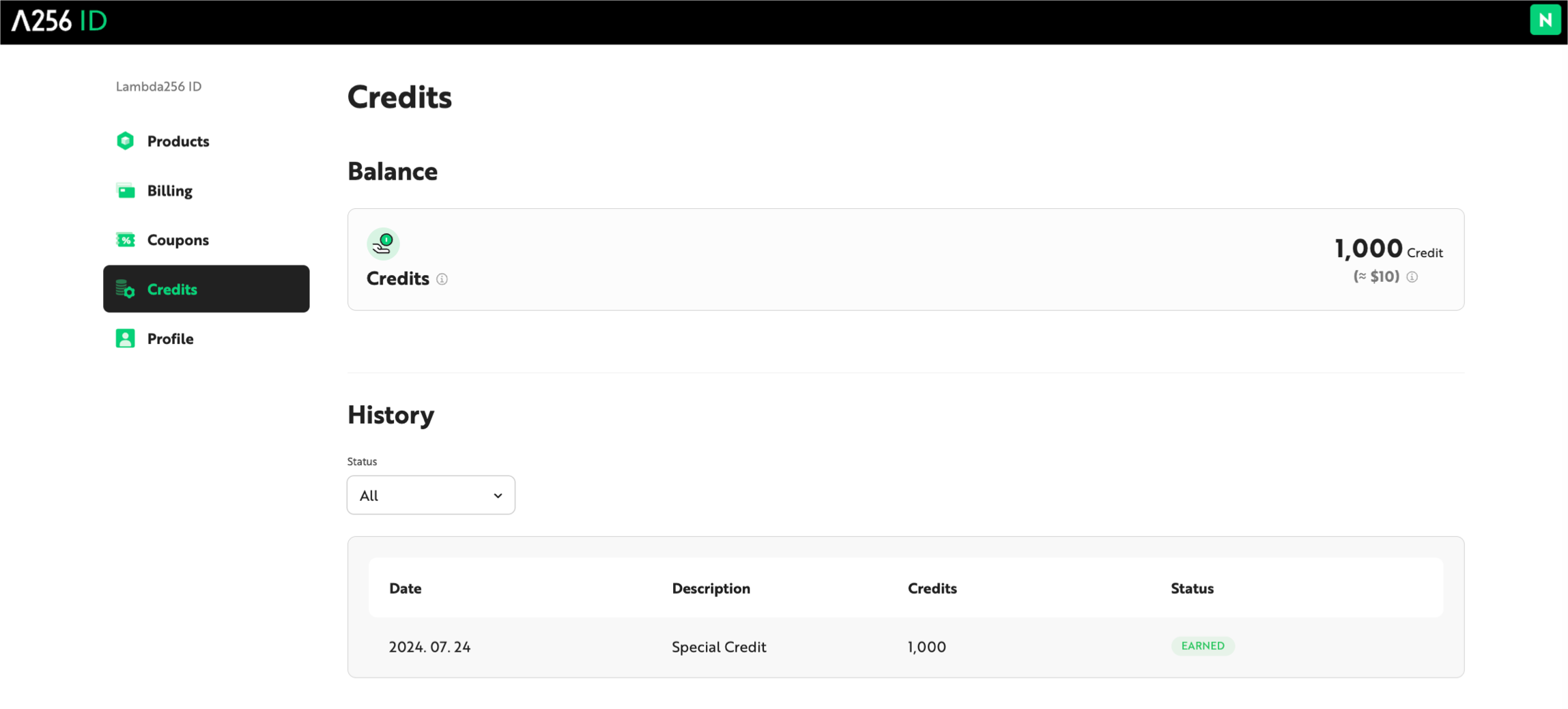
The current Credit balance and usage history are available on the Credit page in the Nodit Console.
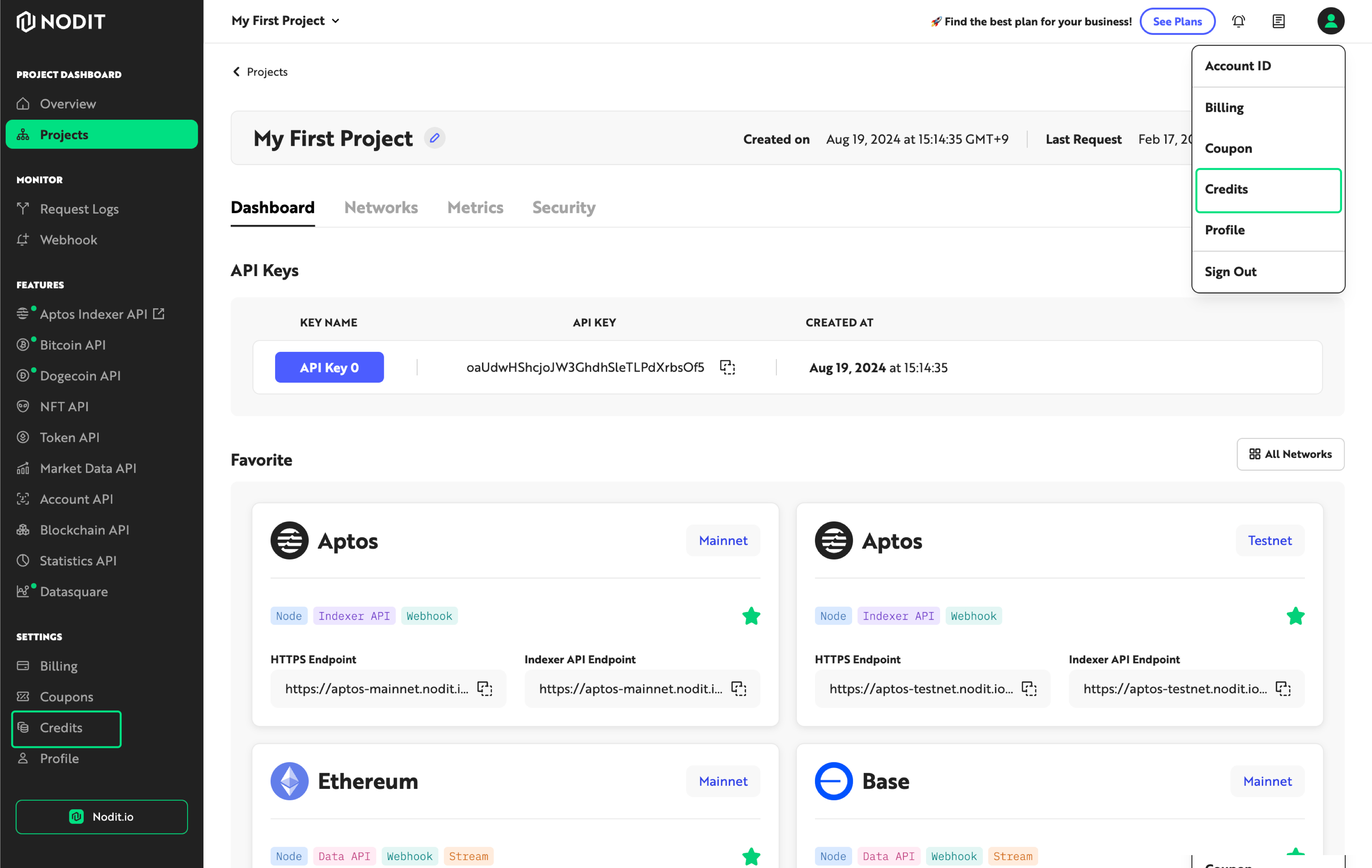
- Click the profile area in the upper-right corner of the Console and select [Credits], or click [Credits] at the bottom of the left-side menu.
- On the Credit page, view the current Credit balance and usage history.
If you have a coupon code, register it directly from the Billing menu in the Nodit Console and apply it to your payment.